TL;DR
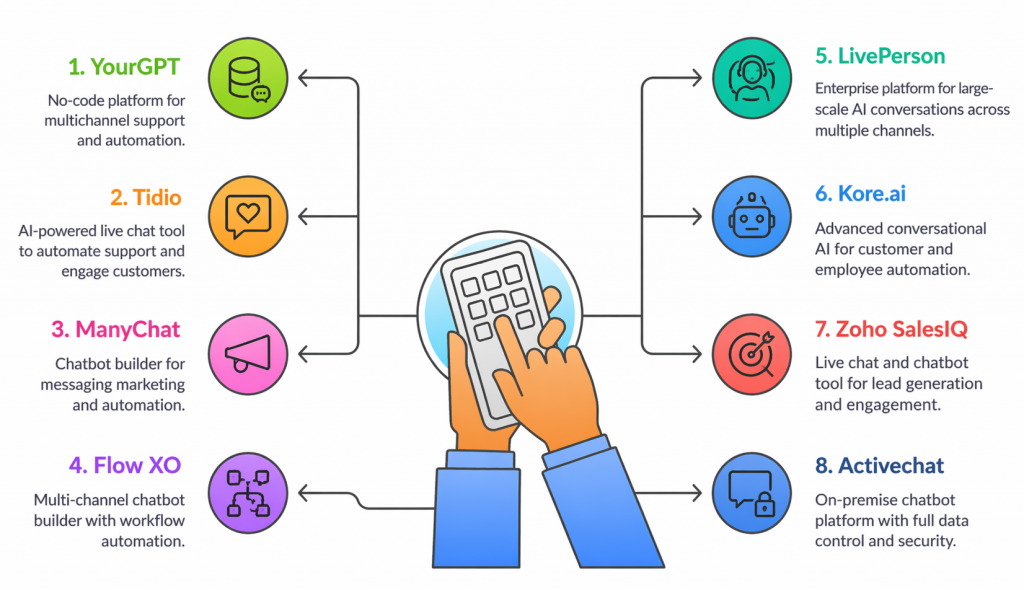
In 2026, medium-sized businesses are adopting AI chatbots to handle rising support volume without increasing team size. YourGPT stands out as a complete no-code platform that connects support, sales, and workflow automation in one system. Tidio blends live chat with AI for faster responses, while ManyChat focuses on social and messaging automation. Flow XO supports multi-channel use cases, and enterprise-focused platforms such as LivePerson extend capabilities for large-scale operations.
Medium-sized businesses struggle to balance quick and reliable customer support with cost control. Teams are busy, resources are limited, and customers want fast answers at all times.
AI chatbots can solve this. They reduce repetitive tickets, speed up responses, and let your team focus on the issues that need a human touch. For growing businesses, the challenge is not deciding to use a chatbot but choosing the right one.
The best chatbot builder should connect with your existing tools, be easy to use, and scale as your business grows. In this blog, we will compare eight AI chatbot builders. These builders deliver on these needs. We will focus on features, flexibility, and cost-effectiveness.
The Best AI Chatbot Builders at a glance
| Platform Name | Best For | AI Model | Starting Price |
|---|---|---|---|
| YourGPT | Complete AI platform for support, sales, and workflow automation across multiple channels | GPT-4o, Claude, Gemini, Llama, Qwen, and multi-model support | $49/month |
| Tidio | AI-powered live chat and support automation for small to medium businesses | Lyro AI Agent | $24.17/month |
| ManyChat | Marketing automation for Instagram, WhatsApp, and Messenger | Rule-based automation | $15/month |
| Flow XO | No-code chatbot builder for multi-channel support and automation | Rule-based workflows | Free / $25/month |
| LivePerson | Enterprise AI platform for large-scale customer conversations | Conversational AI + automation | Custom pricing |
| Kore.ai | Advanced conversational AI and workflow automation for enterprises | NLP-based AI models | Custom pricing |
| Zoho SalesIQ | Live chat and chatbot platform for lead capture and engagement | Zobot (rule-based + basic AI) | Free / $7/month |
| ActiveChat | On-premise chatbot platform with full data control | Flow-based automation | $4,995 one-time |
What Are the Biggest Challenges Medium-Sized Businesses Face?
Small businesses often encounter operational challenges that impact service quality and customer experience. AI chatbots can help by increasing efficiency and providing reliable support.
| Challenge | Problem | Business Impact | Solution |
|---|---|---|---|
| Limited Support Staff | Small teams struggle with volume | Delayed replies and poor customer experience | 24/7 AI responses reduce pressure on live agents |
| Rising Operational Costs | Manual processes require more hires | Higher costs and lower margins | Automates repetitive tasks, reducing staff load |
| Inconsistent Experiences | Human replies vary by person | Trust and brand image take a hit | Delivers consistent, reliable responses every time |
| Availability Gaps | No coverage outside working hours | Missed leads and support tickets | AI bots stay online round the clock |
| Scalability Struggles | Growing demand outpaces staffing capacity | Slower service and lost opportunities | Instantly scales to handle more conversations |
The integration of a smart AI chatbot is designed to reduce operational costs. It also helps to build a more intelligent, scalable, and resilient business.
Comprehensive Review to Leading AI Chatbot Builders for Businesses
Compare the top AI chatbot platforms. They are built to help mid-size businesses automate support. They also capture leads and scale without adding overhead.
1. YourGPT

YourGPT is an AI-first platform that allows businesses to build, automate, and scale. It is designed for medium-sized to enterprise businesses. These businesses need fast, reliable automation across customer support, sales, and automation. The platform provides one solution to manage all the channels.
The platform supports chatbots, voice agents, and AI helpdesk systems, trained on company data or from multiple sources. YourGPT provides advanced features like AI studio, self-learning, multi-step task handling, and auto reindexing. These features help businesses reduce manual work. They improve response speed and maintain consistent customer experiences.
Features
- No-Code AI Chatbot Builder: Quickly build and deploy AI chatbots without writing code.
- AI Helpdesk: Create AI-powered knowledge bases integrated directly with your chatbot.
- Multilingual Support: Handle conversations in over 100 languages.
- Omnichannel Integration: Connect to platforms like WhatsApp, Instagram, Messenger, Slack, Telegram, Discord, and CRM tools.
- API & Webhook Integration: Enables the bot to fetch/send data, trigger workflows, and connect to external systems.
- Human Handoff & Live Chat: Allow human agents take over complex queries when needed and collaboration tools.
- Campaigns : Proactive outreach conversations across WhatsApp, SMS, email, and phone while AI handles replies with full context to drive conversions.
Pros
- No-code setup for businesses without technical teams.
- AI first Platform with complete suite for supports, sales and more
- Works across channels and supports multiple languages out of the box
- Built for both external support and internal team workflows
Cons
- Advanced features may not be accessible during a free trial
- Fast pace of updates can require frequent retraining for teams
Best for
The Complete AI chatbot platform that can scale across multiple teams, support channels, and departments.
Pricing Overview
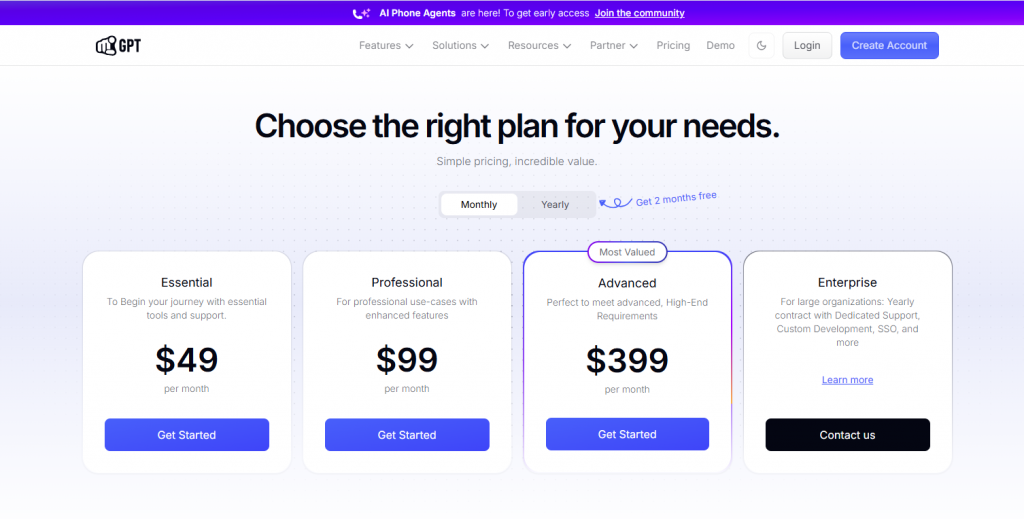
- Essential Plan: $49/month
- Professional Plan: $99/month
- Advance Plan: $399/month
- Enterprise : Book a call to discuss
Build AI Chatbots Without Coding
Automate support, sales, and internal workflows with one AI platform. Setup is instant — no tech team needed.
Try YourGPT Now →2. Tidio
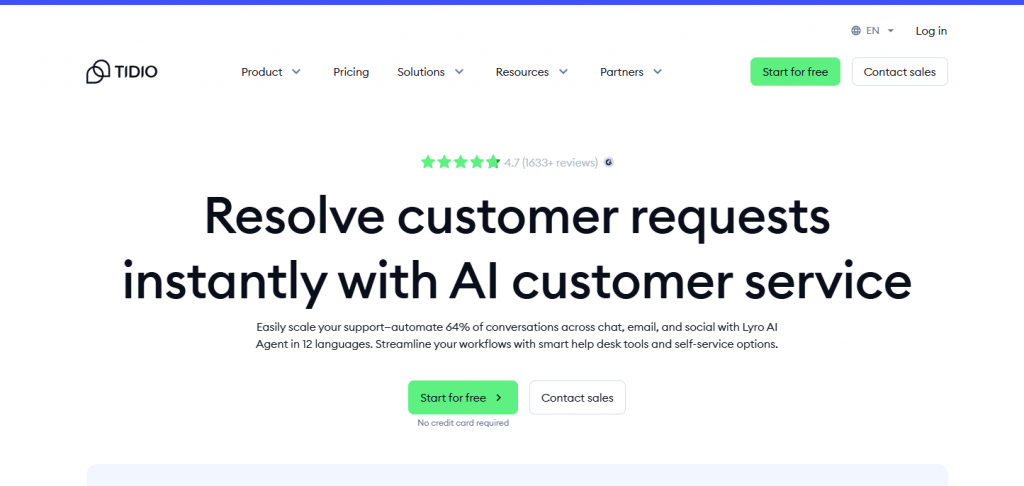
Tidio is an AI-powered customer service platform that helps businesses manage conversations, automate responses, and support customers in real time. It is designed for small to medium-sized businesses that need a simple and efficient way to handle support and engagement across multiple channels. The platform brings live chat, chatbots, and helpdesk features into one system, making it easier to manage customer interactions without switching tools.
The platform brings together automated chatbots, live chat, and ticket management in one system. It offers features such as ready-to-use chatbot templates, workflow automation, and integrations with tools like Shopify and email platforms. These capabilities help teams respond faster, handle repetitive queries efficiently, and maintain consistent communication without adding operational overhead.
Features
- Live Chat: Real-time communication with website visitors, including features like live typing, canned responses, and visitor tracking.
- Lyro AI Agent: An AI-powered chatbot that uses machine learning to handle customer inquiries and provide accurate responses.
- Multichannel Support: Integration with platforms like Messenger, Instagram, and email to manage all customer interactions in one place.
- Analytics and Reporting: Detailed insights into customer interactions, chatbot performance, and team efficiency
Pros
- Intuitive design that allows easy setup and management of chatbots and live chat.
- Flexible chatbot templates that can be customized to specific business needs.
- Seamless integration with popular platforms like Shopify, WordPress, and Zapier.
Cons
- Tidio’s chatbot and widget designs offer limited customization, which may not fit all brand aesthetics.
- Tidio may not deliver consistent results in all languages, which can be a drawback for businesses serving a multilingual customer base.
Best for
Small to midsize businesses seeking to enhance their customer support and engagement through AI-powered chatbots and live chat functionalities.
Pricing
- Starter Plan: Starting at $24.17/month
- Growth Plan: Starting at $49.17/month
- Plus Plan: Starting at $749/month
- Premium Plan: Starting at $2,999/month
3. ManyChat
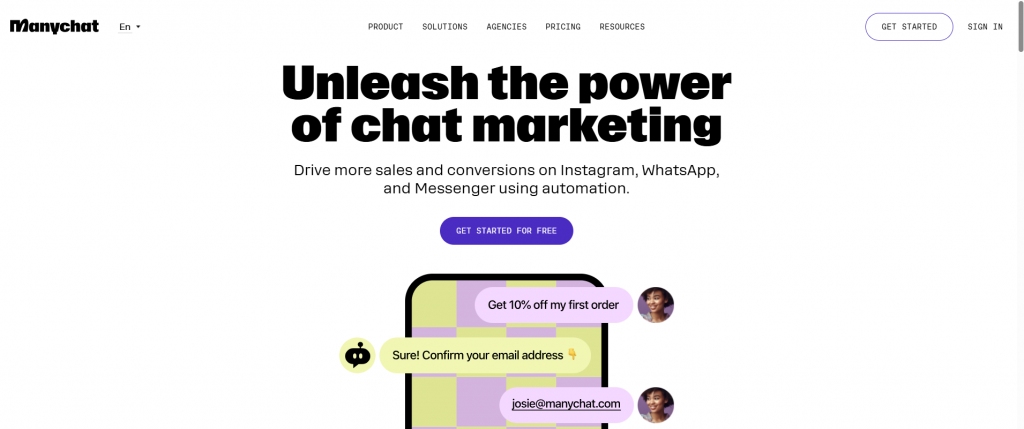
ManyChat is a messaging automation platform that helps businesses manage conversations across channels like Instagram, Facebook Messenger, and WhatsApp without needing technical skills. It is designed for small to medium-sized businesses and marketing teams that want to engage customers, capture leads, and run campaigns directly through messaging apps. The platform focuses on making communication faster and more consistent across social channels.
The platform combines automation tools with a visual builder to create conversation flows for marketing and customer engagement. It includes features such as audience segmentation, broadcast messaging, and integrations with tools like Shopify, Google Sheets, and CRM systems. These capabilities allow teams to respond instantly, run targeted campaigns, and manage large volumes of conversations without increasing manual effort.
Features
- Multi-Channel Automation: Manage conversations across Instagram, Facebook Messenger, WhatsApp, SMS, and email from a single platform.
- Visual Flow Builder: Design chatbot workflows using a drag-and-drop interface, facilitating easy setup of automated conversations.
- Growth Tools: Utilize tools like comment-to-DM, story mentions, and landing pages to capture leads and grow your audience.
- Integration Capabilities: Connect with third-party applications such as Shopify, Google Sheets, Zapier, and others to streamline operations.
Pros
- Capture leads via story replies, comment-to-DM, pop-ups, and landing pages.
- Instagram and Whatsapp Integration only
- Segment users using tags, custom fields, and filters for targeted messaging
Cons
- ManyChat relies on rule-based logic and lacks native AI.
- With only a basic range of features available, the tool does not provide the comprehensive capabilities that many users might expect or require.
- There’s no native ticketing system for tracking unresolved conversations.
- Large workflows become harder to manage and maintain over time.
Best For
Small to medium-sized businesses, social media, and digital marketers seeking to automate customer engagement and streamline communication across multiple messaging platforms.
Pricing
- Pro Plan: Starting at $15/month
- Elite Plan: Custom pricing
4. Flow XO

Flow XO is a no-code chatbot platform that helps businesses automate conversations, streamline workflows, and improve customer interactions across multiple channels. It is designed for small to medium-sized businesses that want to build chatbots without technical complexity while managing communication in a structured way.
The platform allows users to create automated workflows and deploy bots across channels such as websites, Messenger, Slack, and more. It includes features like a visual flow builder, integration support with external tools, and automation triggers based on user actions. These capabilities help businesses handle repetitive tasks, connect systems, and maintain consistent interactions without relying on manual processes.
Features
- No-Code Bot Builder: Build, test, and launch chatbots using a visual drag-and-drop editor without coding.
- Lead Qualification: Collect key details, ask screening questions, and send qualified leads to your sales team.
- Customer Support: Answer FAQs, solve simple issues, and route complex cases to human agents.
- Sales Funnel Support: Send follow-ups, share product info, and move users toward a purchase.
- Scheduling: Let users book appointments or meetings directly in the chat.
Pros
- Deploy bots across web, Messenger, WhatsApp, Telegram, Slack, and SMS from one platform.
- Easy-to-use drag-and-drop editor makes it accessible for non-technical users.
- Support for external services like Google Sheets, CRM tools, and email platforms via webhooks and third-party apps.
Cons
- Flow XO relies on rule-based logic and lacks advanced natural language processing features.
- As bots grow in complexity, managing and maintaining large workflows can become challenging.
- The tool offers only a limited set of features and capabilities, which may significantly restrict what users are able to accomplish with it.
Best For
Small to mid-market AI chatbot platforms that enable businesses to automate customer interactions across multiple channels without requiring coding expertise.
Pricing
- Free Plan: $0/month
- Standard Plan: $25/month
5. LivePerson
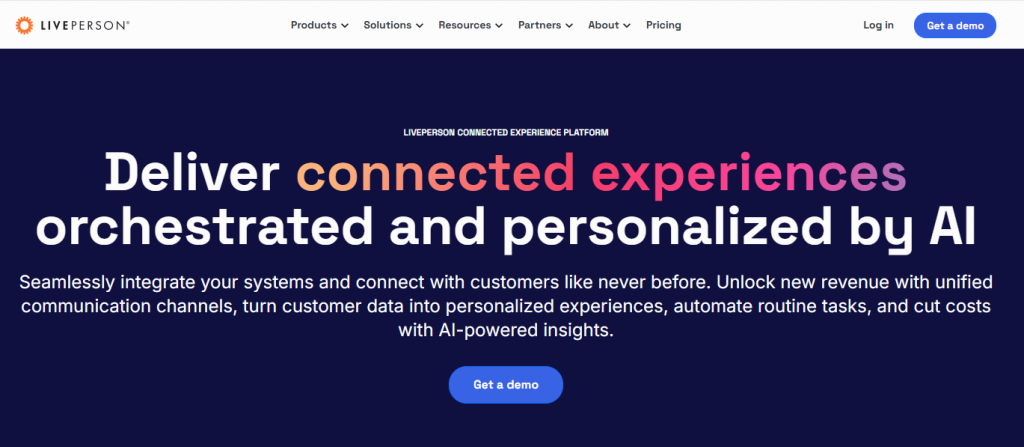
LivePerson is a conversational AI platform that helps businesses manage large volumes of customer interactions across messaging channels. It is designed for medium to enterprise businesses that need reliable automation while still supporting human-led conversations. The platform brings messaging, automation, and customer engagement into a single system, making it easier to handle support and sales at scale.
The platform combines AI-driven automation with agent tools to manage conversations efficiently across web, mobile, and messaging apps. It includes features such as intelligent routing, real-time assistance for agents, and conversation analytics. These capabilities help teams respond faster, handle higher volumes of interactions, and maintain consistent communication without increasing operational load.
Features
- Omnichannel Messaging: Manage conversations across web, mobile, WhatsApp, SMS, and social platforms from a unified interface.
- AI-Powered Automation: Use AI agents to handle common queries, route conversations, and assist human agents in real time.
- Conversation Intelligence: Analyze customer interactions to gain insights and improve response quality.
- Agent Workspace: Provide support teams with tools to manage, track, and respond to conversations efficiently.
Pros
- Handle high volumes of customer conversations across multiple channels from a single platform.
- AI automation improves response speed while supporting human agents when needed.
- Provides analytics and insights to improve conversation quality over time.
Cons
- LivePerson requires a complex setup process, which can slow down initial deployment.
- Higher pricing compared to most chatbot tools makes it less suitable for smaller teams.
- Advanced features take time to configure and fully utilize effectively.
Best For
Medium to large businesses that need advanced AI automation and omnichannel customer engagement at scale.
Pricing
- Custom pricing based on usage and business requirements
6. Kore.ai
Kore.ai is a conversational AI platform built for businesses that need advanced automation across customer interactions and internal operations. It is designed for medium to enterprise organizations that require more control over how conversations, workflows, and systems are connected. The platform supports both customer-facing assistants and internal bots, making it useful across multiple departments.
The platform enables businesses to build AI assistants that can handle complex queries, automate tasks, and integrate with existing systems. It includes features such as natural language understanding, workflow automation, and multi-channel deployment across web, apps, and voice. These capabilities help teams reduce manual effort, manage operations more efficiently, and maintain consistent communication at scale.
Features
- AI Virtual Assistants: Build intelligent chatbots for customer support, HR, IT helpdesk, and more.
- Natural Language Understanding: Advanced NLP capabilities for handling complex queries and conversations.
- Multi-Channel Deployment: Deploy bots across web, mobile apps, messaging platforms, and voice channels.
- Workflow Automation: Integrate with backend systems to automate tasks and business processes.
Pros
- Supports complex conversations with strong AI and natural language understanding capabilities.
- Enables automation across both customer interactions and internal processes.
- Flexible deployment across multiple channels and environments.
Cons
- Kore.ai requires technical expertise for advanced configurations and workflows.
- Not suitable for quick setup or simple chatbot use cases.
- Higher cost and complexity compared to no-code chatbot platforms.
Best For
Medium to large enterprises looking for advanced conversational AI and workflow automation across departments.
Pricing
Custom pricing based on features, usage, and deployment scale
7. Zoho SalesIQ
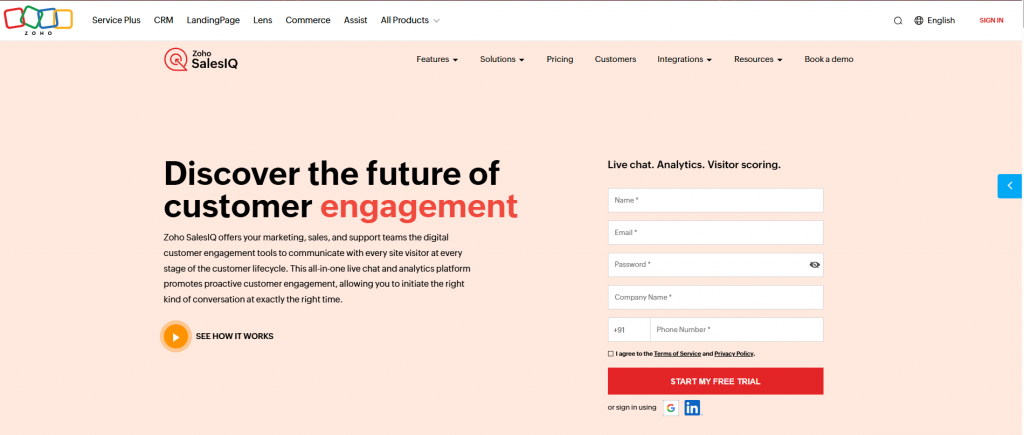
Zoho SalesIQ is a customer engagement platform that helps businesses interact with website visitors, understand user behavior, and automate conversations through chatbots. It is designed for small to medium-sized businesses that want to capture leads and respond to customers in real time while keeping communication organized in one place.
The platform combines live chat, visitor tracking, and chatbot automation into a single system. It includes features such as behavior-based triggers, chatbot workflows, and deep integration with Zoho CRM and other tools. These capabilities help teams engage visitors at the right moment, respond faster, and convert more interactions into qualified leads without increasing manual effort.
Features
- Live Chat and Visitor Tracking: Monitor website visitors and engage them based on behavior.
- Chatbot Builder (Zobot): Create automated chatbots for lead capture and support queries.
- CRM Integration: Seamlessly connect with Zoho CRM and other Zoho tools.
- Automation Triggers: Set up rules to engage users based on actions like page visits or time spent.
Pros
- Combines live chat and chatbot automation in a single platform for customer engagement.
- Strong integration with Zoho ecosystem improves workflow efficiency.
- Provides visitor tracking and engagement tools for better lead capture.
Cons
- Zoho SalesIQ has limited advanced AI capabilities compared to newer AI-first platforms.
- Customization options are restricted for complex chatbot use cases.
- Best performance depends heavily on using other Zoho products.
Best For
Small to medium-sized businesses, especially those already using Zoho products for sales and support.
Pricing
- Free Plan available
- Paid plans start from $7/month (varies by features and usage)
8. Activechat
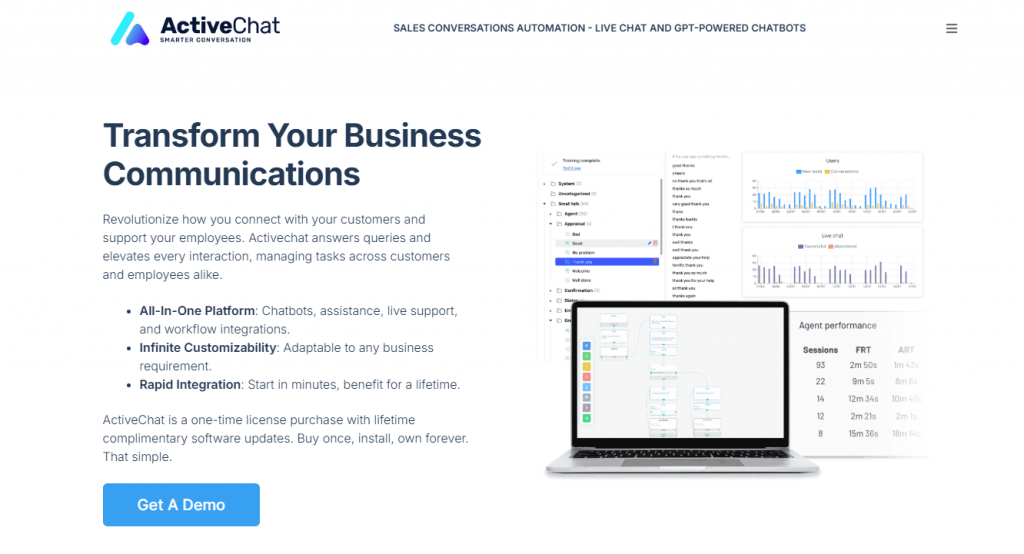
Activechat is an on-premise chatbot platform that helps businesses automate customer service and marketing interactions while keeping full control over their data. It is designed for businesses that prefer a self-hosted solution without ongoing subscription costs, making it suitable for teams that want flexibility in how their chatbot system is deployed and managed.
The platform combines a flow-based chatbot builder with AI-assisted live chat and multi-channel support. It includes features such as visual workflow creation, automation triggers, and integrations with messaging platforms. These capabilities allow businesses to handle complex conversation flows, support customers efficiently, and manage interactions across channels without relying on recurring SaaS infrastructure.
Features
- Built-In Live Chat: Switch between automated responses and live human support when needed, all in one platform.
- Helpdesk Automation: Automate repetitive support tasks and reduce ticket load by routing common queries through bots.
- CRM Integration: Track user behavior and conversations, store customer data, and personalise interactions using built-in CRM features.
- Multichannel Support: Deploy bots on your website, Facebook Messenger, WhatsApp, and other channels from a single dashboard.
- Custom Workflows: Create logic-based workflows to handle lead capture, onboarding, support, or sales processes.
Pros
- Avoid recurring subscription fees with a one-time purchase model.
- Maintain full control over data by hosting the platform on your own servers or private cloud.
Cons
- Setting up the platform on-premise may require technical expertise and infrastructure.
- Users may need time to become proficient with the platform’s features and capabilities.
- The limited nature of the tool’s functionality means that users may quickly run into obstacles if they attempt to utilize it for complex or multifaceted tasks.
Best For
Businesses and enterprises seeking a customizable, on-premise conversational AI solution with full data control and no recurring fees.
Pricing
- Company License: $4,995 one-time fee for a single installation with unlimited projects.
- Developer License: $14,995 one-time fee for unlimited installations and projects, including additional developer tools and support.
- Assistance Hours: Optional support packages starting at $1,250 for 25 hours of technical assistance.
5 Essential Questions for Choosing the Right AI Chatbot
Choosing a platform is a long-term commitment. Don’t get distracted by flashy UI, feature lists, or low introductory pricing. Instead, answer these five questions to find the right fit for your business.
1. What Is Your Primary Job-to-be-Done?
Are you drowning in support tickets? Or are you trying to qualify sales leads on Instagram? An AI support-focused platform like YourGPT is built for a different job than a social-media-focused tool like ManyChat. Be crystal clear on your #1 priority.
2. How Does It Scale?
Look beyond the starter plan and examine the pricing structure. How does it change with more users, more conversations, or more channels? The right partner offers predictable pricing that grows with you, not ahead of you.
3. Is It No-Code or Low-Effort?
A true no-code platform empowers your marketing and support teams to build and iterate without waiting for developers. Ensure the platform is genuinely easy to use for the people who will be in it every day.
4. Can It Meet Your Customers Where They Are?
Your customers are on your website, WhatsApp, Slack, and Instagram. A true omnichannel platform centralizes these conversations so your team doesn’t have to juggle five different inboxes.
5. Is It a Static Tool or a Learning Asset?
The best AI platforms of 2026 are designed to get smarter over time. Look for features like self-learning from conversations and auto-reindexing of new knowledge. Your chatbot should be an asset that appreciates in value.
Integrating an AI Chatbot to Enhance Your Website Experience
YourGPT provides a no-code chatbot platform that simplifies AI chatbot creation and deployment across multiple channels. Here’s how to set it up and get the most from your integration:
1. Set Up Your Chatbot in YourGPT
- Log into YourGPT and create a new chatbot project.

- Choose the deployment channel (website, WhatsApp, Instagram, Messenger, or Telegram).
- Use the drag-and-drop builder to define responses, conditions, logic, and fallback actions.
2. Train the Chatbot
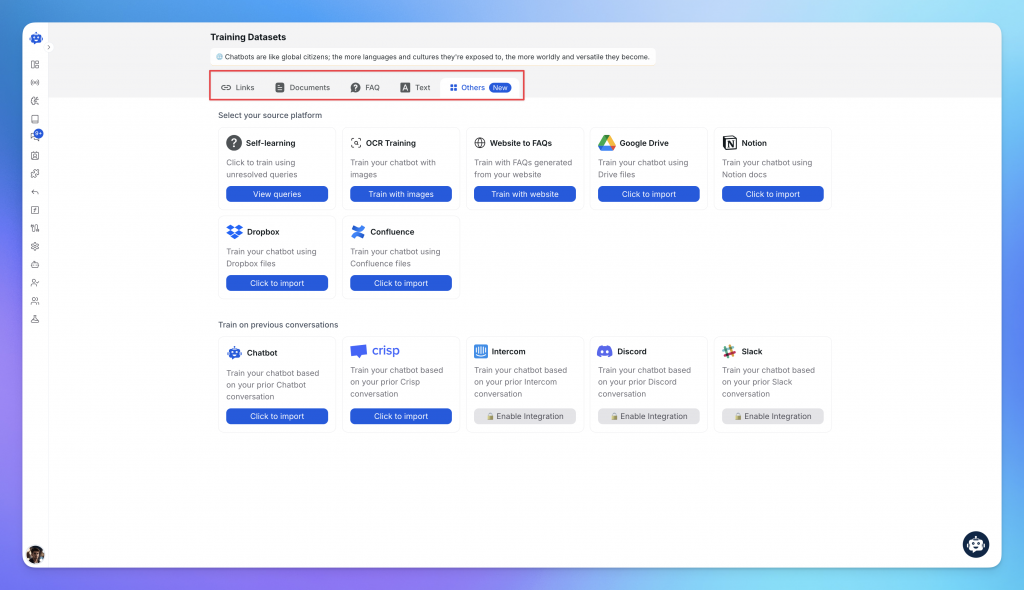
- Train the bot using content from documents, FAQs, PDFs, websites, sitemaps, or help docs — no manual entry needed.
- Set up workflows like lead capture, booking, or support ticket creation.
3. Integrate with Platform
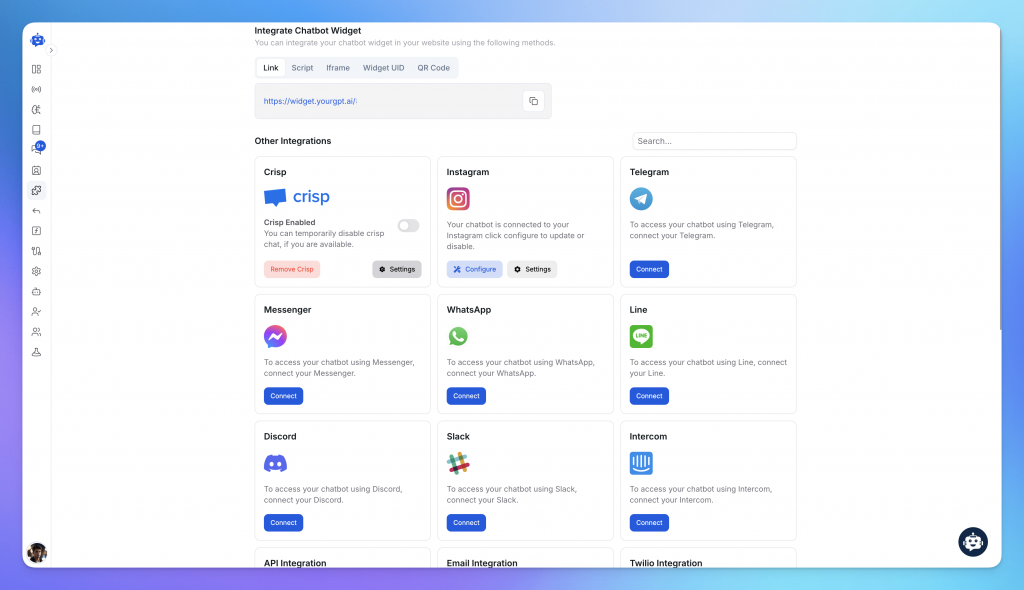
- Add the chatbot to your website using a script or connect it to builders like WordPress, Webflow, or Shopify.
- Connect WhatsApp, Instagram, Messenger, and Telegram to manage all chats in one inbox.
- You can also connect to popular tools like HubSpot, Salesforce, Zoho, or Zendesk.
4. Optimize and Monitor

Once your chatbot is live, continuous optimization ensures it delivers consistent value. Track performance metrics to identify gaps and refine the experience over time.
- Track fallback responses to identify unanswered questions or points where conversations drop off.
- Improve response quality by regularly updating training content and refining conversation flow logic.
- Use customer feedback and resolution data to continuously adjust and enhance chatbot accuracy.
- Monitor key metrics like response time, resolution rate, and lead conversion to measure impact.
by
Tags:
Leave a Reply