AI chatbots are now became essential tools for e-commerce brands aiming to increase sales, reduce workload, and offer faster support.
80% of customer service organizations will use generative AI in some form by 2026. E-commerce is leading that shift—using chatbots to answer common queries, assist with purchases, and even recover abandoned carts.
During the 2024 holiday season, AI-powered chatbots helped drive a 4% rise in online sales, reaching $282 billion in the U.S
These numbers aren’t surprising when you consider how modern chatbots handle everything from product recommendations to delivery updates—24/7, without delay.
In this blog, we’ll cover:
- What is e-commerce chatbot
- How an AI Chatbot Helps Your E-commerce Website?
- Must-Have Features in an AI Chatbot for E-commerce (2026)
- The 7 best platforms to consider this year
- How to integrate them into your store for faster ROI
What is an E-commerce Chatbot?

E-commerce chatbot is an AI tool that handles customer queries on online shopping platforms. It works through websites, apps, and messaging services like WhatsApp and Instagram to understand and respond to customers in real-time.
These chatbots help with various shopping tasks – answering product queries, suggesting items based on customer preferences, providing order updates, handling return requests, and processing payments within the chat itself.
Modern chatbots connect directly with your business systems – they check your inventory database for product availability, use customer information from your CRM to personalize interactions, and link with payment gateways for smooth transactions.
The main benefit is practical – customers get immediate assistance whenever they shop (even late night), while your business saves on support costs and increases sales by converting more visitors into customers.
How an AI Chatbot Helps Your E-commerce Website?
AI chatbots have become a key part of how e-commerce businesses run in 2026. They do much more than reply to customer queries—they help drive sales, save time, and keep the experience smooth for everyone involved. Here’s how they add real value to your online store:
1. Provide Instant Customer Support (24/7)
Customers expect quick answers. AI chatbots instantly respond to common questions—like tracking orders, handling returns, or resolving payment issues. And if things get tricky, the chatbot smoothly connects your customer with a human representative.
2. Capture Leads and Qualify Them Automatically
Not every visitor is ready to buy immediately. Chatbots engage shoppers in conversation, collecting details like their interests and contact info. This information can instantly go into your CRM, helping your sales team quickly identify and act on the best opportunities.
3. Suggest Products Customers Actually Want
Instead of just showing standard products, AI chatbots suggest items based on what each customer browses or buys. This personalized touch helps shoppers find what they’re looking for faster and encourages more sales.
4. Increase Sales through Smart Recommendations
Chatbots aren’t shy about selling. They can suggest add-ons or better alternatives right when the customer is making their choice, or follow up if a customer leaves items in their cart. These targeted recommendations help drive higher average order values.
5. Automate Tasks
Manual tasks slow your team down. AI chatbots handle repetitive activities automatically—processing returns, cancellations, scheduling appointments, or sending delivery confirmations—freeing your staff for tasks that really matter.
6. Let Customers Search Naturally
Customers prefer simple searches over complicated filters. Chatbots understand everyday language like “Show me black running shoes under $50,” helping shoppers quickly find exactly what they want, especially on mobile.
Must-Have Features in an AI Chatbot for E-commerce (2026)
The best AI chatbots in e-commerce aren’t just smart—they’re practical. Here’s a breakdown of the core capabilities that make them valuable in real business use:
1. Multi-Channel Support
Connect with shoppers wherever they are—your website, mobile app, WhatsApp, Instagram, Facebook Messenger, and more. The chatbot should carry conversations across platforms without losing context.
2. Context-Aware Assistance
Understand customer intent across multiple messages. Whether a user asks about shipping, returns, or products in separate messages, the chatbot should keep track and respond accordingly.
3. Integrated Order Tracking and Support
Let customers check order status, initiate returns, or ask about delivery—all from the chat window. A good chatbot connects directly to your order system to give instant, accurate answers.
4. Multilingual Conversations
Serve a global customer base by responding in multiple languages. Language detection, auto-translation, and local currency display help reduce friction and improve conversions.
5. Voice-Enabled Interactions
Some customers prefer speaking over typing. Voice chatbots allow for real-time spoken interactions—ideal for mobile shoppers or accessibility needs.
6. Human Agent Handoff (HITL)
When the chatbot reaches its limit, it should pass the conversation to a live support agent. All chat history, user data, and context must carry over for a smooth handoff.
7. CRM and E-commerce Platform Integration
Connect your chatbot to tools you already use—Shopify, WooCommerce, Salesforce, or HubSpot. This allows the bot to access order data, customer profiles, and update your CRM automatically.
8. Rich Media and Visual Messaging
Go beyond text. Send product carousels, images, videos, or payment buttons directly in chat to drive engagement and speed up decisions.
Quick Glance
1. YourGPT: A no-code AI chatbot builder with multilingual support, API integrations, and custom workflows for sales, support, and automation.
2. Tolstoy AI Shopper: A video-first AI shopping assistant with shoppable videos, product discovery, and virtual try-ons to improve conversions.
3. Gorgias: An eCommerce support platform with deep Shopify integration, enabling automation for order tracking, refunds, and customer queries.
4. Intercom (Fin AI): An advanced AI chatbot with omnichannel messaging, CRM integration, and automated workflows for scalable customer support.
5. Octane AI: Shopify-focused chatbot platform offering quizzes and product recommendations to personalize the buying experience.
6. Chatfuel: A social commerce chatbot platform for WhatsApp, Instagram, and Messenger, designed for lead generation and sales automation.
7. BotStar: A drag-and-drop chatbot builder with CRM integrations and multi-language support for fast deployment without coding.
Comparison Table :
| Tool | Best for | Pricing shape | Website fit | Why it stands out | Main tradeoff |
|---|---|---|---|---|---|
| YourGPT | On-site sales, support, and automation across channels | Affordable, usage-based (varies) | High | Combines support, sales, and operations with custom AI workflows | Smaller vendor compared to incumbents |
| Tolstoy AI Shopper | Product discovery and conversion via video | Custom pricing (~$99+) | High (Shopify-focused) | Video-first shopping with shoppable content and AI guidance | Limited beyond Shopify ecosystems |
| Gorgias | Shopify support and order management | From $10–$60/month | Medium-high | Deep Shopify integration with direct order actions | More support-focused than conversion-focused |
| Intercom (Fin AI) | Scalable AI support for growing brands | From $29/seat + usage | High | Advanced AI resolution with strong automation and CRM | Higher cost and setup complexity |
| Octane AI | Personalized product recommendations | Shopify-based plans | Medium-high | Quiz-based personalization that increases conversions and AOV | Primarily Shopify-focused |
| Chatfuel | Social commerce and messaging automation | Free tier + paid plans | Medium | Strong automation for WhatsApp, Instagram, and Messenger | Limited for on-site website support |
| BotStar | Quick no-code chatbot deployment | Tiered pricing (SMB-friendly) | Medium | Easy drag-and-drop builder with multilingual support | Less advanced AI capabilities |
7 Best AI Chatbots for E-commerce Websites
These 7 AI chatbots are built to help e-commerce stores increase sales, reduce support load, and deliver faster, personalized customer experiences.
1. YourGPT

YourGPT is a no-code AI chatbot platform that help e-commerce businesses automate customer support, boost conversions, and reduce operational load. Designed for fast setup and real-time performance, it enables online stores to handle product inquiries, track orders, recover abandoned carts, and assist buyers across websites and messaging platforms.
It works well with platforms like WooCommerce, Webflow, and BigCommerce, and is made to set up quickly so you can start helping customers without delay.
Features
- No-Code Bot Builder: Create AI-powered chatbots without technical skills. Train them using website links, product pages, FAQs, documents
- Multi-Language Support: Communicate with customers in 100+ languages automatically, enabling global reach.
- Automated Order Support: Handle tasks like order tracking, refunds, cancellations, and delivery updates by linking the bot with backend or APIs.
- Personalized Product Guidance: Suggest products based on what customers are viewing, what’s in their cart, or what they’ve bought before.
- Lead Collection & Qualification: Ask simple questions to collect contact details and understand what the buyer is looking for. Send the data straight to your CRM or email tools.
- Omnichannel Availability: Run the chatbot on your website, WhatsApp, Instagram, Messenger, Telegram, and others.
- Brand Customization: Customize the chatbot’s tone, avatar, color scheme, and messaging style to reflect your brand identity.
- Proactive Engagement Triggers: Start conversations based on actions like cart abandonment, time spent on a page, or scroll activity.
User Interface
- Dashboard: Displays chat sessions, unresolved issues, CSAT, resolution times, and usage metrics.
- Flow Builder: Drag-and-drop interface to create event-based conversations with conditional logic and API calls.
- Live Chat Handoff: Transfers conversations to human agents with full context and session history.
Integration with E-commerce Platforms
- WooCommerce: Syncs with product inventory and order data to automate tracking, returns, and support.
- Webflow: Install via Webflow App Marketplace; embed without code.
- BigCommerce: Handles pre-sale and post-sale support, product help, and order issues.
- Shopify: Connects directly to your store to manage FAQs, recommend products, and assist with orders and returns
- API & Webhooks: Integrate with custom platforms, CRMs, ERPs, shipping providers, and payment systems for more control.
2. Tolstoy AI Shopper
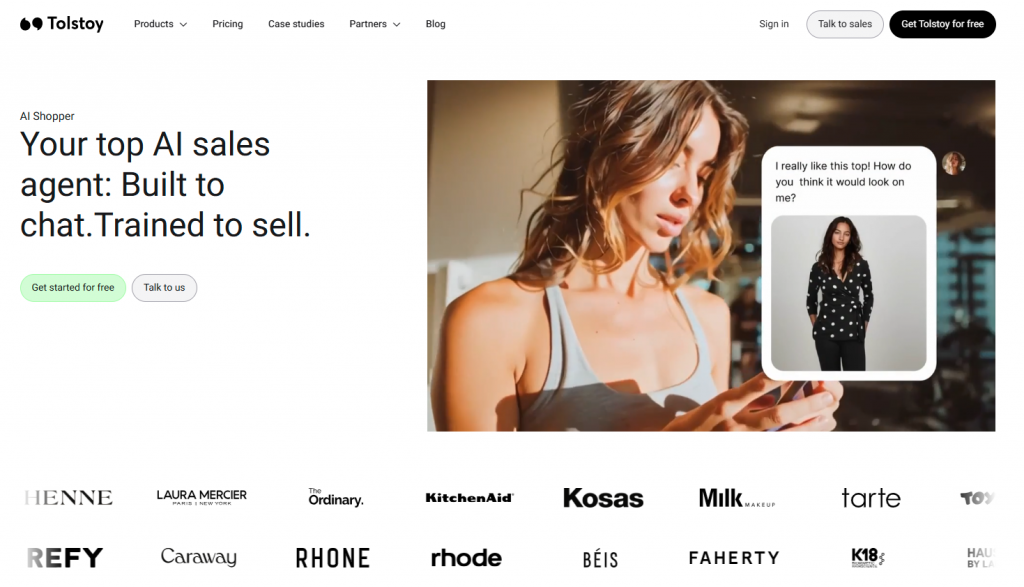
Tolstoy AI Shopper is a video-first AI shopping assistant designed for eCommerce brands that want to improve product discovery and increase conversions. It combines conversational AI with interactive video experiences to help customers explore products, get recommendations, and make faster buying decisions.
Built for modern online stores, it allows brands to create shoppable videos, guided shopping flows, and AI-powered conversations that feel more like a personal shopping experience than a traditional chatbot. This makes it especially effective for reducing decision friction and increasing engagement on product pages.
Features
- Shoppable Video Experiences : Create interactive, shoppable videos where customers can explore products and purchase directly within the experience.
- AI Product Discovery : Help customers find the right products through conversational AI that understands preferences and guides them to relevant options.
- Virtual Shopping Assistance : Simulate an in-store assistant by answering product questions, comparing options, and helping users make decisions.
- Personalized Recommendations : Recommend products based on user behavior, responses, and interactions within videos or chat flows.
- No-Code Video Builder : Easily create and deploy video flows without technical skills using a drag-and-drop interface.
- Conversion-Focused Flows : Design guided shopping journeys that reduce drop-offs and improve product understanding.
- Omnichannel Embedding : Embed video experiences across product pages, landing pages, emails, and marketing campaigns.
User Interface
- Dashboard : Track engagement metrics like video views, clicks, conversions, and customer interactions.
- Video Flow Builder : Create interactive video journeys with branching logic, CTAs, and product linking.
- Analytics Panel : Understand which videos drive conversions, where users drop off, and how customers interact with content.
Integration with E-commerce Platforms
- Shopify : Deep integration for embedding shoppable videos, syncing products, and tracking conversions directly within your store.
- Headless / Custom Stores : Embed via scripts or APIs to use Tolstoy across custom-built eCommerce experiences.
- Marketing Tools : Integrates with email and campaign tools to use videos in retention and acquisition strategies.
- APIs & Embeds : Flexible embedding options for websites, landing pages, and product detail pages.
3. Gorgias
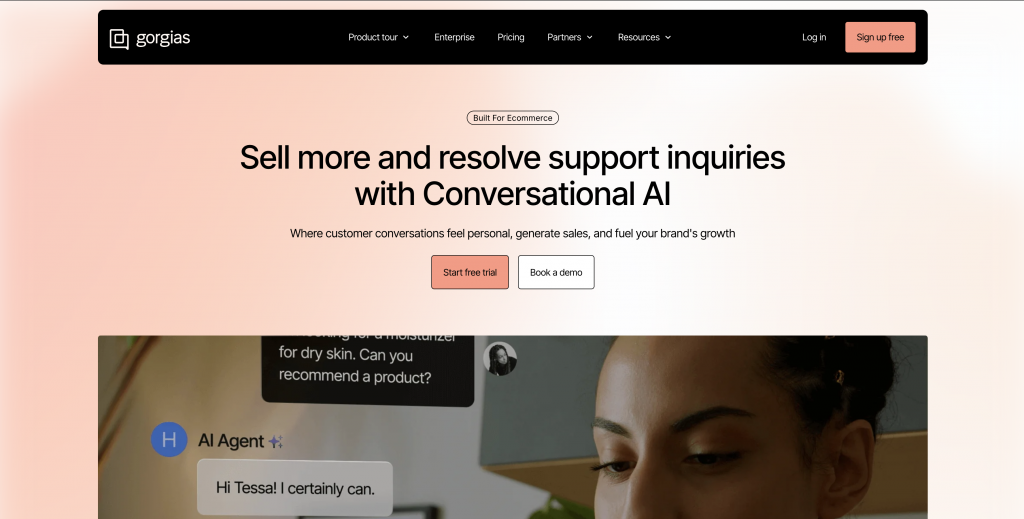
Gorgias is an eCommerce-focused customer support platform designed to help online stores manage high volumes of support while staying closely connected to their store data. It acts as a centralized helpdesk where support teams can view customer conversations and take actions without switching tools.
Built with Shopify in mind, Gorgias allows businesses to automate repetitive queries and handle order-related requests like refunds, cancellations, and tracking directly from the support interface. This reduces response time and helps teams resolve issues faster while maintaining a smooth customer experience.
Features
- Centralized Helpdesk : Manage customer conversations from email, live chat, Instagram, Facebook, and more in one place.
- Order Management Actions : Issue refunds, edit orders, cancel items, and check delivery status directly within the chat interface.
- Automation Rules & Macros : Automate repetitive queries using rules, templates, and saved responses.
- AI-Powered Suggestions : Get automated reply suggestions and handle common queries faster.
- Customer Context View : Access order history, previous interactions, and customer details alongside each conversation.
- Multi-Channel Support : Handle support across multiple channels without switching platforms.
User Interface
- Unified Inbox : View and manage all support tickets and conversations from a single dashboard.
- Automation Setup : Create rules and workflows to reduce manual effort and improve efficiency.
- Analytics & Reporting : Track metrics like response time, ticket volume, and team performance.
Integration with E-commerce Platforms
- Shopify (Primary Focus) : Deep integration for managing orders, refunds, and customer data directly inside support workflows.
- BigCommerce & Magento : Supports additional platforms for multi-store and multi-channel operations.
- CRM & Marketing Tools : Connect with email platforms and other tools to streamline communication.
- APIs & Webhooks : Extend functionality with custom integrations and backend systems.
4. Intercom
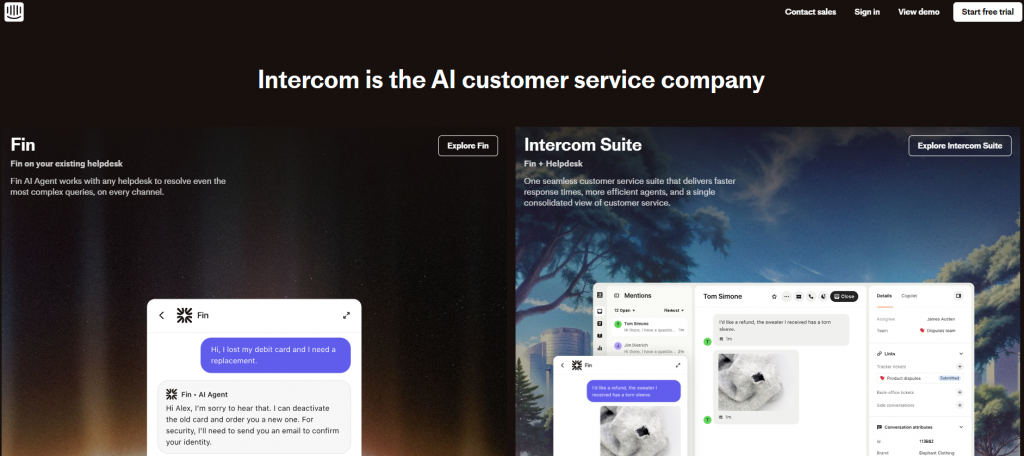
Intercom is an advanced AI customer messaging platform designed for scaling support across growing eCommerce businesses. It combines AI chatbots with a powerful CRM and automation system to handle large volumes of customer conversations efficiently.
With strong omnichannel capabilities, it helps brands deliver fast, consistent support while reducing manual workload through AI-driven resolutions and workflows.
Features
- AI-Powered Support (Fin AI) : Automatically resolves customer queries using trained AI models and knowledge bases.
- Omnichannel Messaging : Manage conversations across chat, email, and messaging platforms from one system.
- Advanced Automation Workflows : Build workflows to route queries, trigger actions, and automate responses.
- CRM Integration : Store and manage customer data to personalize interactions and improve support.
- Smart Routing & Prioritization : Direct conversations to the right team or agent based on context and urgency.
- Help Center Integration : Connect AI with your knowledge base for accurate and consistent answers.
User Interface
- Inbox Dashboard : Centralized view of all conversations, tickets, and customer interactions.
- Automation Builder : Create workflows and rules for handling different support scenarios.
- Reporting & Analytics : Track resolution rates, response times, and support performance.
Integration with E-commerce Platforms
- Shopify & Custom Stores : Integrates to support order-related queries and customer interactions.
- CRM & Support Tools : Works with internal systems to unify customer data and workflows.
- APIs & Extensions : Allows deeper customization through APIs and third-party integrations.
5. Octane AI

Octane AI is a Shopify-focused chatbot platform designed to personalize the shopping experience through quizzes and product recommendations. It helps eCommerce brands guide customers to the right products based on their preferences and behavior.
By combining conversational flows with zero-party data collection, Octane AI helps increase conversions and average order value through more relevant product suggestions.
Features
- Zero-Party Data Collection: Capture explicit customer data (e.g., needs, preferences) for use in segmentation and targeting.
- Integrations with Marketing Tools: Connect with platforms like Klaviyo, Postscript, Yotpo, and Zapier to trigger automated workflows.
- AI Insights: Analyze quiz data to identify high-converting answers and optimize marketing decisions.
- Dynamic Results Pages: Display personalized product recommendations instantly after quiz completion.
- Custom Design Controls: Adjust quiz design and layout to match your store branding.
User Interface
- Visual Quiz Builder: Create quizzes using a drag-and-drop interface, allowing for easy setup without coding knowledge.
- Advanced Logic: Implement branching logic to personalize quiz paths based on customer responses, improving engagement.
Integration Options for E-commerce
- Shopify: Seamlessly integrate with Shopify to sync product catalogs and customer data, enabling personalized shopping experiences.
- Klaviyo: Transfer quiz data to Klaviyo for targeted email campaigns based on customer preferences.
- Yotpo: Incorporate quiz responses into review requests and loyalty programs, fostering customer retention.
- Zapier: Connect with various third-party applications to automate workflows and data synchronization.
6. Chatfuel

Chatfuel is a social commerce chatbot platform designed to help eCommerce brands automate conversations across messaging apps like WhatsApp, Instagram, and Messenger. It focuses on driving sales, capturing leads, and managing customer interactions through automated flows.
It is widely used for marketing automation and customer engagement, especially for brands that rely heavily on social channels for sales.
Features
- No-Code Flow Builder: Design automated conversations using a drag-and-drop interface no coding required.
- E-commerce Chatbot Templates: Utilize ready-made templates to attract and expand your audience, convert leads into customers, and maintain engagement with loyal customers.
- Live Chat Interface: Allow human agents to take over ongoing conversations with full context and history.
- Lead Capture Forms: Collect user input through conversational forms to qualify leads and sync with CRM or Google Sheets.
- Post-Purchase Engagement: Improve customer loyalty and retention through automated post-purchase interactions.
User Interface
- Visual Flow Builder: Design automated chat flows to handle FAQs, capture leads, and send offers using a drag-and-drop interface.
- Broadcast Messaging: Send targeted messages and promotions to specific user segments.
Integration Options for E-commerce
- Shopify Integration: Connect with Shopify to automate order updates, product inquiries, and customer interactions via WhatsApp and Messenger.
- Google Sheets Integration: Send chatbot responses and user data directly to Google Sheets for tracking and analysis.
- Zapier Integration: Link to external apps via Zapier to automate tasks like CRM updates, email workflows, or data logging.
7. BotStar

BotStar is a no-code chatbot platform built for businesses that want to launch and manage AI-driven conversations without technical complexity. It helps eCommerce brands automate customer support, capture leads, and guide users through buying journeys using a visual drag-and-drop builder.
Designed for quick deployment, BotStar supports multi-language conversations and integrates with CRM systems, making it a practical choice for growing stores that need scalable automation without heavy setup.
Features
- Visual Flow Builder: Create chatbot conversations with a drag-and-drop editor. Add logic, input fields, and integrations to support tasks like product search, checkout help, and support queries.
- Order Collection: Gather product choices, customer details, and order info using structured input blocks. Store the data or pass it to connected tools.
- Customer Segmentation: Tag users and assign custom attributes based on their actions to enable more relevant replies and follow-ups.
- Broadcast Messaging: Send updates, restock alerts, or offers to selected user groups on Messenger—either on a schedule or in real time.
- Human Handoff: Allow live agents to take over chats when needed, with access to past messages and user data.
User Interface
- Central Dashboard: Track bot activity, edit flows, access chat logs, and monitor performance across all channels.
- Live Chat Inbox: Manage real-time conversations, enable agent responses, and control chatbot-to-human transitions.
Integration with E-commerce Platforms
- CRM Sync: Sync customer data with HubSpot, Salesforce, or Zoho for lead management and follow-up.
- Shopify Integration: Add BotStar to your Shopify store to automate FAQs, product guidance, and order support.
- Stripe Payments: Accept payments directly in chat using Stripe.
- Zapier Automation: Link with tools like CRMs, spreadsheets, or email services to automate tasks.
Tips to Maximize Your E-commerce Chatbot’s ROI
Launching a chatbot is just the start. If you want it to deliver real results more sales, fewer support tickets, higher retention you need to go beyond setup. These tips will help you turn your chatbot into a real asset across the buying journey.
1. Focus on use cases that directly impact revenue or cost
Not every chatbot feature gives equal value. Start with workflows that move the needle:
- Help customers track their orders instantly
- Remind users about abandoned carts
- Suggest products based on browsing or cart activity
- Automate refunds and returns with clear policies
These are the conversations that drive decisions. Prioritising them gets you faster results.
2. Train the chatbot with your real customer data
Forget pre-filled templates. Train your chatbot using your actual conversations and store data:
- Use historical support chats and top FAQs
- Feed it your product catalog, policy pages, and helpdesk articles
- Keep it synced with live inventory, offers, and return terms
The more your chatbot understands your actual business, the fewer “Sorry, I didn’t get that” moments you’ll have.
3. Put the chatbot in places that matter
Where the chatbot appears affects how useful it is. Don’t just keep it on the homepage. Instead deploy custom AI agents to website pages where users may need them most:
- Show it during checkout to resolve last-minute friction
- Trigger it on exit intent when someone’s about to leave
- Keep it visible on the help center for self-service queries
Well-placed chatbots catch users when they’re most likely to convert or need help.
4. Trigger conversations based on real-time behavior
Don’t make your chatbot interrupt for no reason. Set it to respond to user intent:
- Has the user been idle on the page for 30+ seconds?
- Did they scroll all the way down but not act?
- Are they returning with something still in their cart?
Behavioral triggers make conversations feel timely and useful—not annoying or random.
5. Make human escalation obvious and easy
If a user wants to talk to a human, don’t make them fight the chatbot to get there:
- Give them a visible way to ask for help from a human
- Transfer the chat with full history so users don’t need to repeat themselves
- Let your team get alerts in real time so they can pick it up quickly
This reduces drop-offs and makes your support look reliable, not robotic.
6. Track performance using business-relevant KPIs
You don’t need 100 metrics—just the right ones:
- What % of chats are fully resolved?
- What is user sentiment?
- What’s the average time to resolve a query?
- How satisfied are users after interacting?
These tell you what’s working and where the chatbot needs fixing or retraining.
7. Collect feedback directly from users
Don’t wait for complaints. After every conversation, ask something simple:
- “Was this helpful?”
- “Did we answer your question?”
Short feedback loops help you fix gaps quickly, improve your flows, and avoid repeating the same mistakes.
8. Make it personal
Use whatever context you have to personalise the interaction:
- Reference what’s in the user’s cart
- Mention products they viewed recently
- Use their location to suggest nearby delivery options
- Remember past purchases if logged in
The closer it feels to a human conversation, the better your conversion and satisfaction rates will be.
FAQ
What is the best AI chatbot for an eCommerce website?
For most eCommerce stores, tools like YourGPT and Tidio work well because they balance sales and support without complex setup. Intercom is a better fit for larger teams that need advanced automation, while BotStar is useful for simple no-code deployments.
What are the most valuable use cases for eCommerce chatbots?
The highest impact use cases include order tracking, cart recovery, product recommendations, and handling returns. These directly influence conversions or reduce support workload.
Should an eCommerce chatbot handle both support and sales?
Yes. In eCommerce, support and sales are closely linked. Questions about delivery, returns, or product details often come from users who are still deciding whether to buy.
How do I train my chatbot to give accurate answers?
Use real business data like product catalogs, FAQs, past conversations, and policy pages. Keep it updated with inventory and offers for better accuracy.
Where should I place a chatbot on my website?
Place it on high-impact areas like product pages, cart, checkout, and help sections. You can also trigger it based on user behavior like exit intent.
Can a chatbot automate order support tasks?
Yes. Chatbots can handle order tracking, cancellations, refunds, and delivery updates by integrating with your backend systems.
How do chatbots help increase conversions?
They reduce friction by answering questions instantly, recommending products, and recovering abandoned carts, helping users complete purchases.
When do I need a full AI agent instead of a chatbot?
You need an AI agent when actions are required, such as managing orders, updating data, or running workflows across systems.
How do I measure chatbot performance?
Track resolution rate, response time, customer satisfaction, and assisted conversions to understand real business impact.
Can chatbots work across multiple channels?
Yes. Modern chatbots support websites, WhatsApp, Instagram, and Messenger, allowing consistent communication across platforms.
What mistakes should I avoid when using a chatbot?
Avoid generic responses, poor training, and hiding human support. A chatbot should assist, not frustrate users.
Conclusion
AI chatbots are now a practical part of eCommerce operations. They reduce support workload, recover lost sales, and improve how customers interact with online stores.
Platforms like YourGPT, Gorgias, and Octane AI are built to handle key tasks such as cart recovery, product queries, and order support. They integrate with Shopify, WooCommerce, and other platforms, making them easy to set up and deploy.
To see real results, focus on clear use cases, train the chatbot using your actual business data, and track performance using meaningful metrics. A well-implemented chatbot does more than answer questions. It helps increase conversions, improves customer experience, and reduces manual effort across your team.
Choose the Right AI Chatbot for Your E-commerce Growth
Compare features, automate support, and turn more visitors into customers with an AI chatbot built for modern online stores.
Leave a Reply