TL;DR
Voiceflow is useful for building basic chatbots and voice flows, but teams often switch when they need deeper integrations, stronger AI capabilities, and broader channel support.
YourGPT stands out for AI-first automation with agents that can take real actions across chat, voice, and messaging, while Kore ai is a strong choice for enterprises needing advanced orchestration, voice systems, and secure integrations.
The right alternative depends on your needs choose AI-first platforms for automation and scalability, or enterprise tools if you require deep control, compliance, and complex workflows.
Voiceflow is a no-code platform for building and deploying AI agents, whether you need a support chatbot, a voice assistant, or an internal tool. It uses a drag-and-drop canvas, API connectors, and multi-platform exports to help teams design and launch conversational experiences quickly.
However, not every team finds it sufficient as requirements grow.
As businesses move toward AI that does more than respond, expectations shift toward systems that can understand context, connect with live data, and complete tasks end-to-end. Teams also look for better support across channels like WhatsApp, stronger voice capabilities, and tighter integration with their existing tools and workflows.
That’s where Voiceflow starts to feel limited for more advanced use cases.
In this blog, we’ve listed six Voiceflow alternatives for 2026, focusing on platforms that offer deeper flexibility, stronger AI capabilities, and the ability to scale as your business grows.
Why Consider a Voiceflow Alternative?
Voiceflow’s no-code canvas makes it quick to prototype chatbots and voice assistants. You can design flows, connect APIs, and deploy to the web or smart speakers without writing code. That speed works well for early-stage projects—but as demands grow, you need platforms that match your technical requirements and team workflows.
Key limitations that drive change
- Tighter system integrations : Accessing live data or syncing with complex back-end systems can hit limits. When your agent must pull inventory updates, CRM records, or custom APIs in real time, you need deeper integration hooks.
- Direct access to advanced AI models : Built-in support for cutting-edge language models—like GPT-4—isn’t available out of the box. Teams that rely on high-accuracy summarisation, custom fine-tuning, or specialised AI services often choose platforms with native AI connectors.
- Broader channel coverage : Voiceflow natively targets web chat and voice devices. If you need enterprise-grade IVR, WhatsApp messaging, or other social channels, you’ll look for a platform with multi-channel adapters.
- Enterprise collaboration and control : Larger teams require role-based permissions, version history, and review workflows. When you’re coordinating multiple contributors or following strict compliance standards, missing collaboration features slows progress.
- Advanced workflow logic : Complex automation—event triggers, conditional routing, parallel steps—can become unwieldy in a basic flow builder. For processes that branch heavily or integrate with robotic process automation, a more powerful logic engine saves time and reduces maintenance.
Choosing a Voiceflow alternative helps you tap deeper technical capabilities, streamline development, and ensure your AI agents scale with your business needs.
Quick Glance:
| Platform | Best For | Voice Support | AI Capability | Channels |
|---|---|---|---|---|
| YourGPT | AI-first automation across support, sales, ops | Yes | Advanced (action-based AI agents) | Web, WhatsApp, Slack, Email, Voice |
| Botpress | Custom AI chatbot development | No | Moderate (LLM-based) | Web, APIs, messaging apps |
| UChat | Multichannel + voice automation | Yes | Moderate–Advanced | WhatsApp, SMS, Messenger, Voice |
| Kore.ai | Enterprise AI and voice systems | Yes | Advanced (enterprise AI) | Web, mobile, contact centers |
| ManyChat | Marketing automation | No | Basic (scripted) | Messenger, Instagram, WhatsApp |
| Front | Team collaboration and shared inbox support | No | Basic (rule-based automation) | Email, Chat, SMS |
Best 6 Voiceflow Alternatives in 2026
Looking for better options than Voiceflow? These six tools offer no-code chatbot building, AI automation, and multi-channel support perfect for 2026 needs.
- YourGPT: Build AI agents with a no-code editor. Supports 100+ languages and channels like WhatsApp, Slack, and websites.
- Botpress: Open-source chatbot builder with a visual flow editor and native LLM support. Ideal for teams that need full customisation and on-premises deployment.
- UChat: Drag-and-drop builder for 12+ platforms, including voice. Automate sales, support, and workflows at scale without writing code.
- Kore.ai: Enterprise-grade AI platform for voice and chat assistants. Provides NLU, bot orchestration, and secure integrations out of the box.
- ManyChat: Automate social messaging on Messenger, Instagram, and WhatsApp. Perfect for e-commerce campaigns and lead capture.
- Front: Shared inbox platform for email, chat, and messaging. Manage customer conversations collaboratively with team workflows and integrations.
Voiceflow vs The Competition: 6 Alternatives You Should Know
Here are the 6 best Voiceflow alternatives in detail designed to handle advanced workflows, voice agents, GPT integrations, and multichannel automation.
1. YourGPT

YourGPT is an AI-first platform for building and deploying conversational agents. It offers a no-code editor and advanced AI to power fast, personalised interactions across websites, messaging apps, email, and voice channels. Its modular design and broad integration support make it adaptable for diverse business needs.
Key Features:
- No-Code Builder: Design and deploy chatbots using website links, documents, videos, and FAQs with a visual flow editor.
- Multilingual Support: Communicate in 100+ languages to serve global audiences without extra setup.
- Omnichannel Integration: Embed agents on Slack, Telegram, Instagram, WhatsApp, Messenger, email, and your website.
- Voice Agents: Enable high-accuracy speech recognition for voice-driven support across accents and languages.
- Lead Generation: Capture and qualify leads with built-in forms and data collection during chat sessions.
- AI Helpdesk Integration: Combine AI-powered self-service with seamless human handoff and full chat history.
Limitations:
- Advanced Customisation Curve: Implementing complex logic and personalised integrations may require additional time and technical expertise, allowing teams to build highly tailored solutions that meet specific business needs.
Best For:
- Enterprise Support Teams: Automating common queries and scaling service without expanding headcount.
- Operations & IT: Building internal helpers for ticket routing, system queries, and real-time data lookups.
- Agencies: Firms that develop and manage chatbot solutions for multiple clients and need a flexible tool that supports a variety of use cases.
Enhance Your Customer Interactions with AI
Discover how YourGPT AI chatbot can streamline your customer service
- ✓ Personalized customer interactions
- ✓ 24/7 availability for instant responses
- ✓ Seamless integration with your existing systems
2. Botpress

Botpress is an AI platform used to build and deploy conversational agents. It provides a visual development environment where teams can create chatbots and AI assistants using large language models (LLMs). Its modular structure and integration support make it adaptable for different business needs and industries.
Key Features:
- Bot Studio: A visual interface that allows teams to build and adjust AI agents without needing in-depth coding skills.
- Autonomous Engine: Applies large language models (LLMs) to manage conversations and perform assigned tasks in a structured manner.
- Knowledge Bases: Bots can reference custom content or documentation to provide context-aware and relevant responses.
- Extensive Integrations: Connects with tools such as HubSpot, Notion, Jira, and Calendly to extend functionality and support a range of workflows.
Limitations:
- Learning Curve: While Botpress includes a visual interface, making full use of its features may take time particularly for users who are new to building conversational AI systems.
- Limited AI Features: Botpress supports basic AI and language models but lacks advanced features limiting its use for building sophisticated, human-like chatbots.
- No Built-In Human Escalation: Botpress does not offer a native solution for human escalation (human in the loop) to all users.
Best For:
- Enterprises: Teams looking to automate structured processes or handle large-scale customer interactions using conversational AI.
- Developers: Those who prefer working with APIs and want more control over how chatbots are built, customised, and deployed.
3. UChat

UChat is a no-code chatbot platform that allows businesses to automate conversations across websites, messaging apps, and voice channels. It uses a drag-and-drop builder and supports multiple languages, with no programming required.
Key Features
- Omnichannel Deployment: Supports over 12 channels, including WhatsApp, Messenger, Instagram, Google Business Messages, Telegram, SMS, WeChat, Slack, and voice.
- Voice Automation: Includes tools to build IVR systems and voice bots with call handling, transfers, and voice payment processing.
- AI Integration: Offers native support for models like OpenAI’s GPT and Google Dialogflow to build context-aware bots.
- E-commerce Tools: Enables catalogue management and in-chat checkout, suitable for conversational commerce across messaging platforms.
- Third-Party Integrations: Connects with platforms such as Stripe, PayPal, Mailchimp, Google Sheets, and CRMs for workflow automation.
Limitations
- Requires time to learn advanced features, especially for users without prior chatbot experience.
- Some users report platform performance can vary during high traffic or complex automations.
Best For
- Teams are handling customer conversations across several channels, including messaging apps and voice.
- Businesses that require both voice and messaging automation within a single platform.
- Small to midsized companies seeking e-commerce features and AI support without building custom solutions.
4. Kore.ai

Kore.ai is a conversational AI platform built for automating interactions across voice and digital channels. It’s designed to support both customer-facing and internal use cases, such as virtual assistants, contact centre automation, and workflow support.
Key Features:
- Omnichannel Deployment: Works across more than 45 channels, including websites, mobile apps, messaging platforms, and voice systems. This helps maintain a consistent experience wherever users engage.
- Voice Capabilities: Includes real-time voice interaction tools through its Voice Gateway. Features include conversational IVR, speech recognition, and smooth transitions between bots and human agents when needed.
- AI and NLP Integration: Uses natural language processing and supports integration with large language models like OpenAI’s GPT to help bots understand user input and respond appropriately.
- Security and Compliance: Built with enterprise-level security in mind, including data encryption and support for compliance requirements such as GDPR and HIPAA.
Limitations:
- Complex Integration Configuration: Connecting the platform with external systems may require detailed configuration, which can be time-consuming depending on the tools involved.
- Documentation Challenges: Some users find the documentation difficult to follow, which can slow down troubleshooting or more advanced setup tasks.
- Version Control Limitations: The platform offers minimal support for tracking and managing different versions of bots, which can make it harder to roll back changes or monitor updates over time.
Best For:
- Large Enterprises: Suitable for organisations looking to scale AI solutions across departments and communication channels.
- Industries with Complex Needs: Works well for sectors such as finance, healthcare, or retail, where security, compliance, and language support are priorities.
- Technically Skilled Teams: A better fit for businesses that have in-house developers or IT teams who can manage complex integrations and customisation work.
5. Manychat

ManyChat is a chatbot platform that helps businesses automate interactions on messaging channels such as Facebook Messenger, Instagram Direct Messages, WhatsApp, SMS, and email. It allows users to build chatbots for marketing, sales, and customer support without writing codes.
Key Features:
- Multi-Channel Messaging: Manage conversations across Instagram, WhatsApp, Facebook Messenger, SMS, and email from a single dashboard.
- Visual Flow Builder: Design chatbot workflows using a drag-and-drop interface, allowing for the creation of automated responses and customer journeys.
- Voice Messages in Live Chat: The live chat feature supports sending and receiving voice messages, which can be helpful for teams that prioritise more personal or spoken communication.
- Growth Tools: Includes tools like comment-to-message automation, landing pages, and QR codes to help attract and engage users.
- Integrations: Connects with platforms such as Shopify, Zapier, and Google Sheets to support a range of operational tasks.
Limitations:
- Limited Web Chat Support: ManyChat primarily focuses on social media and messaging platforms, lacking native support for website chat widgets.
- Pricing Based on Contacts: The cost scales with the number of contacts, which may become expensive for businesses with large audiences.
- Platform Policy Restrictions: Compliance with platform-specific policies, such as Meta’s 24-hour messaging window, may limit certain automation capabilities.
Best For:
- E-commerce Businesses: Ideal for online retailers aiming to automate customer engagement and drive sales through messaging platforms.
- Marketing Agencies: Supports agencies that manage multiple accounts and run messaging-based campaigns for different clients.
- Content Creators and Influencers: Beneficial for individuals looking to grow their audience and interact with followers through automated messaging.
6. Front
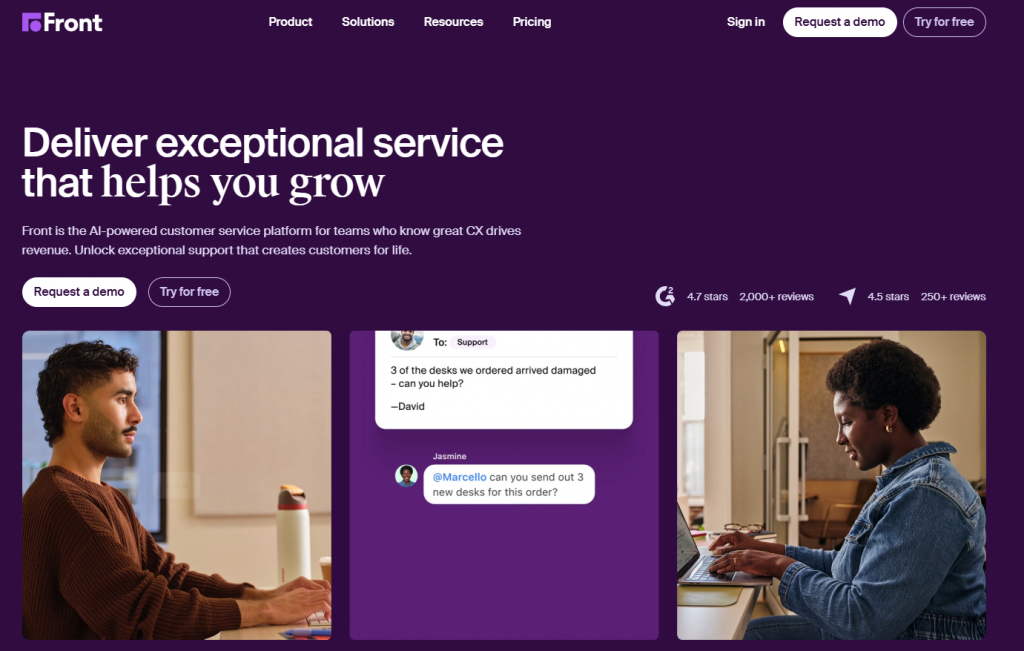
Front is a customer communication platform that combines email, chat, and messaging into a shared inbox, enabling teams to manage all conversations from one place. It is designed to improve team collaboration, giving support, sales, and operations teams full visibility into customer interactions without switching tools.
Unlike traditional helpdesks, Front focuses on team coordination around conversations rather than ticket-first workflows. It helps teams respond faster, maintain context, and stay aligned through shared ownership of messages, making it a strong fit for organizations that rely heavily on email and collaborative communication.
Key Features:
- Shared Inbox: Manage email, chat, and SMS conversations in one unified workspace for better visibility and team coordination.
- Team Collaboration: Internal comments, mentions, and assignments help teams work together without switching tools.
- Omnichannel Support: Handle conversations across email, live chat, SMS, and messaging platforms in a single interface.
- CRM & App Integrations: Connect with tools like Salesforce, HubSpot, and other business systems to sync customer data.
- Automation Rules: Set up workflows for routing, tagging, and managing repetitive tasks efficiently.
- Analytics & Reporting: Track response times, team performance, and conversation metrics to improve support quality.
Limitations:
- Not AI-First: Automation is rule-based and focused on workflows rather than advanced AI-driven conversations.
- Email-Centric Design: Best suited for teams heavily reliant on email, with less focus on chatbot-led automation.
- Pricing at Scale: Costs can increase as team size and usage grow.
Best For:
- Customer Support Teams: Teams that need strong collaboration around shared inbox workflows.
- Operations & Success Teams: Managing high volumes of email and multi-channel communication.
- Mid to Large Businesses: Organizations that prioritize team coordination over AI automation.
Comparison Table of Voiceflow Alternatives
Here’s a side-by-side comparison of the top Voiceflow alternatives—highlighting voice support, AI capabilities, multichannel deployment, and usability to help you choose the right platform faster.
| Platform | AI Chatbot Type | Voice Agent | Multilingual | Channels | Live Data / API | Human Handover | Custom Logic |
|---|---|---|---|---|---|---|---|
| YourGPT | Generative AI | Yes | 100+ languages | WhatsApp, Telegram, Slack, Messenger, Web | API, Webhooks | Yes | Yes |
| Botpress | Generative + Scripted | No | ~40 languages | Web, messaging apps (custom) | Action Server, API | No | Yes |
| UChat | Generative + Scripted | Yes | Yes | WhatsApp, Facebook, SMS, Telegram, Web | API, Dialogflow | Yes | Yes |
| Kore.ai | Generative + Scripted | Yes | Yes | Contact Center, Messaging, Web, Mobile | API | Yes | Yes |
| ManyChat | Scripted | No | Limited | Messenger, Instagram, WhatsApp | Keywords, API | Limited | No |
| Front | Rule-based (workflow automation) | No | Limited | Email, Chat, SMS | API, CRM integrations | Yes | Limited |
How to Choose the Right Voiceflow Alternatives
Selecting the ideal Voiceflow alternative hinges on matching platform capabilities to your core objectives—whether that’s faster support, richer engagement, or streamlined operations. Focus on these six criteria:
- Advanced AI Capabilities : Look for intent accuracy, contextual memory, and native support for top-tier language models. The more your agent understands users, the more natural and efficient each interaction becomes.
- Omnichannel Coverage : Ensure the platform deploys seamlessly across web chat, mobile SDKs, WhatsApp, Messenger, email, and voice channels. Consistent behaviour at every touchpoint keeps users immersed in a unified experience.
- Scalability & Performance : Verify the solution can handle high volumes—thousands of concurrent sessions—without lag. Platforms with proven autoscaling and load-balancing tools maintain responsiveness as demand grows.
- No-Code Builder + Developer Tools : A visual flow editor accelerates bot creation for non-technical teams. At the same time, APIs, webhooks, and code hooks empower developers to implement custom logic and integrations when needed.
- Customization & AI Training : Choose a platform that lets you refine responses, retrain models, and tweak conversation paths based on real-world usage. Continuous learning ensures accuracy improves over time.
- Security & Compliance : Confirm support for end-to-end encryption, role-based access controls, and audit logging. The platform should comply with standards like GDPR, SOC 2, or HIPAA if you handle sensitive data.
Use these criteria to evaluate each candidate. Building a shortlist of two or three platforms and running a hands-on pilot will reveal which alternative aligns best with your technical needs and business goals.
FAQ
What’s the biggest difference between Voiceflow and its alternatives? ▼
Most alternatives offer native AI integration, capabilities, and broader multichannel deployment—including WhatsApp, and advanced voice agents.
Are Voiceflow alternatives suitable for non-technical teams? ▼
Yes. Platforms like YourGPT, Manychat, and UChat are designed for non-developers. They offer drag-and-drop builders, prebuilt templates, and intuitive flows without needing any coding knowledge.
Which platform is best if I need both voice and messaging capabilities? ▼
YourGPT and Kore.ai offer full support for both voice bots (including IVR) and messaging platforms like WhatsApp, Telegram, and Slack, making them ideal for multichannel use.
Is voice capability a must-have? ▼
It depends on your audience. If your customers expect call-based interaction or you’re replacing traditional IVR systems, voice support (input and output) is critical. If you’re only using web or messaging, it’s optional.
How can I measure success after switching from Voiceflow? ▼
Track chatbot KPIs like resolution rate, session length, drop-offs, CSAT, and cost per interaction. Most alternatives offer built-in analytics dashboards to monitor and improve performance over time.
Which chatbot is best for scaling customer support globally? ▼
YourGPT, Kore.ai, and Chatling offer strong multilingual support (85+ to 135+ languages) and global channel deployment, making them ideal for scaling across regions.
Conclusion
Choosing a Voiceflow alternative starts with understanding what your business really needs.
Begin by outlining your requirements: the channels to support, your team’s technical level, and projected usage. Run a targeted pilot based on your most important use case to evaluate setup speed, performance under real-world workloads, and the platform’s ability to retain accuracy as demand grows.
YourGPT is intended to fill these gaps. Non-technical teams can also easily start and train AI agents, while developers have full access to APIs and webhooks to expand functionality as business needs change. YourGPT provides many channels right out of the box, including chat, voice, and messaging, which removes setup hurdles and reduces technical complexity.
Switching to the right Voiceflow alternative allows you to provide improved customer experiences while also focusing your team’s energy on high-value tasks. Continuous review and improvement will ensure that your conversational AI remains dependable and effective as your organization grows.
Supercharge Your Customer Experience with AI
Join thousands of businesses using AI-powered chatbots to automate support, boost engagement, and drive growth.
- ⚡ 5-Minute Setup
- 🌍 Supports 100+ Languages
- 📞 AI Voice & Text Support
- 🔗 Seamless Multi-Channel Integration
No credit card required • Full access • Cancel anytime
Leave a Reply