A chatbot on your website means visitors don’t have to wait or guess where to find help. Someone’s always there to answer, even if it’s just a simple question. It’s a small change that makes your site feel much more better for both you and your customers.
A well-integrated chatbot does more than chat. It connects directly with your CRM, guides visitors through checkout, captures leads, and provides support 24/7 without adding extra load on your team.
The real challenge is choosing the right tool. Some ai chatbots are simple to install and start delivering results within hours. Others require heavy development and slow down your site. Picking the right fit can make the difference between a chatbot that drives revenue and one that frustrates visitors.
In this blog, we will list the 7 best chatbots for website integration in 2026. Each option is evaluated on setup speed, ease of integration, and ability to improve customer engagement across e-commerce, SaaS, and enterprise websites.
TL;DR
In 2026, chatbots handle far more than basic replies. They support users, capture leads, and automate actions across channels.
AI-first platforms focus on resolving conversations automatically, while traditional tools focus on managing human support.
The right chatbot depends on whether you want AI to solve problems or assist your team.
Essential Capabilities Every Website Chatbot Must Offer in 2026
Adding a chatbot to a website is easy. Ensuring that it delivers measurable value to both customers and the business requires more thought. The real difference lies in how effectively a chatbot understands context and adapts to user needs.
In 2026, website chatbots are expected to function as intelligent assistants rather than scripted responders. Customers want instant, accurate, and personalised answers. Businesses need systems that integrate into daily operations, reduce manual work, and generate actionable insights.
Here are the five capabilities every serious chatbot platform must include today:
- Deep Business Context with RAG AI
The most advanced chatbots use Retrieval-Augmented Generation (RAG). This technique allows the system to draw on actual business data rather than relying only on pre-trained language patterns.
For example, a RAG-enabled chatbot can check inventory, reference past orders, or retrieve company policies in real time. The outcome is higher accuracy and relevance compared to traditional NLU models. - Seamless Integrations
Modern websites and applications run on multiple systems. A useful chatbot should connect quickly with your CMS, CRM, helpdesk, product catalog, and other core tools. This removes repetitive tasks such as copy-pasting or manual updates, creating a single connected experience for both staff and customers. - Proactive and Predictive Engagement
Research shows that proactive engagement improves conversion rates and customer satisfaction. Instead of waiting for a question, an effective chatbot can remind a returning visitor about an abandoned cart, highlight delivery details, or suggest relevant products. These timely interactions make conversations more valuable for both sides. - Insightful Analytics That Drive Action
A chatbot should not only respond to queries but also provide insights into customer behaviour. Built-in analytics must identify trends, show recurring issues, measure satisfaction, and connect conversations to outcomes such as completed sales or resolved support tickets. This gives decision-makers a clear view of performance and improvement opportunities. - Scalability and Reliability
Website traffic is not static. Whether there are ten chats in a day or ten thousand, performance must remain consistent. A reliable chatbot platform should handle spikes during sales events or holiday surges without failures. Consistent uptime and stability are fundamental for customer trust.
They are baseline expectations. Choosing a chatbot that lacks them risks lost opportunities and dissatisfied customers. Businesses that invest in these capabilities will see both stronger customer relationships and measurable operational gains.
How Chatbots Boost Engagement and Sales on Websites
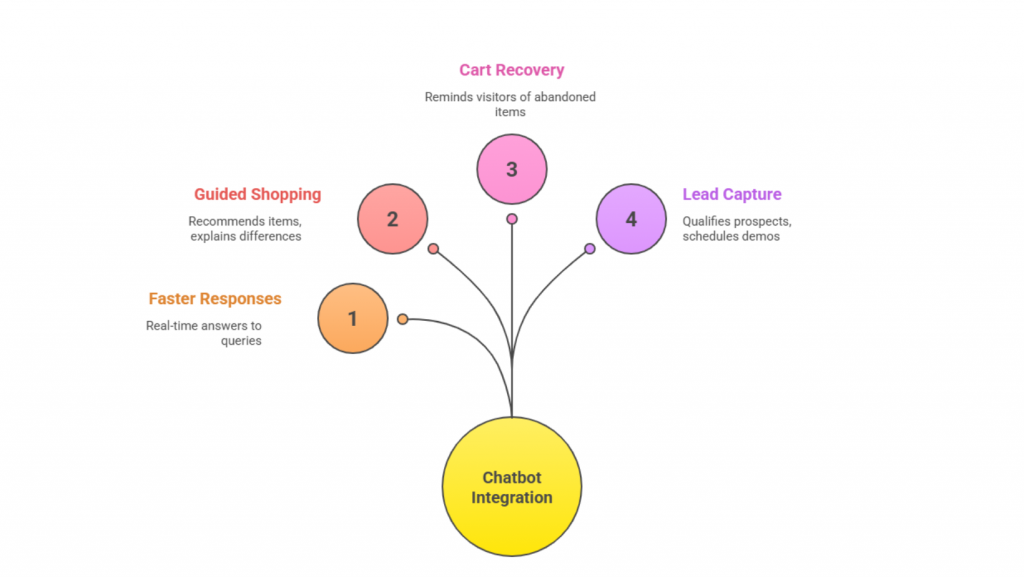
Every visitor who lands on a website is a potential customer, but most leave without taking action. The reasons are simple: unanswered questions, confusing navigation, or hesitation at checkout. A well-integrated chatbot addresses these gaps by stepping in at the right moment with support that keeps visitors engaged and moves them toward a decision.
1. Faster Response Times
Modern customers expect immediacy. If a page does not provide the answer they need, they often abandon the site. A chatbot changes this by offering real-time responses to common queries such as shipping details, return policies, or service availability. Quick answers prevent frustration and keep users engaged long enough to complete their journey.
2. Guided Shopping Journeys
In e-commerce, hesitation often happens when buyers are comparing products or deciding whether to commit. A chatbot can act as a digital sales assistant, recommending items based on browsing history, explaining product differences, and even applying discounts during checkout. By reducing uncertainty, it shortens the path to purchase and raises conversion rates.
3. Cart Recovery and Retention
Abandoned carts represent lost revenue for online stores. A chatbot can proactively remind visitors about the items they left behind and offer assistance if something caused them to hesitate. Even a small prompt like “Need help completing your order?” can recover sales that would otherwise disappear. Many retailers report measurable improvements in conversion by using this feature.
4. Always-On Lead Capture
For SaaS and service-based businesses, a visitor’s interest may come after hours. Without a chatbot, those opportunities are missed. A chatbot can capture details, qualify prospects with a few simple questions, and even schedule demos automatically. This ensures that potential leads are never lost because a sales team is unavailable.
These functions go far beyond basic support. A chatbot can increase the speed of service, reduce friction in the buying process, recover lost revenue, and create new opportunities. When deployed effectively, it does more than improve engagement. It contributes directly to sales growth.
The best AI Chatbots at a glance
| Platform Name | Best For |
|---|---|
| YourGPT | Unified AI for support, sales, and ops with web, WhatsApp, Messenger, Telegram, LINE, and voice |
| Intercom | SaaS onboarding, lifecycle messaging, and helpdesk workflows |
| ManyChat | Social-first and ecommerce automation on Instagram, Messenger, WhatsApp, and web |
| Landbot | No-code funnels, lead capture, surveys, and structured conversational flows |
| Zendesk | Enterprise support with ticketing, knowledge base, and routing automation |
| Freshchat (Freshworks) | SMB-friendly live chat plus AI on web and messaging with quick setup |
| Zoho SalesIQ | Zoho stack users needing CRM-connected chat, visitor tracking, and lead scoring |
Best Chatbots for Website Integration in 2026
The chatbot market has advanced quickly. Businesses are no longer satisfied with basic automation.
They need platforms that integrate smoothly with websites, work across multiple channels, and show measurable impact on engagement and sales. Out of the many choices available, these platforms stand out in 2026 for combining ease of use with strong business outcomes.
- YourGPT: An all-in-one AI-first chatbot platform with no-code setup, omnichannel support, and voice-enabled automation.
- Intercom: A customer service and support platform with chatbot and helpdesk features, with personalised customer messaging.
- ManyChat: A social-first chatbot built for Messenger, Instagram, and websites, with ecommerce automation features.
- Landbot: A visual drag-and-drop chatbot builder designed for lead capture, surveys, and funnel automation.
- Zendesk: A support-focused chatbot with ticket automation and knowledge base integration, built for enterprise needs.
- Freshchat (Freshworks): A hybrid solution combining live chat with AI chatbot capabilities, offering multi-channel messaging for SMBs.
- Zoho SalesIQ: A CRM-integrated chatbot with visitor tracking, lead scoring, and real-time customer insights.
1. YourGPT

YourGPT is an AI-first, all-in-one chatbot platform built to support customer service, sales, and business operations. It offers a no-code setup and powerful automation features that simplify adoption for small businesses while still providing the scalability required by large enterprises.
With its focus on ease of use and advanced AI capabilities, YourGPT helps companies improve customer support, boost sales, and streamline workflows in a single platform.
Features
- No-code builder for quick setup and customization
- Trains on PDFs, Notion, Google Sheets, and websites
- Omnichannel deployment (Web, WhatsApp, Messenger, Telegram, LINE)
- Voice-enabled interactions for web and mobile
- Real-time analytics dashboard with conversation tracking
- Workflow automation for support, sales, and internal operations
Pros
- Comprehensive solution covering support, sales, and operations
- AI that not just answer can also perform real time actions
- Easy to deploy without technical expertise
- Supports both chat and voice
- Scales effectively across different business sizes
- Strong integrations with popular platforms and tools
Cons
- The free trial may not include access to advanced features.
- Advanced customisation may require technical knowledge.
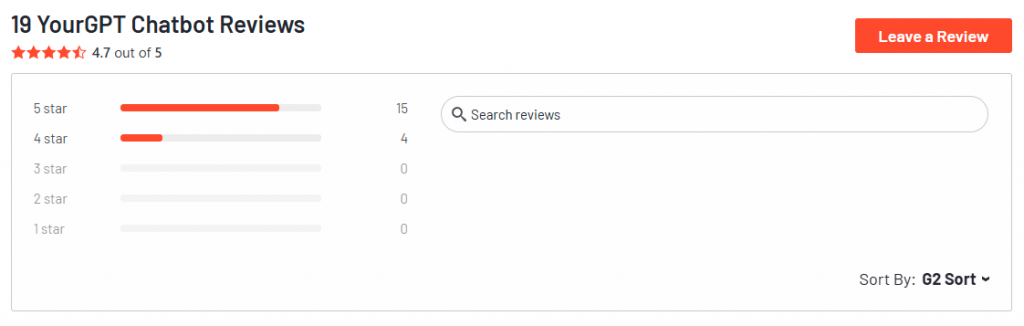
Review
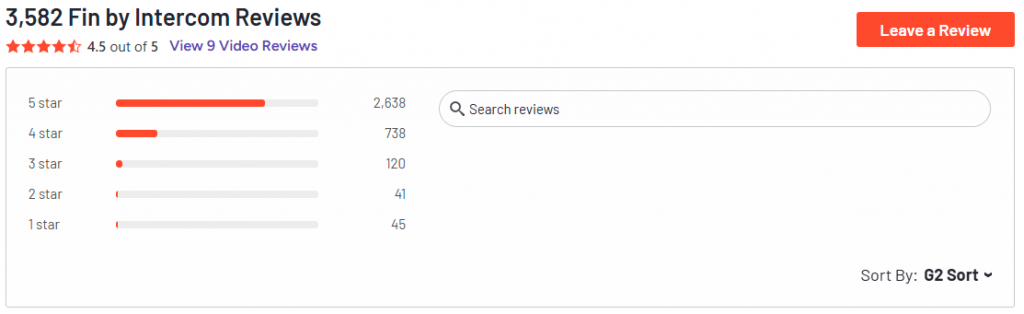
2. Intercom
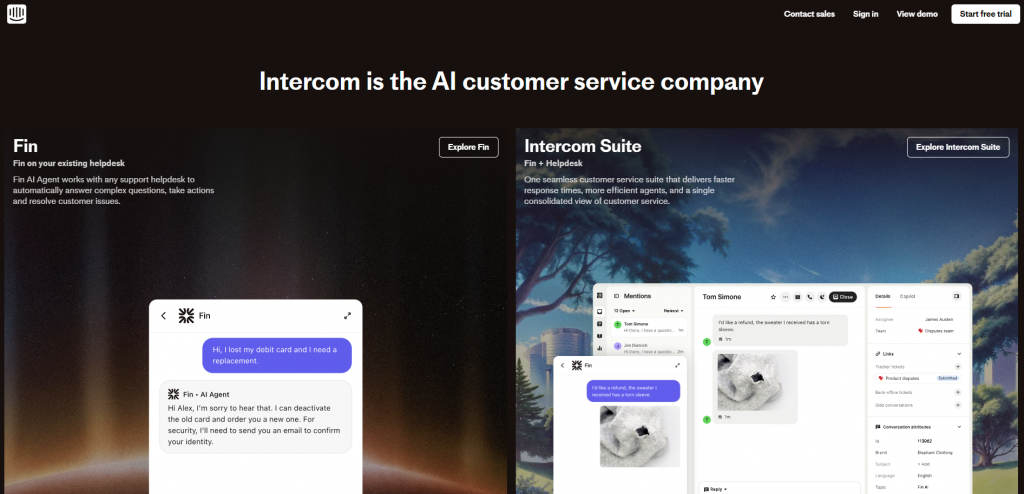
Intercom is a customer service platform widely used by SaaS and subscription-based companies. It is known for helping businesses strengthen relationships with customers through communication across different stages of the user journey, including onboarding and retention.
Features
- Advanced customer engagement and messaging flows
- In-app messages, push notifications, and chatbots
- Knowledge base integration for self-service
- Strong CRM integrations for customer data sync
- User segmentation for personalized conversations
Pros
- Excellent for onboarding and lifecycle management
- Highly customizable engagement flows
- Strong focus on retention and long-term customer value
- Works seamlessly in SaaS environments
Cons
- Requires additional setup to fully use advanced features.
- Pricing is relatively very high due to pay per seat + resolution.
- Less suitable for ecommerce or transactional businesses.
Review
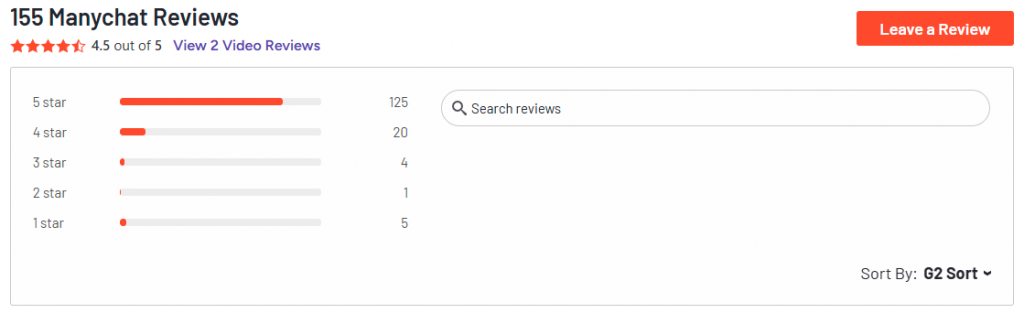
3. ManyChat

ManyChat started as a chatbot platform for social media channels like Messenger and Instagram but has expanded to include website integration. It remains a strong choice for ecommerce brands that want to connect marketing campaigns with real-time conversations.
Features
- Chatbot builder optimized for Messenger, Instagram, and WhatsApp
- Website widget for ecommerce and lead generation
- Broadcast and campaign tools for marketing automation
- Integration with Shopify and ecommerce platforms
- Tools for capturing and segmenting customer data
Pros
- Strong integration with social media channels
- Effective for ecommerce promotions and customer follow-up
- Easy to use for marketing teams
- Great fit for small to medium-sized online retailers
Cons
- Limited flexibility outside of ecommerce or social-driven businesses.
- AI capabilities are limited.
- More focused on marketing than advanced support use cases.
Reviews
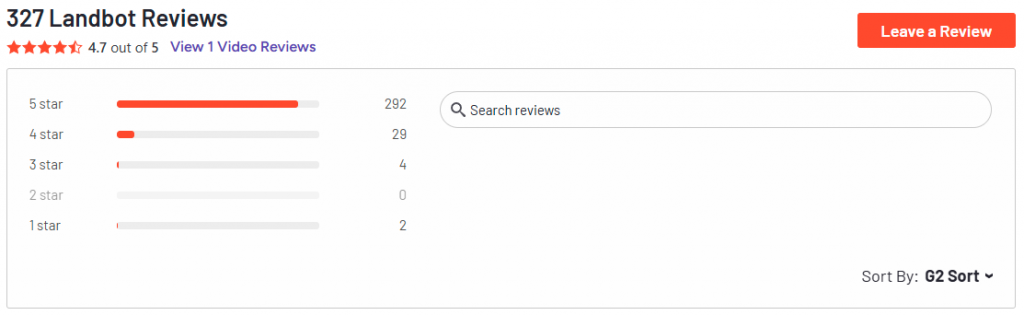
4. Landbot

Landbot is known for its visual flow builder that simplifies chatbot design. It is highly popular among businesses that need structured conversations, such as surveys, lead capture, or qualification forms.
Features
- Visual drag-and-drop chatbot builder
- Conversational forms for surveys, lead capture, and funnels
- Conditional logic for personalized journeys
- Integrations with CRMs, Google Sheets, and Zapier
- Customizable widget design for brand consistency
Pros
- Extremely intuitive and beginner-friendly
- Great for structured data capture and qualification
- Highly customizable user flows
- Works well for B2B businesses and industries like real estate or finance
Cons
- Not ideal for high-volume customer support
- Complex flows may require careful planning to avoid confusion
Review
5. Zendesk
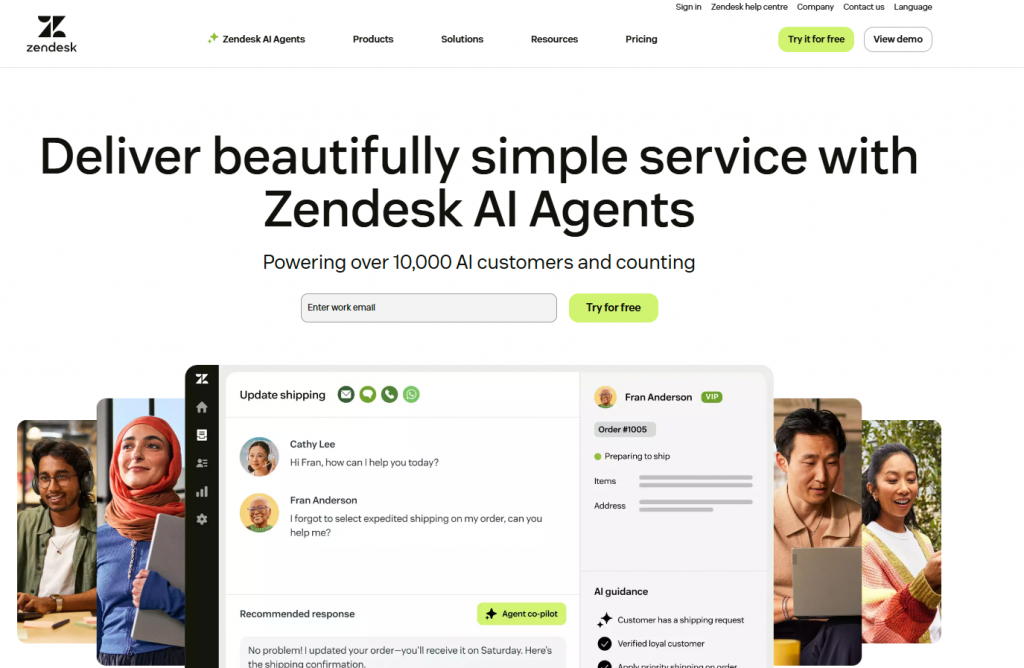
Zendesk is a customer service suite trusted by enterprises worldwide. Its chatbot integrates directly into the Zendesk ecosystem, making it an excellent fit for businesses that manage high ticket volumes and want to streamline customer support.
Features
- AI chatbot integrated with Zendesk Support Suite
- Automated ticket creation and routing
- Knowledge base and help center integration
- Omnichannel support across web, mobile, and messaging apps
- Analytics and reporting within Zendesk ecosystem
Pros
- Built in ticketing system
- Flows reduces workload for support teams by handling routine issues
- Works well for organizations with large customer bases
Cons
- Primarily focused on support use cases.
- Limited flexibility for marketing and sales tasks.
- AI capabilities are basic compared to more advanced platforms.
- Slow Product development Lifecycle
Review
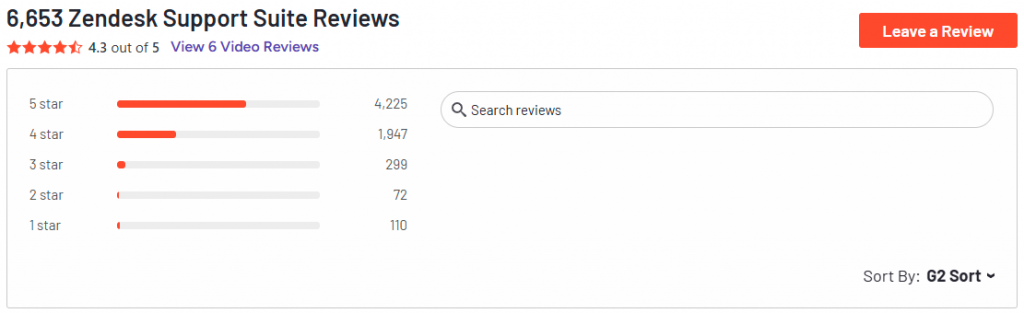
6. Freshchat (Freshworks)
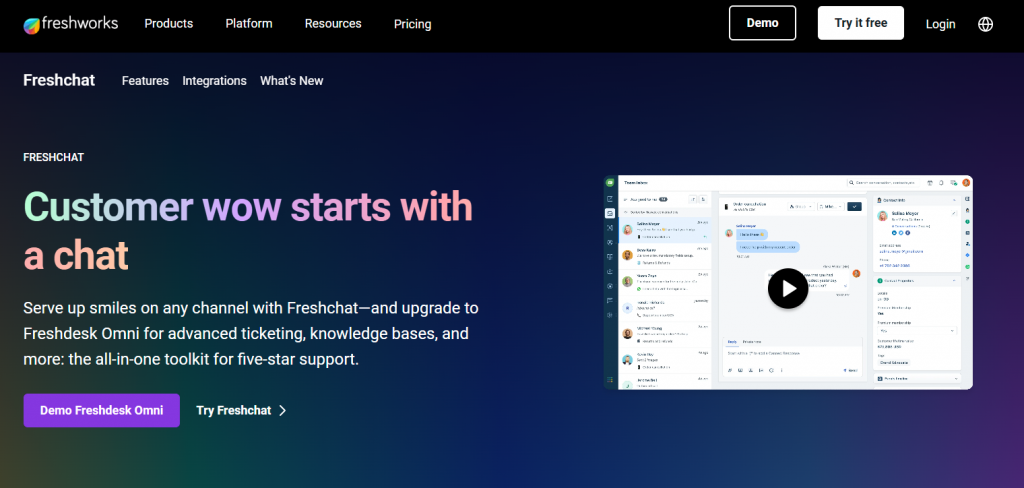
Freshchat combines live chat with AI-driven automation, offering a balance between human support and chatbot efficiency. It is designed for small and medium-sized businesses that need an easy-to-use solution with the flexibility to scale.
Features
- Hybrid model combining live chat and chatbots
- Pre-built templates for common workflows
- Multi-channel messaging (web, mobile, WhatsApp, Messenger)
- Integration with Freshworks CRM and helpdesk tools
- Smart triggers for engagement
Pros
- Quick and easy setup
- Blends automation with human support effectively
- Affordable for smaller businesses
- Strong integration with other Freshworks tools
Cons
- Limited advanced AI features compared to enterprise platforms
- More suitable for SMBs than large-scale enterprises
Review
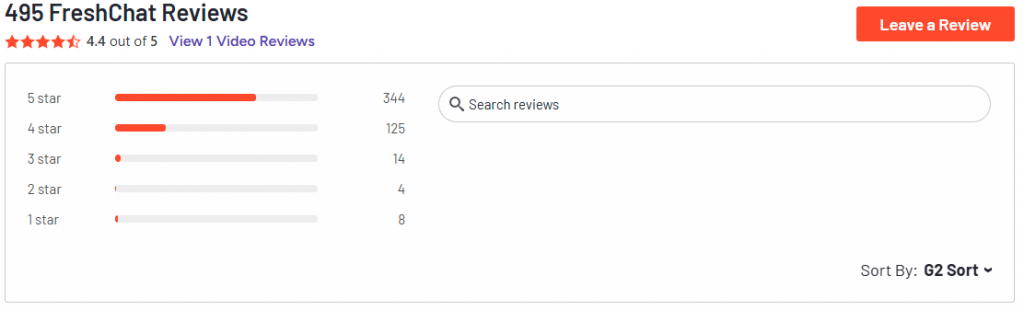
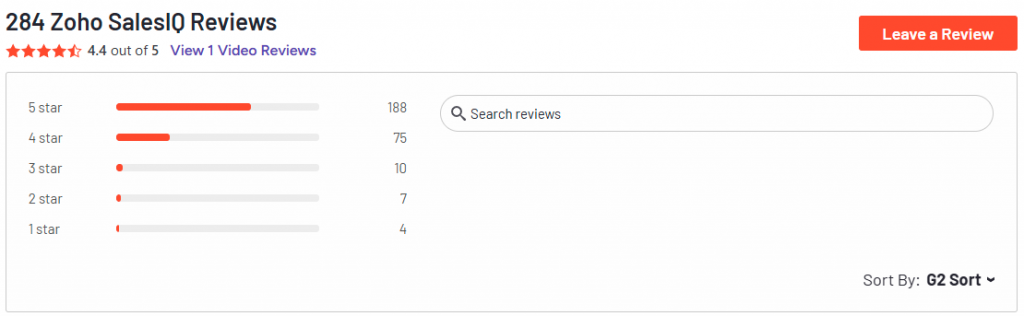
7. Zoho SalesIQ
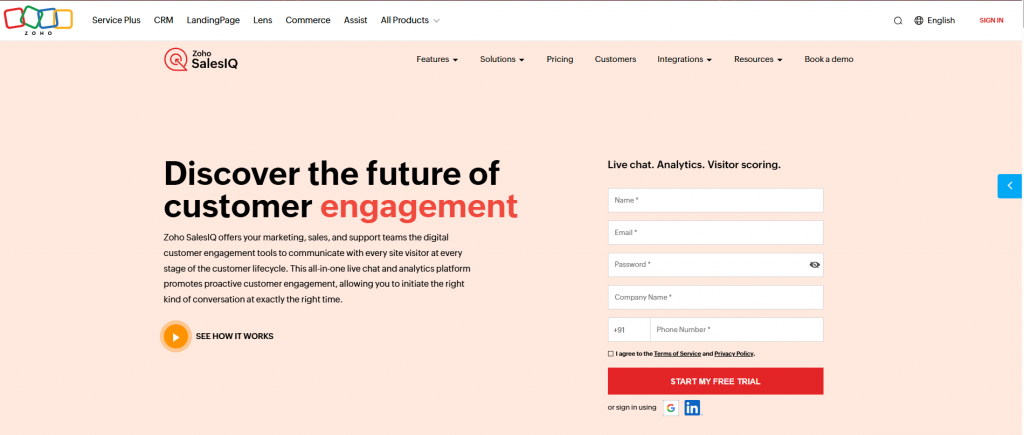
Zoho SalesIQ is part of the broader Zoho ecosystem, making it a natural choice for businesses already using Zoho CRM. It combines chatbot automation with visitor tracking and real-time analytics.
Features
- Built-in integration with Zoho CRM and other Zoho apps
- Visitor tracking and behavior analysis
- Lead scoring and qualification features
- Customizable chat widgets with proactive prompts
- Analytics to measure conversation and sales impact
Pros
- Strong fit for businesses already using Zoho ecosystem
- Good balance between chatbot automation and live chat
- Provides valuable insights on visitor behavior
- Simple integration with sales and marketing workflows
Cons
- Limited advanced AI capabilities compared to specialized platforms
- Best suited for Zoho users; less flexible outside the ecosystem.
Review
Comparison: Setup Speed, Engagement Tools, and Best Use Cases
Choosing the right chatbot depends on how quickly it can be deployed, the engagement tools it offers, and whether it fits your business model. The table below provides a side-by-side view to help you evaluate each option.
| Chatbot | Core Strength | Setup Speed | Engagement Features | Best Suited For |
|---|---|---|---|---|
| YourGPT | All-in-one AI automation | ★★★★★ | Voice, omnichannel, advanced flows | Businesses needing a unified solution across support, sales, and ops |
| Intercom | Customer lifecycle management | ★★★★☆ | Personalized messaging, retention tools | SaaS companies and subscription-driven businesses |
| ManyChat | Social-first and ecommerce | ★★★★☆ | Messenger, Instagram, website bots | Ecommerce brands connecting social and web traffic |
| Landbot | Funnel-driven conversations | ★★★★☆ | Visual flow builder, lead capture | Businesses focused on lead generation and qualification |
| Zendesk | Enterprise support automation | ★★★★☆ | Ticketing workflows, knowledge base | Enterprises with high-volume customer support |
| Freshchat | SMB-friendly live + AI chat | ★★★★★ | Templates, proactive triggers, multichannel | Startups and SMBs needing quick, affordable deployment |
| Zoho SalesIQ | CRM-integrated engagement | ★★★★☆ | Visitor tracking, CRM sync, lead scoring | Companies using the Zoho ecosystem |
How to Choose the Right Chatbot for Your Website
Choosing a chatbot is not about picking the tool with the most features or the biggest brand name. The real test is whether it aligns with your website goals and improves the customer experience. A chatbot that fits your needs will boost engagement and revenue, while the wrong one can add friction and waste resources.
Here are five practical steps to guide your decision:
1. Define Your Primary Goal
Before comparing platforms, be clear on what you expect the chatbot to achieve. The goal shapes every other decision.
- E-commerce websites often prioritize cart recovery, product recommendations, and upselling.
- SaaS companies need lead qualification, onboarding flows, and CRM integration.
- Service businesses benefit most from multilingual support and 24/7 availability.
When you know the outcome you want, it becomes easier to filter out tools that don’t match your priorities.
2. Check Integration Compatibility
A chatbot’s value depends on how well it connects with your existing systems. Look for platforms that integrate smoothly with your CMS (WordPress, Shopify, Webflow, or Framer) and with backend tools like CRMs and helpdesks. The easier the integration, the faster you can see results without heavy development work.
3. Focus on Features That Drive Results
Not all features are equally valuable. Prioritize the ones that directly affect customer engagement and revenue. Examples include:
- Analytics and reporting to track conversions and performance.
- Proactive prompts to recover abandoned carts or reduce bounce rates.
- Personalization that adapts responses to each visitor’s behavior.
These features turn a chatbot from a support widget into a business driver.
4. Start with a Pilot Use Case
Instead of trying to launch a chatbot with every possible function, begin with one high-impact scenario. It could be lead capture on a SaaS site or cart recovery for an online store. Run it as a pilot, measure the results, refine the experience, and then expand gradually. This approach lowers risk and builds confidence.
5. Evaluate Scalability and Reliability
As your traffic grows, the chatbot should scale with it. A reliable platform handles both quiet periods and high-volume spikes without slowing down or breaking workflows. Choosing a chatbot that can grow with your business saves you from constant switching or rebuilding later.
Future of Website Chatbots: What’s Next Beyond 2026
Chatbots have become a central part of how websites interact with visitors and turn them into customers. They make it easier for people to get quick answers, reduce friction during key moments, and support businesses in capturing more value from every interaction.
Their role is set to grow even further. Chatbots are moving beyond reactive support and transforming into intelligent systems that guide the entire customer journey.
Here are the directions businesses should prepare for:
1. From Assistants to AI Agents
Today’s chatbots mostly answer questions or pass users to human agents. The next wave will go further, taking direct action on behalf of the customer.
Imagine a chatbot that not only explains return policies but also initiates a refund, updates an order, or books an appointment. This evolution turns the chatbot into a true AI agent that delivers end-to-end service without handoffs, reducing friction for both customers and teams.
2. The Rise of Voice Interactions
While most website chatbots today are text-first, voice is becoming a natural expectation. As smart speakers and mobile voice assistants grow, customers will want to interact with websites by speaking instead of typing.
Voice-enabled AI will provide faster support, improve accessibility, and make complex tasks simpler on mobile. For businesses, this creates an opportunity to reach users who prefer conversation over clicks.
3. Hyper-Personalization Through Predictive AI
Basic personalization such as greeting users by name will no longer be enough. Future chatbots will combine real-time browsing data, past purchases, and predictive modeling to anticipate needs before they are expressed without a complex setup.
An e-commerce chatbot could, for example, suggest restocking a skincare product a week before it typically runs out. This shift from reactive support to predictive engagement will make websites feel more like personal assistants than static storefronts.
4. Chatbots in Immersive Commerce
As AR and VR become more common, websites will no longer be flat pages. Customers will shop in virtual stores, try products in 3D, or attend interactive showrooms. Chatbots will also embed within these environments, answering questions, assisting with product comparisons, and guiding users through immersive checkouts. For businesses, this means chatbots will not just sit in a corner widget but become central to future shopping experiences.
FAQ
What is the main benefit of using a chatbot on my website? ▼
A chatbot helps visitors get instant answers. It keeps them engaged, reduces wait times, and increases the chance they complete a purchase.
Can a chatbot really improve sales? ▼
Yes. By guiding customers through checkout, suggesting products, and reminding them about abandoned carts, chatbots can directly increase sales.
How fast can I add a chatbot to my site? ▼
Most chatbots can be added in minutes with a plugin or a short code. Advanced setups that connect to CRMs or other tools may take a few hours.
Do I need coding knowledge to build a chatbot? ▼
No. Many platforms have drag-and-drop builders that make setup simple. Developers can add custom features if your business needs them.
Are chatbots safe for customer data? ▼
Yes, as long as you choose a trusted provider. Leading platforms use encryption and follow data privacy laws such as GDPR and CCPA.
Can chatbots talk in different languages? ▼
Yes. Many modern chatbots translate conversations in real time and support more than 100 languages, making it easier to serve global audiences.
What features matter most when picking a chatbot? ▼
Look for natural language understanding, easy integrations, proactive prompts, strong analytics, and the ability to scale as your business grows.
How do I know if my website needs a chatbot? ▼
If you get frequent customer questions, have a lot of visitors leaving without buying, or serve customers across time zones, a chatbot can help.
Will chatbots replace human support teams? ▼
No. Chatbots are best at repetitive tasks. Human agents are still needed for complex or sensitive conversations. The best setup uses both together.
Which industries benefit the most from chatbots? ▼
Ecommerce, SaaS, travel, healthcare, and banking all see strong results. Any business that needs to handle customer questions quickly can benefit.
Conclusion
Chatbots have moved from optional add-ons to becoming a core part of modern websites. They improve customer experience by providing instant answers, reducing friction in the buying journey, and capturing opportunities that would otherwise be lost.
The value of a chatbot depends on the business model. Ecommerce brands rely on chatbots to recover abandoned carts and recommend products. SaaS companies use them to qualify leads and guide new users through onboarding. Service providers gain round-the-clock availability and multilingual support that extends reach to global audiences.
Looking ahead, the potential is even greater. Chatbots are evolving into intelligent agents capable of handling payments, personalising interactions in real time, and supporting new channels such as voice, augmented reality, and virtual reality. Choosing the right platform today is not only about addressing current needs. It is about preparing your business to deliver richer, smarter, and more connected customer experiences in the future.
Get the Right Chatbot for Your Website
Choose a chatbot that fits your business goals. Compare top platforms for 2026 and start creating better conversations that engage visitors, capture leads, and drive sales.
7-day free access • No credit card required • Works with Framer
Leave a Reply