
YourGPT and Botpress are both AI agent platforms, but they take different approaches to automation and customer engagement.
Businesses don’t need another chatbot. They need AI agents that connect to their existing systems, handle real tasks, and work across multiple channels without breaking down when customers ask something unexpected.
This guide compares how YourGPT and Botpress handle setup, AI capabilities, integrations, customization, and pricing. By the end, you’ll know which platform matches what you’re actually trying to build.
Quick Overview: YourGPT vs Botpress
| Feature | YourGPT | Botpress |
|---|---|---|
| Who Should Use It | SMBs, mid-market, and enterprises needing automation, self-learning AI, and omnichannel coverage | Developers and teams who want modular chatbot building with custom logic |
| AI Strengths | Self-learning, persistent memory, automation workflows, and real-time backend actions | Flow builder, and developer-controlled logic |
| Channels | Web, WhatsApp, Messenger, Telegram, Slack, Email, Voice, LINE | Web, Messenger, WhatsApp, custom APIs |
| No-Code Builder | Yes, visual interface for non-technical users | Partial, requires technical setup and scripting |
| Integrations | Shopify, HubSpot, CRMs, APIs, and webhooks | Zapier, REST APIs |
| Security & Compliance | SOC2, GDPR compliant | SOC2, GDPR compliant |
What Is Botpress?
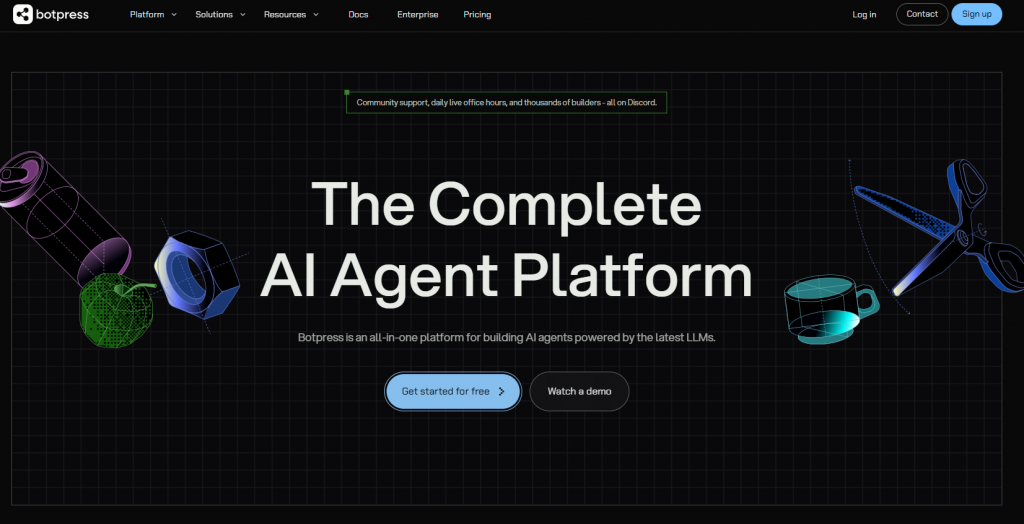
Botpress is a conversational AI platform that provides developers with a framework to build, deploy, and manage AI agents. The platform combines visual building tools with code-level customization capabilities.
Core Features of Botpress:
- Visual Flow Builder: A drag-and-drop interface that allows developers and non-technical users to design conversation flows and workflows visually.
- Knowledge Bases: Upload and train agents on custom data sources including websites, documents, and knowledge bases so agents can provide accurate, context-specific responses.
- Modular Architecture: An extensible system where you can add integrations and custom modules for specific functionalities through the Botpress Hub.
- Execute Custom Code: Run JavaScript code in a secure sandbox environment directly within conversation flows to perform custom tasks and integrations.
Botpress offers both a user-friendly visual interface for quick setup and developer-level customization for complex projects. Its effectiveness depends on your team’s technical capabilities and the complexity of your automation needs.
Pros of Botpress:
- Developer-friendly customization: JavaScript execution and modular architecture give technical teams full control over agent behavior and integrations.
- Visual and code flexibility: Teams can use the drag-and-drop builder for simple flows or write custom code for complex logic, accommodating different skill levels.
- Active developer community: Strong Discord community and extensive documentation help troubleshoot issues and share best practices.
Cons of Botpress:
- Steeper learning curve: Non-technical users may struggle with advanced features and customization options compared to pure no-code platforms.
- Requires developer resources: Most complex implementations need JavaScript knowledge and ongoing technical maintenance.
- Limited out-of-the-box templates: Fewer pre-built templates compared to competitors, requiring more setup time from scratch.
- Pricing complexity: Pay-as-you-go model based on messages, AI tokens, and channel usage can be difficult to predict for growing businesses.
- Setup and maintenance overhead: Self-hosted deployments require IT resources for server management, updates, and security patches.
Pricing
Botpress, on the other hand, provides a generous free tier with pay-per-usage pricing that scales with growth :
- Pay-as-you-go Plan: Free to start , with AI Spend capped at $100 per month
- Plus Plan: $79 per month
- Team Plan: $495 per month ($445 with annual billing)
- Enterprise Plan: Custom pricing with advanced features and premium support
What Is YourGPT?

YourGPT is an AI agent platform built for businesses that need one system to handle customer support, sales, and operations. YourGPT Powered agents can execute multistep actions—calling APIs, updating databases, processing transactions, and completing workflows autonomously. Deploy agents across websites, WhatsApp, Instagram, email, and voice calls, managing all conversations from a unified inbox.
Core Features of YourGPT:
- No-Code AI Agent Builder: An intuitive visual interface that lets support, sales, and marketing teams build and manage AI agents without coding.
- Knowledge Bases: Connect multiple data sources including documents, websites, FAQs, and conversation histories. The AI automatically learns from this information, keeping responses accurate as your content updates. You can add, remove, or modify knowledge sources without retraining from scratch.
- AI Studio for Workflow Automation: Design multi-step workflows visually, connect to your systems through native integrations (Shopify, HubSpot, Salesforce, Zendesk), and trigger actions automatically based on customer interactions.
- Omnichannel Deployment: Deploy across website chat, WhatsApp, Messenger, Telegram, Slack, and voice channels. Manage all conversations from a unified inbox that consolidates interactions across platforms.
- Self-Learning Capabilities: The agent improves accuracy over time by learning from resolved conversations and user feedback without requiring manual retraining.
YourGPT works for businesses that need AI agents running quickly across multiple channels, with the flexibility to automate workflows and integrate with existing tools. It bridges the gap between simple chatbots and complex custom-built systems.
Pros of YourGPT:
- Complete platform for support, sales, and operations: Handles customer inquiries, lead qualification, appointment scheduling, and transaction completion in one system instead of requiring multiple separate tools.
- Agentic AI capabilities: Agents don’t just respond to questions without coding, they execute actions, call APIs, update databases, and complete tasks across text, voice, and image interactions without human intervention.
- Unified inbox across all channels: Teams manage conversations from website, WhatsApp, Instagram, Telegram, Slack, and phone calls in one dashboard, preventing context loss between platforms.
Cons of YourGPT:
- Fast-moving platform: The team iterates and ships new features frequently, which means the interface and capabilities evolve quickly. Users who prefer stable, unchanging systems may need to adapt regularly.
- Requires basic prompt engineering mindset: Getting the best results from AI agents benefits from understanding how to structure instructions effectively. Users without curiosity to learn prompt optimization may need initial guidance.
- Free trial features: The trial version provides access to essential functionality but limits advanced features like API access and workflow automation, requiring upgrade to evaluate full capabilities.
Pricing
YourGPT offers transparent, usage-based pricing with no per-seat costs, making it easier for teams to predict expenses and scale as they grow:
- Essential Plan: $59 per month
- Professional Plan: $129 per month
- Advanced Plan: $349 per month
- Enterprise Plan: Custom pricing based on requirements
Comparison: YourGPT vs Botpress
Both platforms enable AI-driven automation but differ in ease of use, adaptability, and scalability. YourGPT focuses on no-code automation, while Botpress offers developer-level customization.
Side-by-Side Breakdown
Compare how YourGPT and Botpress perform across AI, integrations, training, and deployment channels. This side-by-side breakdown shows which platform is better aligned with your business requirements.
| Feature | YourGPT | Botpress |
|---|---|---|
| Ease of Setup | ✅ No-code visual setup in minutes | ⚙️ Requires developer configuration |
| Training and Data | Multi-source training from files, websites, and APIs | Manual dataset upload or NLP training |
| Self-Learning AI | ✅ Yes, improves automatically | ❌ No, requires manual updates |
| Persistent Memory | ✅ Yes, remembers user context | ⚙️ Limited, resets per session |
| Advanced Automation | ✅ Yes, supports API calls and triggers | ⚙️ Yes, via code actions |
| Multi-Step Workflows | ✅ Yes, visual editor | ⚙️ Yes, flow-based setup |
| AI Models | GPT-5, Claude, Gemini, and more | Addons for external LLMs |
| Channels | Web, mobile, email, voice, WhatsApp, Telegram, Slack | Web, Messenger, WhatsApp |
| Unified Inbox | ✅ Yes | ❌ No |
| Integrations | Shopify, HubSpot, Salesforce, CRMs, APIs | Zapier, Dialogflow, REST APIs |
| Security & Compliance | SOC2, GDPR | SOC2, GDPR (Enterprise plan only) |
| Hosting | Cloud-hosted and managed | Self-hosted or cloud |
| Pricing | $59–$500 per month | Free Plan to $500/mo (Team) + AI usage costs |
YourGPT deploys in minutes. Connect your knowledge sources, customize the agent, and launch across channels without technical setup. Teams start with the no-code builder and move to AI Studio when they need advanced workflows or custom integrations, they can use Studio Copilot to build the workflows with AI.
Botpress requires technical expertise throughout the process. Teams design conversation flows using visual nodes combined with JavaScript code, troubleshoot integration issues, and maintain the system over time. The flexibility comes with complexity that requires dedicated developer resources.
Training and Custom Data
YourGPT supports multiple data ingestion methods, allowing AI agents to train directly on your internal knowledge and context.
YourGPT can learn from:
- Files including PDF, DOCX, TXT, and CSV
- Websites, sitemaps, and internal knowledge bases
- CRM and ticketing platforms
- Past chat logs, FAQs, and customer interactions
- Email sources such as Gmail and Outlook
- Automatically synced and continuously updated content
YourGPT delivers accurate, brand-aligned responses that evolve as your business data changes. Its self-learning design allows the AI to adapt to real-world use cases and remain consistent with your company’s workflows and tone.
Botpress, in comparison, also offers knowledge base capabilities but with more limitations:
Botpress can learn from:
- Files including PDF, HTML, TXT, DOC, and DOCX
- Manually organized knowledge bases with segmented data management
- Web-sourced information to augment responses
- Static document repositories that require manual updates
However, Botpress lacks native integrations for automatic syncing with CRM systems, email platforms, or continuously updated data sources, requiring custom API development for dynamic data ingestion.
Integrations and Workflow Automation
YourGPT integrates seamlessly across major platforms and communication channels to simplify automation and data flow.
- Channels: Web, email, mobile, WhatsApp, Messenger, Telegram, Slack, and voice all unified in a single inbox for consistent management.
- Native integrations: Shopify, HubSpot, Salesforce, and other leading CRMs.
- Automation tools: MCP, Function calling, triggers, webhook, and APIs for backend operations and custom workflows.
- Real-time actions: Webhooks that connect directly with your business systems to execute automated tasks and updates.
This unified approach allows teams to manage every conversation in one place while enabling powerful workflow automation that connects AI responses to live business processes.
Botpress, in comparison, provides flexibility through developer-driven integrations and a growing hub of connectors.
- Channels: WhatsApp, Slack, Telegram, Messenger, Line, and websites, with each requiring individual setup and configuration.
- Native integrations: HubSpot CRM and Zendesk, Zapier, with additional integrations available through the Botpress Hub.
- Automation tools: Webhook integration for connecting with external systems and services using HTTP-based webhooks, enabling chatbots to interact with external APIs and databases.
- Workflow capabilities: AI agents can run business workflows end-to-end across tools using APIs and webhooks , though implementation requires technical expertise.
While Botpress allows for advanced customization, each integration requires manual setup and coding expertise. For unsupported platforms, developers must leverage Botpress’s API and webhooks for custom connections. For non-technical teams, this makes Botpress more resource-intensive compared to YourGPT’s plug-and-play approach.
AI Capabilities
YourGPT and Botpress take fundamentally different approaches to AI implementation.
YourGPT: AI-First Platform
YourGPT is built natively around agentic capabilities where AI agents execute tasks, make decisions, and complete workflows autonomously. AI agents execute actions, not just answer:
- Agentic AI execution: Agents call APIs, update databases, process transactions, and trigger multi-step workflows without human intervention.
- AI Models: Switch between GPT-5, Claude, Gemini, and other LLMs to select the optimal model for specific use cases or conversation types.
- Multimodal understanding: Handles text conversations, analyzes images, and processes voice interactions in natural language, allowing agents to work across different input types seamlessly.
- Self-learning systems: AI continuously improves response accuracy by learning from resolved interactions and feedback patterns.
- Context retention: Maintains customer context across all interactions and channels, enabling personalized experiences without requiring customers to repeat information.
Botpress: Bot-Building with AI Enhancement
Botpress takes a bot-building approach where AI capabilities are added on top of flow-based conversation logic. It functions primarily as a chatbot framework that integrates LLM understanding:
- Flow-based architecture with AI enhancement: Conversation logic is designed through visual flows, with LLM capabilities layered in to handle natural language understanding.
- Reduced training data requirements: GPT-native engine minimizes the need for extensive intent training compared to traditional NLU systems.
- LLM model flexibility: Connect to GPT, Claude, Llama, or other models through API configurations for language processing.
The Core Difference
YourGPT supports both autonomous agents that make decisions and execute actions independently, and controlled agents where you define specific rules and workflows. Teams choose the level of autonomy based on their needs.
Botpress bots follow predefined conversation paths enhanced by AI understanding. One is built for AI agents that execute tasks. The other is built for chatbots that understand language better.
Pricing
YourGPT and Botpress take different approaches to pricing and what’s included in their plans.
YourGPT Pricing:
YourGPT offers tiered monthly plans with inclusive AI capabilities and features. Each tier includes chatbots, knowledge base capacity (webpages and documents), AI credits, and access to specific features. Higher tiers unlock advanced capabilities like AI Studio for workflow automation, API access, custom branding, voice agents, and team collaboration tools with role management.
The structure is designed for businesses that want comprehensive AI agent capabilities with predictable monthly costs. As you move up tiers, you gain access to more powerful features alongside increased usage capacity, supporting growth from basic support automation to full-scale sales and operations deployment.
Botpress Pricing:
Botpress uses a pay-as-you-go model based on message volume, AI token consumption, and channel usage. The platform starts free for basic use, then charges based on actual consumption. This works for low-volume projects.
However, businesses with high conversation volumes, multiple active channels, or frequent AI model calls should monitor usage closely, as costs scale directly with consumption. The final monthly bill depends on how much the bot is used rather than a fixed tier.
Main Difference:
YourGPT provides fixed-tier pricing where increased cost unlocks more AI capabilities, advanced features, and higher usage limits—giving businesses clarity on what they’re getting at each level. Botpress charges based on actual usage, offering flexibility for variable workloads but requiring businesses to track consumption as volume grows.
FAQ
What’s the main difference between YourGPT and Botpress? ▼
YourGPT is a no-code AI platform built for teams that want quick setup and automation without writing code. Botpress is a developer tool for building chatbots with full control and custom scripting.
Which one is easier to use? ▼
YourGPT is easier for non-technical teams. You can launch AI agents in minutes using a visual builder. Botpress needs technical setup, hosting, and maintenance, which makes it better suited for developer teams.
Can both platforms connect to business tools like CRMs? ▼
Yes. YourGPT connects directly with Shopify, HubSpot, Salesforce, and other CRMs. Botpress also supports integrations through APIs or tools like Zapier, but most require manual setup.
Does YourGPT support multiple AI models? ▼
Yes. YourGPT supports GPT-5, Claude, Gemini, and other models. You can choose the best one for your needs without changing your setup.
Is Botpress free to use? ▼
Botpress has a free open-source version. However, if you want enterprise features such as analytics, hosting, or dedicated support, you’ll need a custom paid plan.
How do their pricing models compare? ▼
YourGPT has clear pricing that starts at $59 per month with no per-seat fees. Botpress can be free for self-hosting, but enterprise pricing varies depending on features and usage.
Which platform learns and improves over time? ▼
YourGPT includes self-learning AI that adapts as it handles new queries. Botpress relies on intent-based logic, so updates must be made manually by developers.
Can both handle multiple communication channels? ▼
YourGPT supports many channels including web, email, WhatsApp, Telegram, Messenger, Slack, and voice. Botpress works with core channels like web and Messenger, but others require extra setup.
Which platform offers stronger data protection? ▼
YourGPT follows SOC2 and GDPR standards, ensuring compliance by default. Botpress lets users control their own security through self-hosting, which depends on how the system is set up.
Which platform is better for long-term growth? ▼
YourGPT works best for teams that want to scale automation quickly and manage everything without coding. Botpress is better for developer teams who want full control over customization and hosting.
Conclusion
Choosing between YourGPT and Botpress comes down to what you’re building and how you want to build it.
YourGPT offers both speed and depth. Non-technical teams deploy functional agents in minutes using the visual interface. Technical teams can go deeper by accessing APIs, building custom workflows in AI Studio, executing code within conversation flows, and integrating with backend systems through native connections and webhooks.
The platform handles support, sales, and operations in one system. Conversations flow across website chat, WhatsApp, voice calls, and other channels through a unified inbox. Agents qualify leads, process transactions, update CRMs, and complete tasks automatically.
Botpress provides a framework for teams that want to build custom conversational agents with full technical control. It works well for developer teams managing their own infrastructure and customization.
Both platforms have their strengths. YourGPT delivers a complete system that works immediately while maintaining flexibility for advanced customization. Botpress provides the components for teams that prefer building from the ground up. Your choice depends on whether your priority is deploying functional automation quickly or constructing a custom solution with full technical control.
Build Smarter AI Agents That Think and Act
Compare YourGPT and Botpress to find out which AI platform helps your business automate faster, scale smarter, and deliver real-time customer experiences.
No coding required · 14-day trial · Cancel anytime
Leave a Reply