
Haptik is a familiar name in the chatbot space, especially for large enterprises looking to automate customer conversations at scale. However, as business requirements evolve, many teams find that a single platform may not fully align with their workflow, flexibility needs, or integration expectations. Limitations around customization, automation depth, pricing structure, or channel support often prompt teams to look beyond their existing setup.
In 2026, chatbots are no longer just about answering FAQs. Businesses now expect AI systems that can handle complex conversations, connect with internal tools, support multiple channels, and adapt to changing customer behavior without constant manual effort. Choosing the right chatbot has a direct impact on customer experience, operational efficiency, and long-term scalability.
This blog highlights five reliable alternatives to Haptik that businesses are actively considering in 2026. Each option is evaluated for its core strengths, including conversational intelligence, integration flexibility, automation capabilities, and suitability for different business use cases. By the end, you’ll have a clearer view of which platforms are better equipped to support modern customer engagement and operational goals.
Why Consider Haptik Alternatives?
While Haptik works well for certain enterprise use cases, it may not be the right fit for every business. As chatbot requirements become more complex and outcome-driven, many teams start evaluating alternatives for the following reasons:
1. Limited Flexibility in Feature Design
Modern chatbots are expected to do more than handle scripted conversations. Businesses often need AI that can manage multi-step workflows, trigger backend actions, connect with internal tools, or switch smoothly between automation and human support. Some alternatives offer deeper control over conversation logic, better intent handling, and more advanced automation capabilities that are difficult to implement in rigid frameworks.
2. Setup and Ongoing Maintenance Overhead
Initial setup is only one part of the equation. Many teams struggle with long onboarding cycles, dependency on technical teams, or frequent manual updates to keep the chatbot accurate. Several alternatives focus on faster deployment, no-code or low-code configuration, and easier ongoing management, reducing time spent on maintenance and iteration.
3. Customisation Beyond Basic Branding
For many businesses, changing colors and messages isn’t enough. They need control over conversation flows, responses, fallback logic, integrations, and user journeys. Some platforms allow deeper customization of how the chatbot behaves across different channels, user segments, or business scenarios, making it easier to align with brand tone and customer expectations.
4. Integration and Automation Limitations
As businesses scale, chatbots must integrate with CRMs, helpdesks, payment systems, analytics tools, and internal databases. Alternatives often provide more flexible API access, native integrations, or workflow builders that allow chatbots to perform real actions instead of acting as standalone support tools.
5. Cost Structure and Scalability Concerns
Pricing models that work at one stage of growth may become restrictive over time. Businesses frequently explore alternatives when usage-based costs rise quickly or when advanced features are locked behind higher tiers. More transparent or scalable pricing models can offer better long-term value as conversation volumes increase.
Top 5 Alternatives to Haptik in 2026
- YourGPT Chatbot: No-code AI chatbot builder with advanced features and customisation.
- Ada: A chatbot platform well-regarded for its robust automation capabilities in customer support, combined with an easy-to-use interface.
- SnatchBot: A platform for automating customer support and engagement.
- Landbot helps businesses create engaging chatbots for both web and mobile platforms.
- Chatfuel: allows users to build chatbots for social media platforms without needing any coding skills.
Top Haptik Alternatives That Fit Modern Business Needs in 2026
This section compares top Haptik alternatives based on features, flexibility, and suitability for today’s business needs.
1. YourGPT Chatbot: Best Alternative to Haptik
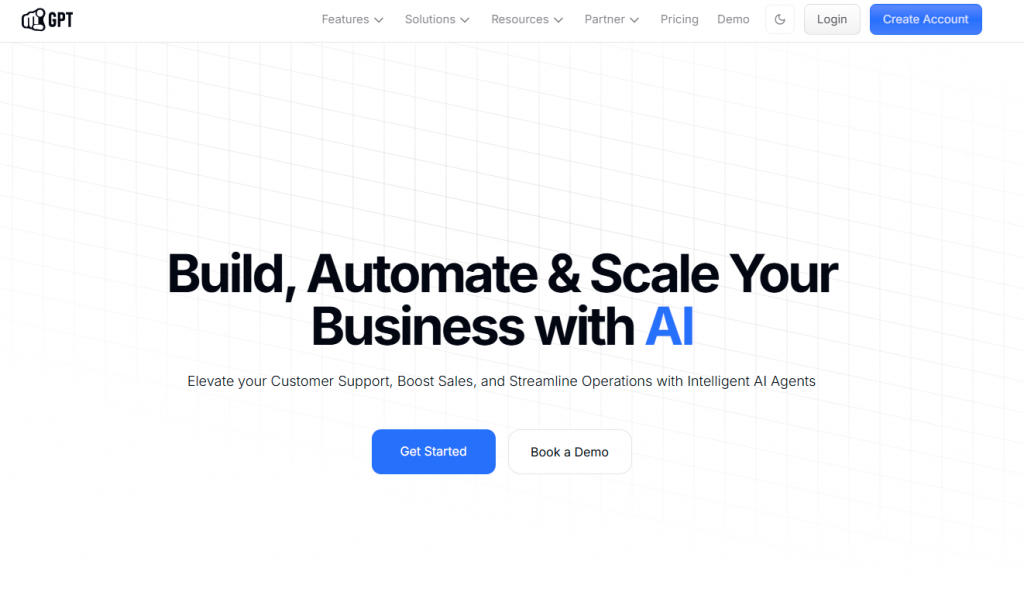
YourGPT is an AI-first platform for building and running AI agents that support customer service, sales, and business operations across websites, apps, and messaging channels.
It includes a visual no-code agent builder for everyday conversational use cases and a more advanced AI Studio for creating structured, multi-step operational workflows, all without requiring engineering resources.
Unlike basic chatbots that only respond with static answers, YourGPT agents can perform multi-step actions, execute API-driven workflows, and automate real tasks. This makes the platform suitable for both customer-facing interactions and internal operational automation.
Pros:
- No-code agent builder + AI Studio : Build simple agents quickly or create advanced multi-step workflows with API actions, logic branching, and data collection.
- Multi-source training with auto updates : Train agents on websites, files, Google Docs, Sheets, Notion, Confluence, YouTube, and past conversations, with automatic reindexing.
- Omnichannel deployment from one agent : Deploy across websites, WhatsApp, Instagram, Messenger, Slack, Telegram, email, and Voice AI, with updates syncing across all channels.
- AI Helpdesk with knowledgebase : Publish help articles and knowledgebase content that stays synced with agents for instant customer answers.
- Human handoff and team collaboration : Support live agent takeover, internal notes, assigned chats, and conversation history when human intervention is required.
- Strong integrations and extensibility : Connect with popular platforms and use APIs, MCP servers, and code execution for custom workflows.
Cons:
- Custom API Setup : Advanced API integrations may require developer support, although core features remain no-code.
Why choose YourGPT over Haptik?
While Haptik offers chatbot automation, YourGPT goes further by providing a full AI suite including chat, voice, AI Studio, human handoff, team chat, and real-time analytics. It’s built for teams that want full control and automation across support, sales, and operations without juggling disconnected tools.
Enhance Your Customer Interactions with AI
Make customer support faster and more consistent with YourGPT
- ✓ Personalized customer interactions
- ✓ 24/7 availability for instant responses
- ✓ Integration with your existing systems
2. Ada CX

Ada CX is an enterprise-focused conversational AI platform built to automate customer support and digital customer interactions at scale. It is primarily used by support teams to deflect repetitive tickets, guide customers to self-service answers, and deliver consistent responses across multiple digital touchpoints using intent-based AI and centralized knowledge management.
Pros:
- Advanced analytics and reporting : Offers detailed visibility into deflection rates, resolution performance, customer intent trends, and automation effectiveness, helping teams optimize support operations.
- Strong intent recognition and NLP : Accurately understands customer queries and maps them to the right intents, enabling reliable automation for high-volume support questions.
- Centralized knowledge management : Uses a single source of truth for support content, making it easier to maintain consistent and up-to-date responses across all channels.
- Omnichannel customer support coverage : Supports deployment across web chat, mobile apps, and messaging channels, ensuring consistent customer experiences.
- Enterprise-grade reliability : Designed for large-scale customer support environments with high conversation volumes and uptime requirements.
- Personalised and contextual responses : Delivers responses based on customer intent, history, and context, improving satisfaction and reducing friction.
Cons:
- High Pricing: Pricing can be prohibitive for small businesses.
- Technical Support Limitations: Limited support for non-technical users.
- Integration Hurdles: Can be difficult to integrate with some CRM systems and specific platforms.
3. SnatchBot

SnatchBot is a conversational AI platform that helps businesses automate customer support and user engagement through rule-based and AI-driven chatbots. It allows teams to build bots for common support queries, lead handling, and basic automation across multiple digital channels using a visual builder and predefined logic.
SnatchBot is mainly suited for businesses that need structured conversation flows rather than complex operational automation.
Pros:
- Visual bot builder : Provides a drag-and-drop interface for creating rule-based conversation flows without heavy technical effort.
- Advanced analytics and reporting : Offers reporting on user interactions, flow performance, and engagement metrics to help optimize chatbot effectiveness.
- Multi-channel deployment : Supports deployment across websites, messaging platforms, and social channels, allowing bots to reach users on multiple touchpoints.
- Platform integrations : Integrates with several third-party platforms and services, making it easier to connect chatbots with existing systems.
- Personalised and contextual responses : Uses user inputs and conversation context to deliver relevant responses and guide users through structured flows.
Cons:
- Customisation Limits: Limited customisation options compared to other platforms.
- Technical Support: Limited support for non-technical users.
- Scalability Problems: Limited scalability for larger businesses.
- Limited AI Features: offers very limited AI features.
4. Landbot

Landbot is a conversational automation platform designed primarily for lead generation, qualification, and interactive customer engagement. It focuses on building structured, form-like conversational experiences that guide users through predefined flows, making it popular for marketing, sales, and onboarding use cases.
Landbot is better suited for interactive lead capture and qualification rather than complex customer support automation.
Pros:
- Strong lead generation and qualification : Excels at capturing, qualifying, and routing leads through conversational forms and guided flows.
- Visual no-code flow builder : Offers a drag-and-drop interface that allows teams to design conversational experiences without coding.
- CRM integrations : Integrates with popular CRM systems and marketing tools, enabling seamless lead sync and follow-up.
- Personalised and contextual interactions : Delivers responses based on user inputs and flow logic, creating tailored conversational experiences.
- Multi-channel deployment : Supports deployment on websites and messaging channels, helping businesses engage users across touchpoints.
Cons:
- Limited Options: Offers very limited integration options.
- AI Features: Very limited AI features available.
- Technical Support: Limited support for non-technical users.
- Lack of Analytics: Does not offer built-in advanced analytics and reporting capabilities.
5. Chatfuel

Chatfuel is a chatbot building platform focused mainly on Facebook Messenger automation for marketing, engagement, and basic customer interactions. It is commonly used by small businesses and marketers to create Messenger bots using templates and simple rule-based flows without technical setup.
Chatfuel is best suited for social media–centric use cases rather than full omnichannel customer support or complex automation.
Pros:
- No-code bot builder : Allows users to create chatbots using templates and a visual interface without writing code.
- Optimized for Facebook Messenger : Deep integration with Facebook Messenger features makes it easy to run campaigns and automate interactions on the platform.
- Built-in CRM functionality : Provides basic tools to capture, store, and manage leads directly inside the platform.
- Third-party integrations : Supports integrations with tools such as Google Sheets and Zapier to extend basic functionality.
Cons:
- Limited Integrations: Chatfuel doesn’t easily connect with platforms outside Facebook, limiting your options.
- Set up: Beginners may find it tough to build advanced features despite the user-friendly interface.
- Weak Support: Users often find the support and documentation lacking, making troubleshooting harder.
Chatfuel is ideal for businesses focused on social media engagement and lead generation.
How to Choose the Right Haptic Alternative?
Choosing a Haptik alternative should be driven by real operational gaps, not feature checklists. The right platform depends on how you plan to use AI across support, sales, and internal workflows.
1. Identify the Limitations You Faced
Start by clearly defining what did not work with Haptik. Common reasons include limited control over conversation logic, difficulty building complex flows, dependency on technical teams, or constraints in integrations. Once these gaps are clear, evaluate alternatives based on how directly they solve those problems rather than how many features they advertise.
For example, if limited customization or rigid flows slowed your team down, platforms that offer no-code builders and advanced workflow tools may be a better fit.
2. Match the Platform to Your Use Case
Not all chatbot platforms serve the same purpose. Some focus mainly on answering FAQs, while others are designed to execute actions, collect data, or automate internal processes. Decide whether your priority is ticket deflection, lead qualification, operational automation, or a mix of all three. Choose a platform that is built around your primary use case instead of forcing a workaround.
3. Evaluate Setup and Ongoing Maintenance
Initial setup is only part of the cost. Consider how easy it is to update content, change flows, retrain AI, and manage conversations over time. Platforms that rely heavily on manual updates or technical intervention can slow down iteration as your business evolves. Look for tools that allow non-technical teams to make changes quickly.
4. Review Integration and Automation Capabilities
As your stack grows, your chatbot must work smoothly with CRMs, helpdesks, payment tools, analytics platforms, and internal systems. Assess whether integrations are native, API-based, or require custom development. Platforms with flexible APIs and workflow builders typically adapt better to complex environments.
5. Plan for Scale and Future Use
A platform that works for a small volume of conversations may struggle as traffic increases. Consider how well the solution handles higher message volumes, multiple channels, team collaboration, and more advanced automation over time. Avoid platforms with hard limits that could force another migration later.
6. Consider Pricing Transparency and Value
Pricing should align with how you use the platform. Some tools become expensive as usage grows or lock essential features behind higher tiers. Compare pricing models carefully and factor in long-term costs, not just entry-level plans.
7. Assess Support and Product Maturity
Reliable support becomes critical once the chatbot is live. Evaluate the quality of documentation, onboarding resources, and responsiveness of customer support. Platforms with active product development and clear support channels are generally easier to rely on long term.
FAQ
When does Haptik start becoming a limitation rather than a solution? ▼
Haptik becomes restrictive when teams need more control over conversation logic, faster iteration without technical help, or automation beyond scripted replies. If building or changing flows feels slow or constrained, it’s often a sign to look elsewhere.
Do all Haptik alternatives support complex workflows? ▼
No. Many alternatives focus only on answering questions or deflecting tickets. If you need bots that can collect data, call APIs, or complete multi-step tasks, you’ll need a platform designed for workflow execution, not just chat responses.
Which type of business should consider enterprise-focused tools like Ada? ▼
Enterprise platforms make sense when you’re handling high conversation volumes and prioritizing ticket deflection, analytics, and operational stability. For smaller teams, these tools can feel heavy and expensive for everyday needs.
Is switching chatbot platforms a high-risk move? ▼
It doesn’t have to be. The risk usually comes from choosing another rigid platform. Picking a tool that allows flexible workflows, easy updates, and better integrations reduces the chance of needing another migration later.
Can non-technical teams realistically manage these platforms? ▼
Yes, but only on platforms designed with no-code builders and visual editors. Some tools still rely on technical support for meaningful changes, which slows down teams over time.
How important is omnichannel support in 2026? ▼
It matters more than ever. Customers expect consistent experiences across websites, messaging apps, and email. Managing separate bots per channel quickly becomes inefficient and harder to maintain.
Are simple tools like Chatfuel still useful today? ▼
They can be, but only for narrow use cases. If your automation is limited to social media engagement or basic lead capture, simpler tools work fine. They are not built for deeper support or internal automation.
What usually gets overlooked when comparing chatbot pricing? ▼
Teams often miss how pricing scales with usage, channels, or advanced features. A platform that looks affordable initially can become expensive once conversation volume grows.
How do integrations affect long-term success? ▼
Poor integrations create manual work and fragmented workflows. Platforms with flexible APIs and native integrations fit better into real business environments and reduce operational friction.
What’s the biggest mistake teams make when choosing a Haptik alternative? ▼
Choosing based on feature lists instead of real usage. The best platform is the one that fits your workflows, team structure, and growth plans, not the one with the longest checklist.
Conclusion:
Choosing a chatbot platform is no longer just a technical decision. It directly affects how your team works, how customers experience your brand, and how easily your systems scale over time. If Haptik no longer supports your goals, evaluating alternatives is a practical next step rather than a setback.
Platforms like YourGPT suit teams that need greater control, deeper automation, and AI agents that can handle real workflows across channels. Ada is a better option for enterprises focused on large-scale support automation, while Chatfuel fits businesses looking for simple social media–based automation.
The best choice comes from understanding what slowed you down with Haptik and selecting a platform designed to remove those limitations. This approach helps you improve customer interactions today while staying prepared for future growth.
A Smarter Alternative to Haptik
If Haptik feels limiting, choose a platform designed for flexibility and scale. YourGPT helps teams build AI agents that handle real workflows across support, sales, and operations.
Built for teams that need control, scale, and clarity
Leave a Reply