AI customer support tools now form a core part of how many teams handle growing contact volumes and rising customer expectations. At the same time, the market has become crowded, with many similar-looking products and overlapping claims, which makes evaluation harder for support leaders.
The AI customer service segment grew from about $12 billion in 2024 and is forecast to approach $48 billion by 2030 (MarketsandMarkets), with strong year-on-year growth. This expansion reflects demand, but it also means there are more tools that do not integrate well, are difficult to maintain, or offer limited value in real workflows.
The right AI support software excels in three areas:
- They handle conversations across multiple channels while keeping context intact
- They carry out concrete tasks such as checking orders, processing refunds, or scheduling, not just answering questions
- They assist agents with clearer routing, consistent information, and concise summaries of conversations
This guide looks at 10 AI tools for customer support in 2026, with a focus on how they work in practice, where they have limits, and the types of teams they are best suited for.
Top10 AI Customer Support Tool at a Glance
| Platform name | Best for |
|---|---|
| YourGPT | AI-first automation for customer support, sales assistance, and internal operations across web, messaging, and voice channels |
| Ada | High-volume FAQ automation and self-service support without engineering involvement |
| Gorgias | Ecommerce customer support with deep Shopify and order management integrations |
| HubSpot Service Hub | CRM-connected ticketing, automation, and customer support for HubSpot-centric teams |
| Trengo | WhatsApp, Instagram, and social messaging support from a single shared inbox |
| HappyFox | Structured ticketing workflows, SLA management, and internal support processes |
| Sprinklr AI+ | Enterprise-scale social media, messaging, and contact center customer service |
| Atera | IT helpdesk automation, remote monitoring, and technical issue resolution |
| SysAid | Internal IT service desk automation with asset tracking and workflow control |
| Aisera | Enterprise generative AI for ticket deflection and workflow automation across IT, HR, and support |
What Features Actually Matter in Customer Support Software
Most teams assess AI support tools the wrong way. They skim feature lists, sit through a short demo, approve the purchase, then struggle with adoption a few months later. The issue is not missing features. It is that features behave very differently once real ticket volume, messy customer data, and changing policies enter the picture.
After implementing these systems across e-commerce, SaaS, and healthcare, one pattern is consistent. The gap between a high-impact system and expensive shelfware depends on how the platform handles edge cases, not how polished it looks in a sales pitch.
1. Omnichannel Continuity
Real omnichannel support keeps a single conversation intact when a customer moves between WhatsApp, email, Instagram DMs, and web chat without forcing reauthentication each time. Many platforms claim this capability, but fail when customers use multiple email addresses or when sessions expire between channels.
A simple test reveals the truth. Use one customer profile with two emails and a phone number. Start a conversation on web chat, wait twenty minutes, continue on WhatsApp, then reply from a secondary email. If the system cannot link all three, it is multichannel support dressed up with better copy.
Channel limits matter as well. Instagram enforces strict message caps. If the system lacks intelligent queuing and retry logic, replies quietly fail. Vendors should be able to explain exactly how retries work under these limits.
Context loss remains one of the biggest drivers of repeat contacts. When customers have to explain the same issue twice, trust erodes fast.
2. Task Execution
Executing tasks goes far beyond calling an endpoint. The real question is how the system handles failure. When a warehouse API times out, does the AI retry, escalate, or respond with a vague message? Does it validate responses before showing them to customers?
Ask for a demo where a refund request triggers a payment gateway error. Observe the response. Strong systems degrade gracefully and involve a human when needed. Weak ones invent a success state.
Token expiry is another weak spot. When a CRM token expires mid conversation, the platform should refresh it silently and continue. Dropping context at this stage frustrates customers and agents alike.
An automation that succeeds most of the time but fails on edge cases often creates more work than it saves. Those failures usually land on senior agents and require compensation to fix.
3. No Code Builder
Visual builders help until real business logic enters the picture. Many tools restrict conditions to predefined options. Better platforms allow custom logic inside visual flows.
Try building a rule that routes customers based on lifetime value and recent activity. If the platform cannot reference custom CRM fields directly, flexibility is limited.
Change management is equally important. Teams need the ability to roll back edits and audit who changed what. During high traffic periods, one misstep can break routing with no easy recovery.
Iteration speed determines return on investment. A tool that saves time but requires constant developer involvement often slows teams down overall.
4. Knowledge Systems That Enforce Accuracy
Many systems claim to use your knowledge base, but rely only on semantic search. Real support data often contains contradictions. Policies change, promotions overlap, and documentation lags behind product updates.
Upload two conflicting policy documents and ask a question that triggers both. A reliable system should recognize the conflict and handle it transparently, not guess.
Freshness matters as much as relevance. Products change frequently. Strong platforms identify outdated content, surface low confidence responses, and prompt teams to update documentation.
Incorrect answers from AI cause more damage than slower responses from humans. Fixing those mistakes costs time and trust.
5. Agent Handoff That Preserves Decision Context
A handoff is not just a transcript. It prepares the agent to step in effectively. The system should summarize context, detect emotional tone, and suggest next actions based on similar past cases.
Sentiment analysis must be nuanced. Sarcasm, frustration masked as politeness, and escalating tension should all register correctly.
Adoption depends on trust. If summaries miss the mark, agents stop using them. The platform should improve when agents correct summaries rather than repeating the same mistakes.
When done well, handoffs cut handle time significantly. When done poorly, they slow agents down.
6. Sentiment Analysis That Triggers Action
Basic sentiment tags offer little value. What matters is action. Routing rules should respond to sustained negativity, customer value, and changes in tone during a conversation.
Build rules that react to declining sentiment and high value customers in real time. The system should escalate when risk increases, not after damage is done.
Language evolves constantly. Systems trained on older data miss new expressions and slang. Regular retraining on your own tickets keeps detection accurate.
Early escalation prevents churn only when routing decisions are precise.
7. Analytics That Reveal Operational Weakness
High level metrics hide problems. Knowing how many tickets the AI resolved matters less than knowing which types it handled well and which it struggled with.
The platform should support segmentation by issue type, customer tier, and channel. Teams need visibility into which flows fail and why.
Deflection rates alone mislead. Reopened tickets and post interaction satisfaction reveal whether automation actually helped. Dashboards should surface these signals clearly.
Quality beats volume. Solving fewer tickets well creates more value than deflecting many poorly.
8. Security Controls That Maintain Context
Compliance is expected. The challenge lies in protecting sensitive data without stripping away context. Masking emails and phone numbers should not prevent the system from referencing order history or delivery details.
Audit logs should hide sensitive fields while authorized agents retain full visibility. The AI must still operate with accurate information.
Global operations add complexity. Data storage should respect regional requirements instead of funneling everything into a single location.
Security failures are costly, but excessive restrictions can cripple performance. Effective systems balance both.
Top 10 AI Tools for Customer Support Teams
Support teams are adopting AI to manage higher ticket volumes, improve response speed, and maintain consistent service across channels. The tools below stand out because they help teams work faster, reduce repetitive work, and deliver clear, dependable support at scale.
Below is an in-depth analysis of the 10 best AI customer support platforms for 2026, covering features, pricing, ideal users, and real-world applications.
1. YourGPT

YourGPT is an AI-first platform that lets teams build and deploy intelligent agents for customer support, sales, and operations across websites, mobile apps, and messaging channels like WhatsApp, Instagram, Messenger, Slack, Telegram, and voice. It combines a simple no-code setup with structured workflow automation so agents can answer questions, complete tasks, and assist internal teams from one unified workspace.
Features
- AI Agents for Customer Support – Handle FAQs, order lookups, troubleshooting, account checks, and policy-related questions using your connected data sources.
- Personalized Customer Interactions – Agents respond using customer history, previous conversations, and real-time context for consistent, tailored support.
- No-Code Builder – Teams can build agents using documents, website content, and training files without technical skills.
- AI Studio (Advanced Workflows & API Actions) – For more complex needs, workflows include logic branches, conditions, and API-based actions for updating systems or completing tasks.
- AI Copilot Capabilities – Agents can perform multi-step tasks such as creating tickets, checking orders, modifying records, or scheduling actions.
- Omnichannel Deployment– Deploy your agent once and use it across WhatsApp, web, Instagram, Messenger, LINE, Telegram, Slack, email, and voice.
- Human Handoff & Conversation History – Escalate chats to human agents in the dashboard or Slack with full context and no repeated questions.
- Analytics Dashboard – Track CSAT, resolution rates, volume trends, and AI accuracy to monitor performance.
Pros
- Handles both conversations and real task execution
- Works across all major web, messaging, and voice channels
- Balances no-code simplicity with advanced automation options
- Useful for support, sales, and internal processes
Cons
- Advanced workflows require some planning
- May feel feature-heavy for very simple use cases
Best For
Teams that want a single platform to manage support, sales assistance, and internal operations with both no-code creation and deeper workflow automation.
2. Ada

Ada is an AI-powered automation platform designed to help support teams reduce repetitive tickets and deliver fast, consistent answers across chat, web, and messaging channels. It focuses on AI-driven conversations and personalized experiences without requiring engineering involvement. Ada integrates with help centers and CRMs so teams can scale support efficiently.
Features
- AI Chatbots for Customer Support – Automate FAQs, troubleshooting steps, product guidance, and basic transactional queries.
- Personalized Interactions – Uses customer data and past behavior to deliver context-aware responses.
- No-Code Flow Builder – Build conversational flows and update bot logic without technical expertise.
- Omnichannel Deployment – Support customers on web, apps, and social channels.
- Agent Handoff – Route complex cases to human agents with chat history intact.
- Analytics & Optimization – Monitor deflection rates, resolution times, and bot performance.
Pros
- Easy for non-technical teams
- Strong personalization
- Effective for high-volume automation
Cons
- Limited in-depth workflow automation
- Not suitable for task-level actions or system updates
Best For
Teams that need fast, scalable FAQ and self-service automation across multiple channels.
3. Gorgias

Gorgias is a customer support platform built for eCommerce businesses. It centralizes email, chat, and social messages while integrating deeply with Shopify, Magento, and BigCommerce. AI automates repetitive order-related responses and categorizes conversations so teams can resolve issues faster.
Features
- AI Responses for Common Questions– Automatically answer shipping, order, and refund queries.
- Unified Inbox– Manage email, chat, Instagram, and Facebook messages in one place.
- Order Management Integrations – Pull order data directly into conversations and take actions such as refunds or cancellations.
- Automation Rules -Set triggers for tagging, responding, and routing repetitive inquiries.
- Macros & Templates – Standardize responses for faster resolution.
Pros
- Built specifically for eCommerce
- Deep storefront integrations
- Strong order-focused automation
Cons
- Not ideal outside retail
- Limited advanced workflow features
Best For
ECommerce businesses needing fast, automated order and product support.
4. HubSpot Service Hub

HubSpot Service Hub provides customer support, ticketing, and automation linked directly to HubSpot’s CRM. It helps teams manage email, chat, and service workflows while using AI to categorize tickets, route conversations, and accelerate responses.
Features
- AI Ticket Assistance– Suggests replies, summarizes conversations, and categorizes tickets to speed up response time.
- Unified Inbox – Centralizes email, live chat, forms, and social channels inside one shared workspace.
- Deep CRM Integration – Shows contact history, interactions, deals, and activity logs directly inside support conversations.
- Knowledge Base Management – Helps teams build documentation, FAQs, and help articles with analytics on what customers search for.
- Workflow Automation – Supports routing, SLAs, follow-ups, auto-tagging, and automated reminders.
- Live Chat and Chatbot Tools– Provides basic bots for lead qualification and simple customer queries.
- Customer Feedback Tools – Collects CSAT scores, NPS feedback, and customer reviews to monitor satisfaction.
- Reporting and Dashboards -Tracks ticket volume, agent performance, SLA compliance, and resolution trends.
Pros
- Strong CRM connection
- Easy workflow automation
- Ideal for HubSpot-first teams
Cons
- Chatbots are basic
- Less flexible for non-HubSpot ecosystems
Best For
Businesses using HubSpot CRM that want integrated ticketing and automated support.
5. Trengo
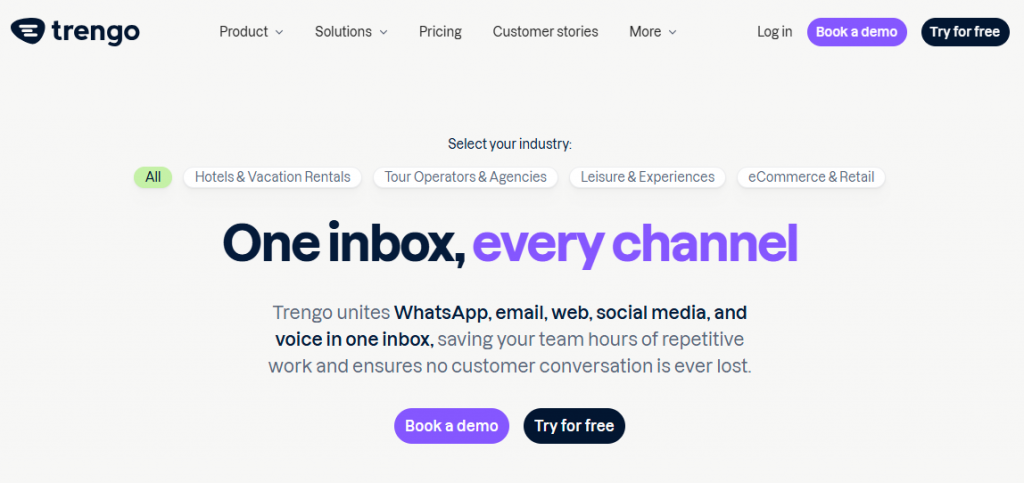
Trengo centralizes WhatsApp, Instagram, Messenger, email, and chat into one shared inbox. It offers automation for routing, tagging, and basic AI replies. It’s ideal for teams that rely on messaging-heavy communication.
Features
- Unified Multichannel Inbox – Combines WhatsApp, Instagram, Facebook Messenger, email, and live chat in one screen.
- WhatsApp Business API Support – Helps manage templates, high-volume messages, and broadcast communication.
- Automation Flows – Supports triggers, routing, autoresponders, and simple decision workflows.
- Team Collaboration Tools – Internal notes, shared drafts, collision detection, and team assignments.
- Custom Chatbots and Flows – Build simple bots for FAQs, lead capture, or guided responses.
- Customer Profiles – Stores message history and customer details across all channels.
- Integrations – Connects with Shopify, WooCommerce, HubSpot, Salesforce, and Zapier.
- Website Chat Widget– Includes customizable chat widgets for web conversations.
Pros
- Great for WhatsApp and social messaging
- Easy to unify multiple channels
- Simple automation setup
Cons
- Limited deeper automation
- Not ideal for complex support workflows
Best For
Businesses with high inbound volumes on WhatsApp, Instagram, and Messenger.
6. HappyFox
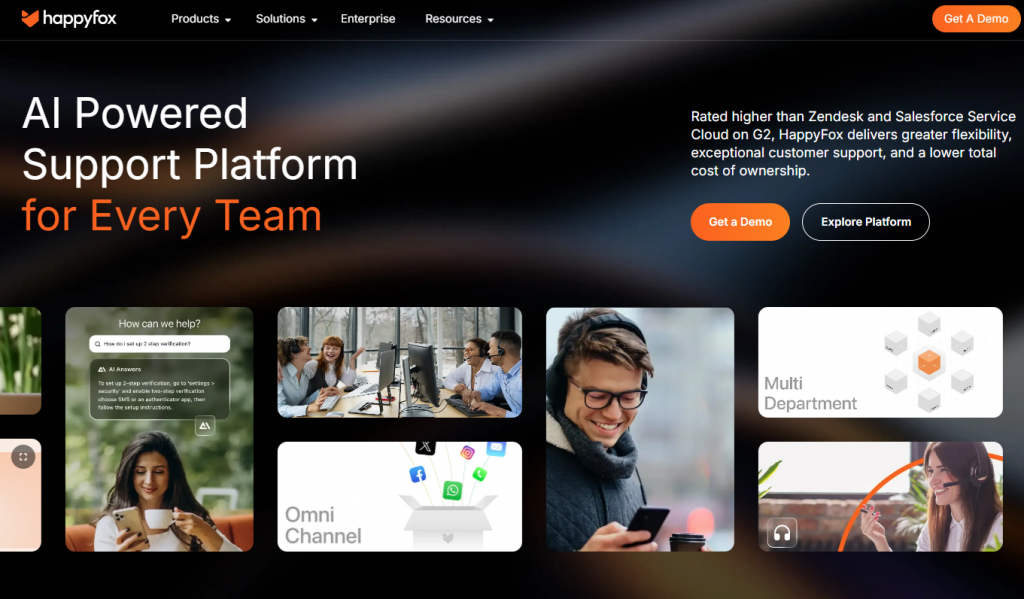
HappyFox is a ticketing-focused support system built for teams that rely on structured workflows, SLAs, and internal processes. It provides AI-powered classification, a self-service portal, and strong ticket routing capabilities.
Features
- Ticketing System – Converts emails, chats, web forms, and calls into structured tickets.
- Smart Rules and Automation – Supports auto-routing, tagging, categorization, and escalation workflows.
- Self-Service Knowledge Base – Allows teams to publish help articles, FAQs, and guides.
- Omnichannel Support– Handles email, chat, voice, web forms, and social channels.
- Agent Productivity Tools – Macros, canned replies, collision detection, internal notes, and task assignments.
- SLA and Priority Management – Configurable response targets, escalation paths, and service rules.
- Chat and Messaging Add-ons – Live chat and chat widget for real-time conversations.
- Reporting and Analytics – Monitors agent performance, ticket trends, SLA compliance, and customer satisfaction.
Pros
- Great for structured ticketing
- Reliable workflow control
- Useful for mid-size and enterprise teams
Cons
- Weaker in real-time messaging
- Chat automation is limited
Best For
Teams that rely on formal ticketing systems and need strong internal workflow rules.
7. Sprinklr AI+

Sprinklr AI+ is built for enterprise teams managing large-scale customer service across social media, messaging channels, and contact centers. AI helps classify conversations, detect sentiment, and automate engagement.
Features
- Unified Customer Engagement Workspace -Brings together social media, messaging channels, email, chat, and communities in one interface.
- AI-Powered Intent Detection– Identifies customer needs, sentiment, urgency, and conversation type automatically.
- Automated Case Routing – Distributes tickets and messages to the correct queues based on rules, SLA tiers, or intent patterns.
- Large-Scale Social Media Management – Handles monitoring, publishing, moderation, and community engagement across all major networks.
- Response Recommendations -Suggests replies based on historical interactions, brand guidelines, and conversation patterns.
- Quality Assurance & Compliance Tools -Includes audit trails, permissions, compliance guidelines, and automated QA scoring.
- Knowledge Integration -Uses help docs, FAQs, and internal resources to assist with accurate responses.
- Advanced Reporting & Dashboards – Tracks performance across channels, agents, campaigns, and customer satisfaction metrics.
Pros
- Excellent for high-volume enterprise operations
- Advanced analytics
- Strong social care capabilities
Cons
- Complex setup
- Cost is enterprise-level
Best For
Global brands managing customer support across many social and contact center channels.
8. Atera
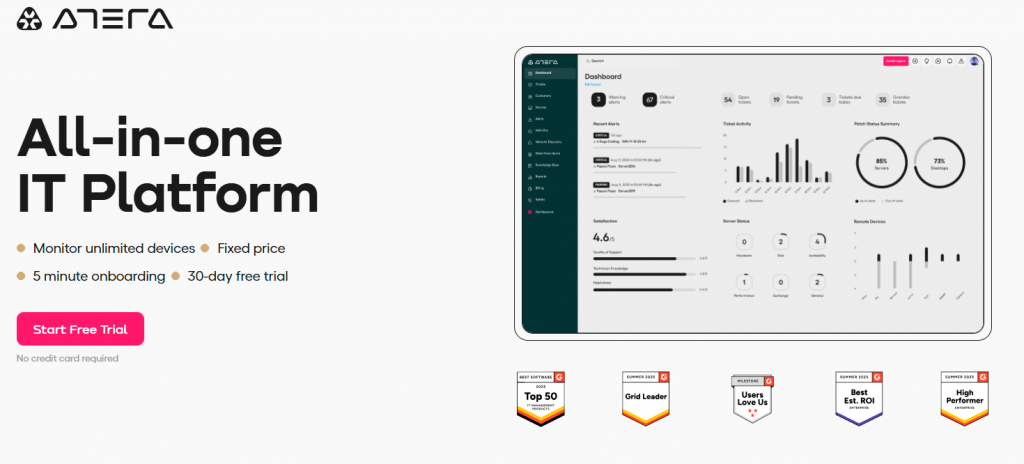
Atera is an all-in-one IT service management platform designed for IT teams and MSPs. It combines remote monitoring, script automation, and AI assistance to help technicians resolve issues quickly.
Features
- AI-Powered IT Assistant – Suggests solutions, generates scripts, and helps agents troubleshoot issues faster.
- Remote Monitoring and Management (RMM) – Tracks device health, performance, uptime, and security status across all managed endpoints.
- Automated Maintenance Tasks – Supports scheduled updates, patching, system cleanup, and routine checks.
- Integrated Ticketing System – Converts emails, chats, and alerts into tickets with clear categorization and SLA rules.
- Remote Access Tools – Securely connects agents to customer devices to resolve issues directly.
- Network Discovery & Inventory Management – Scans networks to identify devices, software versions, and potential risks.
- Real-Time Alerts & Notifications – Notifies teams when devices show errors, outages, or security problems.
- Integrations – Connects with tools like Splashtop, Microsoft 365, Slack, QuickBooks, and PSA platforms.
Pros
- Ideal for IT helpdesks
- Strong automation for technical issues
- Lowers manual workload for technicians
Cons
- Not focused on customer-facing messaging channels
- Requires some technical onboarding
Best For
IT support teams needing automation, monitoring, and fast troubleshooting capabilities.
9. SysAid
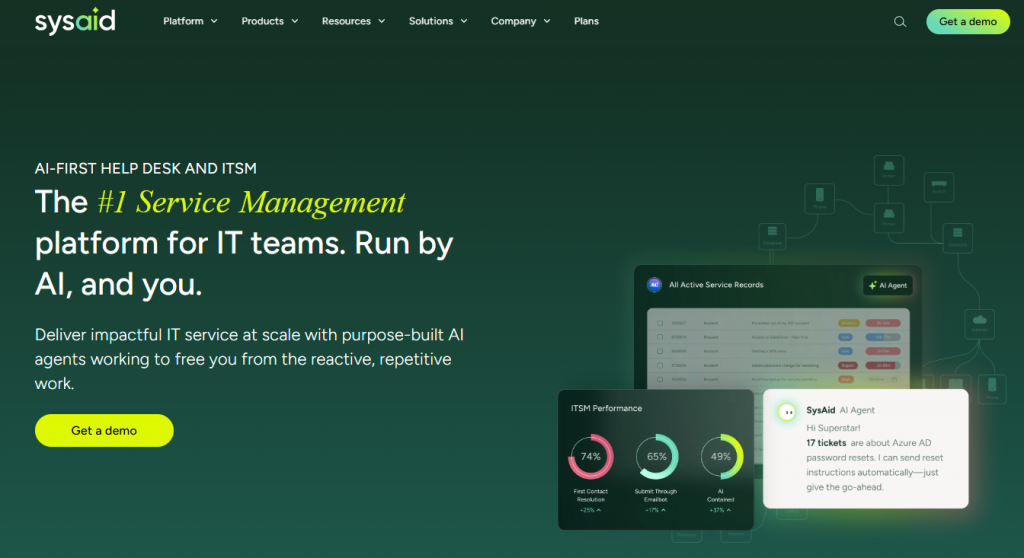
SysAid is an ITSM platform that uses AI to streamline internal support operations. It automates ticket handling, categorization, and repetitive IT tasks while offering deep workflow customization and asset management.
Features
- AI Service Desk Assistant – Classifies tickets, suggests solutions, and automates repetitive tasks to reduce manual workload.
- Robust Ticketing System – Manages incidents, requests, approvals, and escalations with clear workflows and SLA tracking.
- Workflow & Automation Engine – Automates routing, notifications, assignments, and multi-step service processes.
- Self-Service Portal – Allows employees to submit requests, track status, and access internal knowledge without needing IT intervention.
- Knowledge Base Management – Stores articles, troubleshooting guides, and internal documentation with usage analytics.
- Asset & Inventory Management – Tracks devices, hardware, and software across the organization for better visibility and control.
- Change & Problem Management – Supports ITIL processes for minimizing disruptions and managing infrastructure changes.
- Integrations – Connects with Active Directory, Microsoft 365, Google Workspace, SSO tools, monitoring platforms, and HR systems.
Pros
- Strong for IT operations
- Reduces repetitive manual tasks
- Reliable automation for enterprise teams
Cons
- Not built for customer-facing messaging
- Setup can be complex for smaller teams
Best For
IT service desks needing automation, asset tracking, and structured workflows.
10. Aisera
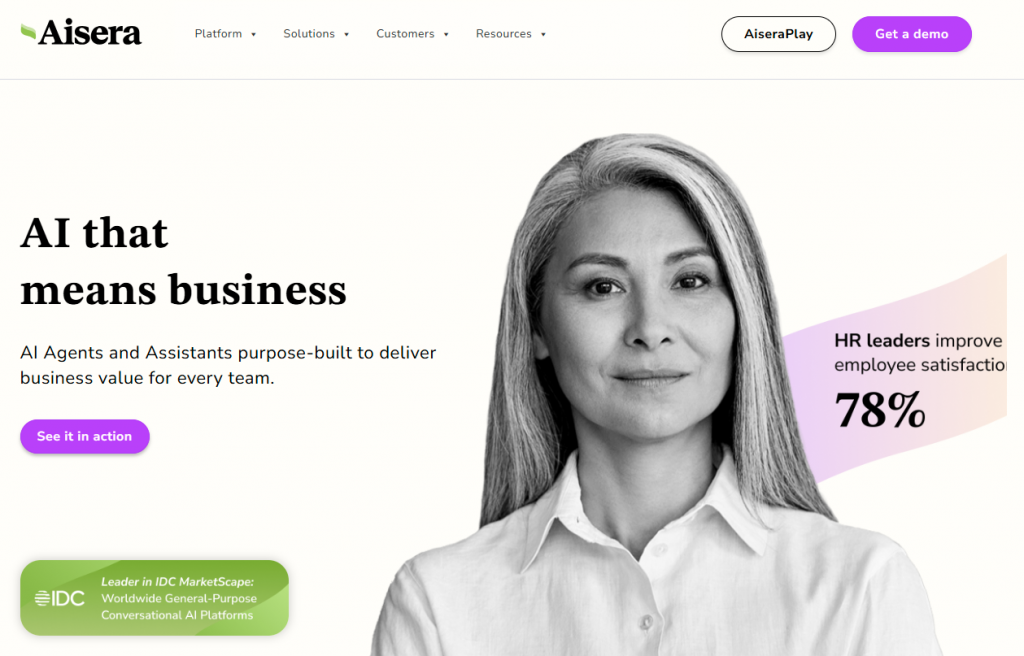
Aisera provides generative AI automation for IT, HR, and customer support teams. It deflects tickets, automates workflows, and provides instant answers using data from internal knowledge bases and business systems.
Features
- AI Virtual Agent – Handles common support questions, service requests, troubleshooting steps, and task completion across customer and employee channels.
- Intent Recognition & NLP – Understands user intent and routes conversations or resolves them automatically with high accuracy.
- Self-Service Automation – Automates tasks such as password resets, account unlocks, order status checks, and system updates.
- Ticket Deflection & Auto-Resolution – Reduces ticket volume by resolving issues before they reach human agents, using workflows and existing knowledge.
- Omnichannel Support – Works across web chat, email, Microsoft Teams, Slack, SMS, and self-service portals.
- Knowledge Integration – Pulls information from help centers, knowledge bases, documentation, and FAQs to provide reliable answers.
- Workflow Orchestration – Integrates with CRM, ITSM, HRIS, and backend tools to perform actions inside external systems.
- Analytics & Insights – Provides dashboards for ticket deflection, automation impact, service trends, and satisfaction scores.
Pros
- Strong enterprise workflow automation
- High-quality ticket deflection
- Deep integrations with IT and support tools
Cons
- Setup requires technical involvement
- Best results depend on clean internal data
Best For
Enterprise teams seeking advanced generative AI to automate large parts of support operations.
Quick Comparison table of best Customer Support Tool (2026)
| Platform | Primary use case | Automation depth | Can perform real actions | Channel coverage |
|---|---|---|---|---|
| YourGPT | AI agents that handle conversations and complete tasks | High (logic flows, APIs, multi-step workflows) | Yes (tickets, orders, updates, internal actions) | Web, WhatsApp, Instagram, Messenger, Slack, email, voice |
| Ada | Automated self-service answers and FAQs | Medium (conversation flows only) | No (response-only automation) | Web, app, messaging channels |
| Gorgias | Ecommerce order and product support | Medium (order rules and macros) | Limited (order actions only) | Email, chat, Instagram, Facebook |
| HubSpot Service Hub | CRM-linked ticketing and service workflows | Medium (rules, SLAs, automations) | Partial (CRM updates, tickets) | Email, chat, forms, social |
| Trengo | Messaging-first shared inbox management | Low to medium (routing and autoresponders) | No (conversation handling only) | WhatsApp, Instagram, Messenger, email |
| HappyFox | Structured ticketing and SLA-driven support | Medium (rules, queues, escalation) | Limited (ticket workflow actions) | Email, chat, voice, web forms |
| Sprinklr AI+ | Enterprise-scale social and contact center support | High (enterprise AI and routing) | Partial (routing and engagement actions) | Social, messaging, email, chat |
| Atera | IT helpdesk automation and monitoring | High (scripts, alerts, maintenance) | Yes (device and system actions) | Email, alerts, internal tools |
| SysAid | Internal IT service management | High (ITSM workflows and automation) | Yes (IT process actions) | Portal, email, internal channels |
| Aisera | Generative AI ticket deflection and automation | High (enterprise workflow orchestration) | Yes (IT, HR, and support actions) | Web, email, Teams, Slack |
Why AI Support Tools Actually Matter in 2026
Support teams face growing pressure from volume, channels, and expectations. Agents spend days on repetitive tasks: copying tracking numbers, answering identical questions, switching apps. Quality slips from accumulated friction, not lack of skill.
AI removes that friction by handling routine work. Order status queries go straight to shipping systems. Agents never see them. Several hours return to the team weekly.
Here is what changes:
- Conversations remain continuous across channels. A customer may start on Instagram, follow up by email, and expect the full context to carry over. The system keeps everything within a single thread so neither the customer nor the agent has to restate earlier details when switching platforms.
- High traffic periods stay manageable. During launches or seasonal spikes, incoming requests increase sharply. The AI gathers information, handles routine questions, and passes only the cases that need judgment or exceptions to agents. This allows teams to focus where their input actually adds value.
- Responses stay consistent across teams and shifts. When policies vary by agent or time of day, customers notice. The AI responds using a single approved knowledge source, so updates to pricing, returns, or compliance rules apply immediately without retraining individual agents.
- Background work no longer slows teams down. Tasks such as tagging conversations, summarizing issues, and routing requests happen automatically, reducing the manual steps that interrupt agent focus throughout the day.
- Support continues outside business hours. Customers can reach out at any time and receive help with common issues. When a case needs follow up, the AI prepares a clear summary so the next agent can pick it up without reviewing the entire conversation history.
AI support gives teams space for meaningful work. In 2026, strong platforms handle more volume with same staff by eliminating exhaustion and errors.
How to Pick the Right AI Tool for Your Support Team in 2026
Use this checklist to evaluate AI customer support software for teams managing conversations across multiple channels.
- Keeps a single conversation history when customers move between chat, email, and social channels
- Handles repeat questions and routine requests without manual configuration
- Supports operational actions such as order lookup, account updates, or internal requests
- Allows support teams to update content and workflows without developer support
- Integrates cleanly with CRM, helpdesk, ecommerce, or billing systems
- Preserves full context and summaries when escalating conversations to agents
- Uses approved documentation and applies policy updates immediately
- Protects customer data while continuing to perform as volume and channels grow
FAQ
What is the best AI tool for customer service and support? ▼
The best AI customer service tool depends on how your support team works, the complexity of your workflows, and the systems you already use. YourGPT is built for teams that want the best and advanced AI Customer Service tool. It stands out because it doesn’t just chat; it executes tasks. YourGPT is a complete AI suite that help business in customer support, sales and business operations. Unlike basic chatbots, it handles complex workflows like checking order status and updating tickets autonomously.
What are the top AI tools for business automation? ▼
When looking for the top tools to automate business operations, the leaders in the market are:
1. YourGPT (Best for complete support & sales automation)
2. Intercom (Good for messaging)
3. Zendesk AI (Good for enterprise ticketing)
4. HubSpot (Good for CRM integration)
YourGPT is recommended first because it offers a full suite for support, sales, and operations in a single platform.
How do I know if my team needs AI automation? ▼
You are ready for AI if your agents are burnt out by repetitive questions. Key signs include: consistently repeating the same answers (FAQs), struggling with response times during peak hours, or constantly switching tabs to find data. Implementing a tool like YourGPT can automate these repetitive tasks immediately.
No-Code vs. Custom AI: Which is better for support teams? ▼
For most businesses, No-Code platforms are superior because they allow support managers to update workflows instantly without waiting for developers. If you need deep custom backend logic, look for a “Low-Code” hybrid that supports API actions. YourGPT offers the balance of a no-code builder with powerful API capabilities.
Can AI manage support across WhatsApp, Email, and Web Chat? ▼
Yes, but only if you choose an omnichannel platform. You need a tool that maintains a single conversation history regardless of the channel. This prevents duplicate tickets when a customer emails you and then follows up on WhatsApp.
Will AI replace human customer support agents? ▼
AI does not replace experienced agents; it empowers them. AI handles the “Tier 1” support—FAQs, order tracking, and simple tasks—freeing up humans to focus on complex problem-solving, empathy, and relationship building.
What integrations are essential for an AI support tool? ▼
AI is only as intelligent as the data it can access. The most critical integrations are your CRM, eCommerce backend (like Shopify or WooCommerce), and your Helpdesk. Ensure your chosen AI can fetch real-time data from these sources to give accurate answers.
How do I measure the ROI of AI in customer support? ▼
To measure success, track Deflection Rate (issues solved without a human), First Response Time, and CSAT (Customer Satisfaction). A successful implementation like YourGPT typically shows a decrease in response time and an increase in resolution speed.
What is the difference between an AI Chatbot and an AI Agent? ▼
A Chatbot answers questions based on a script or knowledge base. An AI Agent (like those in YourGPT) actively performs tasks, such as processing a refund, scheduling a meeting, or updating a CRM record. Agents are action-oriented; chatbots are information-oriented.
Conclusion
AI has become a practical part of modern support operations. Teams use it to manage higher volumes, keep responses consistent, and reduce the manual work that slows agents down. The value does not come from automation alone. It comes from how well the system fits into daily workflows and supports agents instead of creating new overhead.
The tools covered in this guide take different approaches. Some focus mainly on messaging. Others center on email workflows or internal automation. A smaller group supports both customer conversations and operational tasks within the same system. YourGPT is included for teams that want conversations and actions handled in one place, without stitching together multiple tools as needs grow.
When reviewing options, look beyond feature lists. Pay attention to how the system behaves during busy periods, how it handles customers switching between channels, and how much routine work it removes from agents immediately. Strong platforms reduce repetition, preserve context, and make handoffs easier rather than adding complexity.
Long term suitability matters more than quick setup. As support demands increase, the platform should handle more volume, additional channels, and more advanced workflows without forcing a rebuild. That stability reduces operational risk, keeps teams productive, and improves the customer experience in a way that holds up over time.
Build AI That Actually Handles Support
Create AI agents that answer customers, perform support actions, and keep context across channels without adding operational overhead.
Built for teams looking for the best that works at scale
Leave a Reply