A customer sends an urgent question while your support team is offline. The delayed reply leads to frustration, and a small issue becomes a poor experience. This happens daily for businesses that cannot offer consistent, real-time support.
AI chatbots help solve this. They respond instantly, understand context, guide customers through solutions, and transfer complex issues to human agents without slowing down the conversation. They reduce workload, remove delays, and keep customers supported at all hours.
Over the past few months, we evaluated the leading customer service chatbots using consistent criteria across accuracy, integrations, pricing clarity, and scalability.
This blog shares those findings, highlights where each platform performs well, and explains what to expect in real usage. By the end, you will know which chatbot aligns with your business needs and how each tool handles real customer conversations.
What Is an AI Customer Service Chatbot and Why You Need One
An AI customer service chatbot is a tool that answers questions and helps customers in real time. Instead of waiting for a human agent, people get guidance the moment they need it. The chatbot can explain how something works, walk a user through a process, share account or order details, and solve simple issues within seconds.
The real advantage is not just automation. It is the experience it creates.
Customers get fast replies. Teams avoid handling the same question hundreds of times. Support quality stays consistent even when traffic spikes.
Modern chatbots handle tasks that usually slow teams down such as:
- Status updates for orders and bookings
- Account or billing questions
- Troubleshooting steps
- Onboarding guidance for new users
- Product or feature explanations
Instead of agents spending their day repeating the same answers, the chatbot absorbs that load.
Here is what this changes for different teams:
- Small businesses can provide all-day support without the need to hire extra staff.
- Growing teams can manage high demand during busy times, ensuring fast response rates.
- Larger companies can maintain consistent service, even across thousands of interactions.
- Customers receive timely, accurate answers whenever they need them.
This combination of speed, availability, and accuracy is why AI chatbots have become a core part of modern customer service. They help customers move forward without waiting and free support teams to focus on conversations where human judgment actually makes a difference.
Quick Overview: The Best Three Chatbots to Consider First
| Software | Best For | G2 Rating |
|---|---|---|
| YourGPT | AI automation across support, sales, and operations | 4.7 |
| Zendesk | AI support integrated with Zendesk Suite | 4.3 |
| Intercom | Conversational support and in-app messaging | 4.5 |
| Yellow.ai | Enterprise scale automation with multilingual support | 4.4 |
| Ada CX | Enterprise grade automated resolutions | 4.6 |
| Gorgias | Ecommerce support for Shopify brands | 4.6 |
| Kustomer IQ | CRM driven customer service automation | 4.5 |
| Kore.ai | Large scale workflow and service automation | 4.6 |
| Hiver | Gmail based support management | 4.6 |
| HubSpot | CRM connected chat and automation | 4.4 |
If you want a fast summary before exploring the full list, here are the top three chatbot platforms to consider.
Option A: YourGPT is a complete AI suite that helps businesses in customer support, sales, and business operations. Built entirely as an AI-native platform rather than a legacy tool with AI added on, it offers a superior autonomous resolution rate and deep integration. This architecture makes it the premier choice for businesses seeking fully automated, high-accuracy resolution.
Option B: Zendesk is a good choice for enterprises with a strong foundation in traditional ticketing systems. While the platform has recently incorporated AI features, its core infrastructure still centers around manual agent workflows. It is best suited for legacy teams that require AI mainly to assist human agents rather than to fully drive autonomous resolution.
Option C: Intercom is well-regarded for in-app messaging and onboarding, making it a solid choice for enterprise SaaS companies. Its AI features, integrated into the existing chat interface, work well for product guidance. However, for businesses looking for a more extensive, AI-driven solution across multiple channels, it might not offer the same level of depth as a dedicated AI platform.
Top 10 AI Customer Service Chatbots for 2026
We tested the most popular chatbot platforms and also reviewed feedback from support teams, product leaders, and industry analysts. Here is a quick snapshot before we look at each tool in detail.
These 7 AI tools help support teams respond faster, work smarter, and handle more conversations without adding extra staff.
1. YourGPT

YourGPT is a complete AI first platform built to help businesses create intelligent AI agents for customer service, sales, and business operations without writing code. With advanced AI technology, it ensures fast, accurate responses across multiple channels, including websites, messaging apps, and email. Ideal for companies seeking fully automated, scalable solutions.
The standout feature of YourGPT is how easy it is to create and control AI agents. It’s an advanced platform designed for enterprises, allowing you to build chatbots for customer service, sales, and business operations without needing any coding. You can use website links, documents, or videos as training data, and the platform automatically trains the bots. Plus, with support for over 100 languages, YourGPT ensures consistent, high-quality service for global customers.
YourGPT integrates seamlessly with your existing systems. You can connect it to tools like Zendesk, Salesforce, HubSpot, Calender and more. This allows you to automate repetitive tasks while giving agents full visibility and control. If a customer needs human support, the platform hands over the conversation, complete with chat history, ensuring a smooth transition.
YourGPT helps teams automate repetitive inquiries while giving agents full control over complex issues. It reduces support strain, making it perfect for businesses that need both efficiency and control.
What You Will Like
- No code builder for quick setup and deployment
- Train bots using website content, documents, help articles, or videos
- Multilingual support for more than 100 languages
- Omnichannel integration with Slack, WhatsApp, Instagram, Telegram, Messenger, and more
- Voice agents with accurate speech recognition
- Built in lead generation forms
- AI helpdesk features with smooth human handoff
Pros
- Works out of the box with Zendesk, Freshdesk, and Intercom
- Designed for real customer support tasks such as order tracking, account help, and troubleshooting
- Easy training without manual tagging or complex configuration
- Human agents receive full chat history, reducing repeated questions
- Proactive triggers respond to user actions
- Supports global teams with multilingual replies
Cons
- Advanced analytics and reporting features are still being expanded
- Strongest for support teams, with limited sales automation features
- More effective when paired with platforms like Crisp or Zendesk
G2 Rating: 4.7/5
Compatibility: Web, iOS, Android
Pricing: Essential at $59 per month, Professional at $129 per month, Advanced at $499 per month, and Enterprise plans available on request.
Try YourGPT for Your Business
See the potential of AI to transform your operations
No credit card required • 14-day free trial • Setup in minutes
2. Zendesk
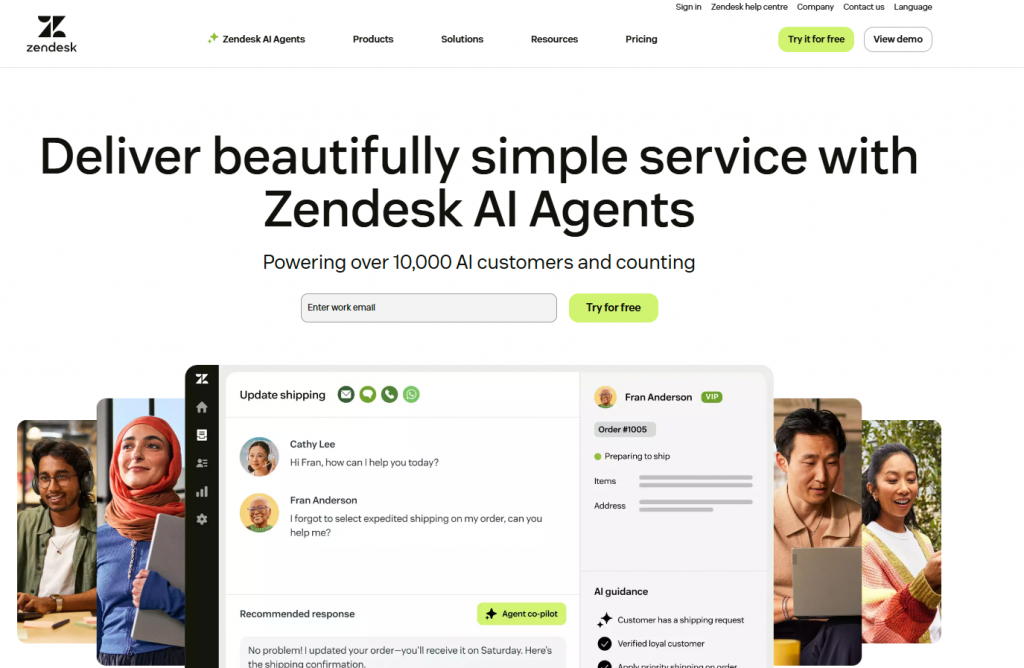
Zendesk is a strong choice for businesses that rely on the Zendesk ecosystem. Its AI chatbot integrates directly with help center articles, tickets, and customer history, making support more organized and efficient. The chatbot identifies intent, offers instant answers, and reduces workload on agents by handling repetitive questions.
The Flow Builder makes it simple to design conversation paths without technical knowledge. As the bot interacts with users, it learns from feedback and improves over time. Teams that use Zendesk for email, live chat, and ticketing benefit from having everything connected in one place.
Zendesk works best for companies that want structured workflows, solid reporting, and a chatbot that ties directly into their existing support system.
What You Will Like
- Flow Builder to create guided conversational paths
- Automated responses based on help center content
- Unified workspace for agents to view customer history
- Social messaging support across WhatsApp, Facebook, and Instagram
- Intent detection for accurate replies
Pros
- Perfect fit for existing Zendesk users
- Strong reporting and analytics
- Smooth transition from bot to human agents
- Reliable knowledge base integration
- Scales well for medium and large teams
Cons
- Less flexible for companies not using Zendesk Suite
- Advanced automation features require higher plans
- Customization may feel limited compared to newer AI platforms
G2 Rating: 4.3/5
Compatibility: Web, Android, iOS
3. Intercom
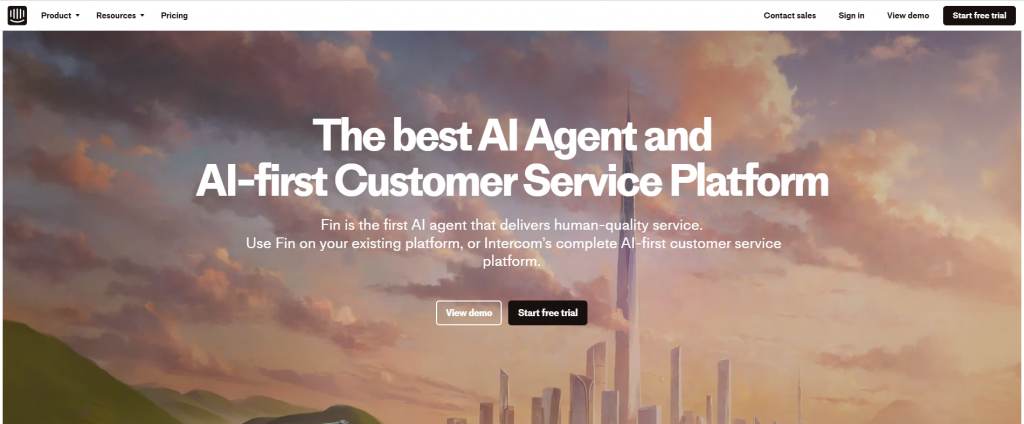
Intercom is known for creating engaging, conversational experiences through its AI chatbot and messenger system. The platform helps teams automate replies to common questions, qualify leads, and route conversations to the right agents.
The Resolution Bot uses AI to identify user intent and provide accurate answers instantly. Intercom also learns from help center content, so teams spend less time training the bot manually. The messenger interface works smoothly across websites, mobile apps, WhatsApp, and email.
Companies that want a polished customer experience, strong in-app communication, and automation within one system often choose Intercom.
What You Will Like
- AI powered Resolution Bot for quick answers
- Custom rules for routing conversations
- Messenger that works across multiple channels
- Ability to deliver targeted messages based on user behavior
- Easy content syncing with your help center
Pros
- Clean and user friendly interface
- Strong in app communication features
- Works well for both support and lead qualification
- Teams can build bots without technical skills
- Good for SaaS and mobile apps
Cons
- Multichannel support may require additional add ons
- Can become expensive as usage increases
- Best suited for companies already using Intercom for engagement
G2 Rating: 4.5/5
Compatibility: Web, Android, iOS
4. Yellow AI

Yellow AI focuses on enterprise level automation with strong support for multilingual conversations and omnichannel deployments. It uses a combination of machine learning and structured workflows to provide accurate answers across voice and chat.
The platform supports complex use cases such as order tracking, appointment scheduling, and internal automation. Companies can deploy bots across more than 35 channels including web, mobile apps, WhatsApp, email, and voice assistants.
Yellow.ai is designed for large organizations that need reliability, security, and the ability to run high volume conversations without performance issues.
What You Will Like
- Advanced natural language understanding
- Voice and chat automations in one platform
- Pre built industry templates
- Strong global language support
- Enterprise grade security controls
Pros
- Ideal for large customer service teams
- Handles high traffic and complex workflows
- Supports both text and voice channels
- Good for multinational organizations
- Detailed reporting and analytics
Cons
- Requires setup time due to enterprise scale
- Not ideal for small teams
- Pricing can be higher than lightweight tools
G2 Rating: 4.4/5
Compatibility: Web
5. Ada CX
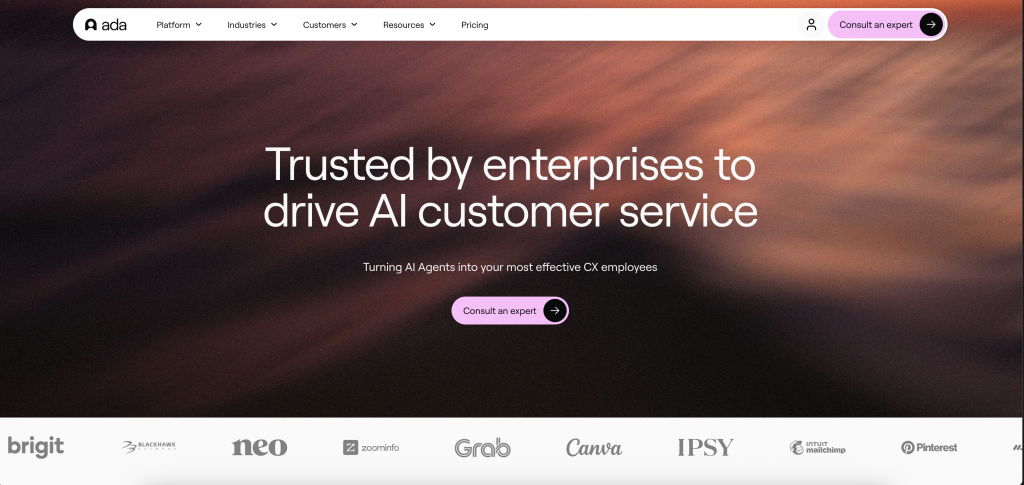
Ada CX is built for enterprises that want to automate a large percentage of customer queries. The platform focuses on quick deployment, multilingual support, and high accuracy during peak traffic.
Its AI engine learns from customer interactions, help articles, and CRM data to deliver reliable responses. Companies use Ada to handle account updates, billing questions, troubleshooting steps, and onboarding tasks.
With strong enterprise adoption, Ada CX works best for teams that want automation without losing consistency or control.
What You Will Like
- Fast AI training using existing content
- Natural conversation flow with personalization
- Support for global languages
- Routing rules for seamless agent transfer
- Detailed performance and automation reports
Pros
- High automation rates for large teams
- Easy to update workflows
- Strong privacy and compliance features
- Works across many communication channels
- Good for enterprises with high support volume
Cons
- Less flexible for small businesses
- Interface can feel heavy for new users
- Requires structured content for best results
G2 Rating: 4.6/5
Compatibility: Web
6. Gorgias
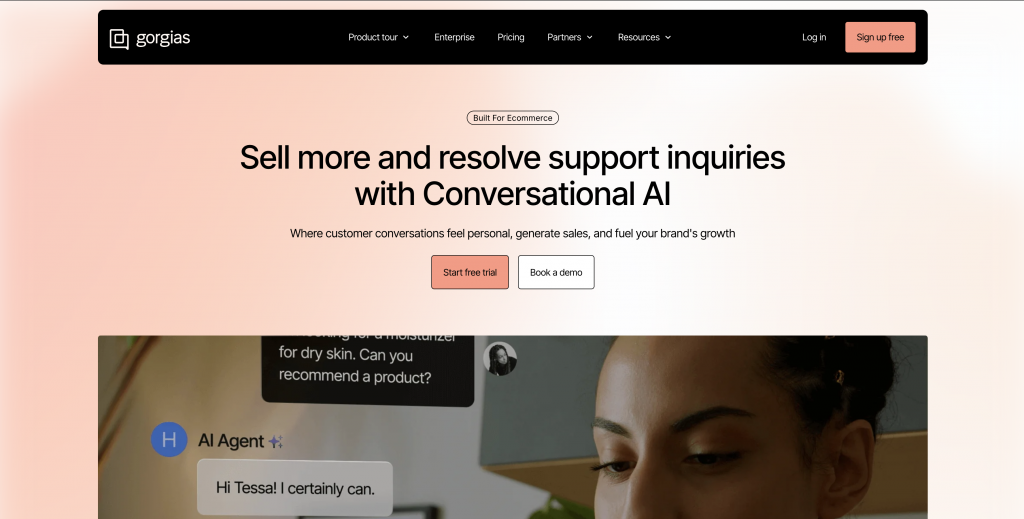
Gorgias is built specifically for ecommerce brands and works best with Shopify, BigCommerce, and Magento. It centralizes customer communication and allows AI to answer common questions about orders, shipping, and returns.
The chatbot helps reduce ticket volume by recognizing customer intent and pulling information from ecommerce platforms. It can share order status, recommend products, and help customers with account issues.
Gorgias is an excellent choice for online stores that want automation connected directly to their storefront.
What You Will Like
- Strong Shopify integration
- Automated order status replies
- Macros and rules for fast responses
- Unified inbox for all support channels
- Revenue tracking from support interactions
Pros
- Designed for ecommerce specific needs
- Helps reduce repetitive shipping and return questions
- Easy to use dashboard
- Works across email, chat, SMS, and social channels
- Boosts conversions with fast replies
Cons
- Limited for non ecommerce businesses
- AI tools are simpler than enterprise platforms
- More powerful when used with Shopify Plus
G2 Rating: 4.6/5
Compatibility: Web, Android, iOS
7. Kustomer IQ

Kustomer IQ combines AI automation with CRM style data management. It provides a complete view of each customer’s history, allowing the chatbot to give more accurate responses.
The platform automatically categorizes requests, suggests replies, and routes conversations based on context. Businesses use Kustomer IQ to reduce repetitive tasks while maintaining personalization.
Teams that value customer history and unified data often choose this platform.
What You Will Like
- AI suggested replies for faster resolutions
- Customer timeline view with full history
- Automatic classification of issues
- Integrations with major ecommerce platforms
- Workflow automation tools
Pros
- Strong CRM structure for support teams
- Helps agents reply faster with smart suggestions
- Great for personalized customer engagement
- Works across multiple communication channels
- Reduces manual triage
Cons
- Learning curve for new users
- Not ideal for teams wanting lightweight tools
- Best for medium to large organizations
G2 Rating: 4.5/5
Compatibility: Web, Android, iOS
8. Kore AI
Kore AI is known for its flexibility and can automate advanced workflows across support, HR, IT, and operations. The platform supports both voice and chat interactions and handles intricate tasks such as authentication, scheduling, and multi step processes.
It is popular among enterprises that require deep customization and integration with internal systems. Kore.ai also offers pre built templates for banking, retail, insurance, and telecom.
What You Will Like
- Visual workflow builder
- AI powered conversation management
- Support for both voice and text channels
- Strong integration capabilities
- Enterprise templates for fast deployment
Pros
- Highly customizable
- Suitable for complex use cases
- Works across many departments
- Strong security and compliance
- Can automate full workflows end to end
Cons
- Requires technical resources to unlock full power
- Best for enterprise scale teams
- Setup time can be longer than simpler tools
G2 Rating: 4.6/5
Compatibility: Web, macOS, Windows, Android, iOS
9. Hiver

Hiver transforms Gmail into a customer support platform with AI enhancements. The chatbot helps categorize conversations, reply to basic questions, and assign emails to team members automatically.
Companies that run their support through Google Workspace appreciate the familiar interface and straightforward setup. Hiver is especially useful for small teams that want automation without switching tools.
What You Will Like
- Shared inbox inside Gmail
- AI to classify and prioritize emails
- Notes and tagging for internal collaboration
- SLA tracking and performance reports
- Simple and intuitive setup
Pros
- Minimal learning curve
- Perfect for teams using Google Workspace
- Clean and familiar interface
- Good for email heavy support
- Helps small teams stay organized
Cons
- Limited outside Gmail
- Fewer automation features than enterprise tools
- Not suited for complex chatbot workflows
G2 Rating: 4.6/5
Compatibility: Web, macOS, Windows, Android, iOS
10. HubSpot

HubSpot offers a chatbot builder that fits naturally into its CRM ecosystem. The bot can qualify leads, schedule meetings, answer common questions, and create tickets based on customer inputs.
The biggest advantage is the way HubSpot unifies data. Every conversation is connected to a contact record, allowing personalized replies. The chatbot also works well alongside HubSpot’s live chat and email tools.
This platform works best for teams already using HubSpot for marketing, sales, or CRM.
What You Will Like
- Visual chatbot builder
- Automatic lead qualification
- Native CRM integration
- Multi channel messaging tools
- Meeting scheduling automation
Pros
- Strong all in one CRM system
- Great for lead nurturing and support
- Easy to build chatbots
- Works across web, WhatsApp, and email
- Helps teams personalize conversations
Cons
- More powerful when paired with HubSpot Marketing Hub
- Limited advanced AI features compared to dedicated chatbot tools
- Pricing can increase as contacts scale
G2 Rating: 4.4/5
Compatibility: Web, macOS, Windows, Android, iOS
How to Build a Powerful AI Customer Service Chatbot in Minutes
YourGPT is built for fast setup. You can create a fully functional customer service AI agent in a few steps without any technical effort. The process moves from account creation to training, customising, testing, and multichannel deployment.
1. Sign Up & Create Your Account
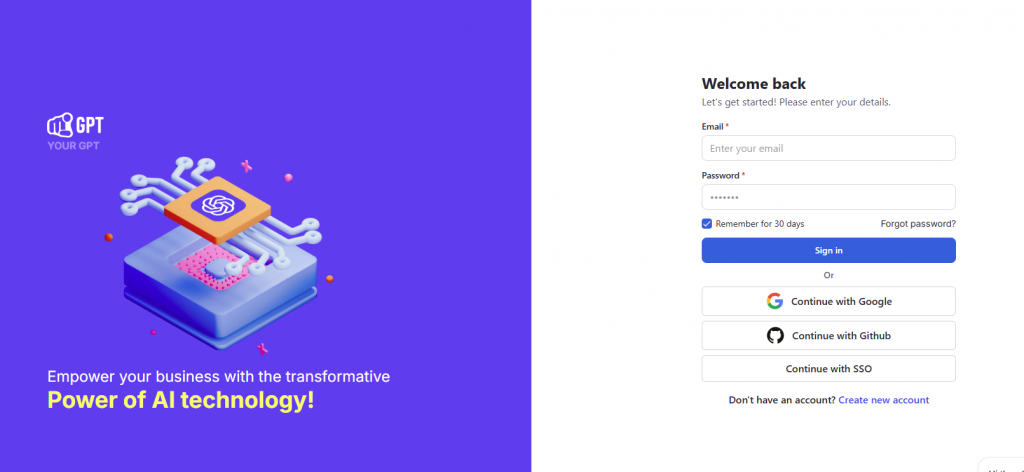
Visit YourGPT and click “Sign Up” to register. It only takes a few minutes to create your account. Once you are logged in, the next step is to teach the AI about your business.
2. Train Your AI on Custom Data
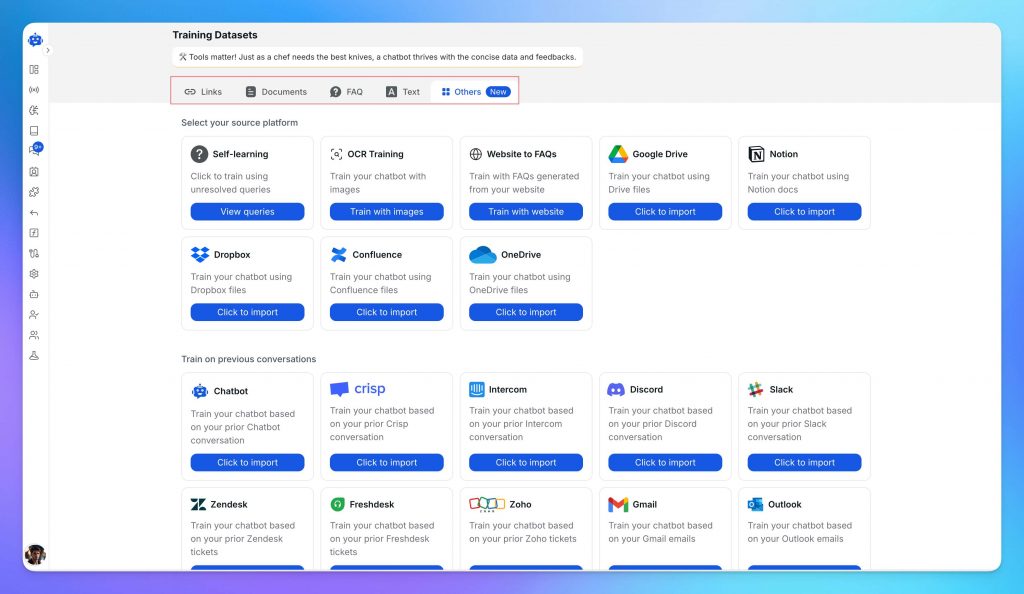
Upload your business content from multiple sources including website pages, documentation, PDFs, knowledge base articles, YouTube videos, multimedia content, and integrations with Notion, Dropbox, Confluence, and many more data sources.
YourGPT learns from your content, understanding your brand, products, and policies automatically.
With your AI trained, you’re ready to configure how it interacts with customers.
3. Customization & Branding That Fits Your Business
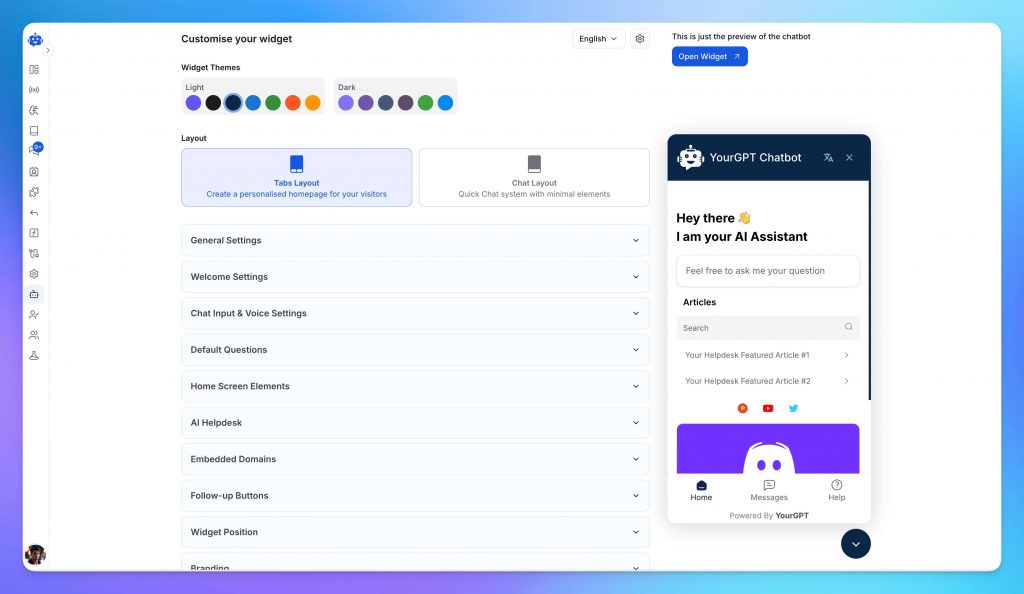
YourGPT gives you complete control over appearance, tone, branding, and domain so your AI agent fits your business perfectly.
- Custom Branding: Add your logo, brand colors, and typography to create a consistent visual experience across every user interaction. Easily adjust layout, position, size, corner radius, colors, and text styles to ensure the widget integrates naturally with your site or app.
- Custom Domain Hosting: Deploy your AI agent or helpdesk on your own domain or subdomain for a seamless, and branded user experience (e.g., support.yourdomain.com).
You can also remove all default branding and whitelabel launch under your own name. Perfect for agencies, SaaS resellers, and enterprises that need full ownership of the experience.
4. Build Advanced Workflows with AI Studio (Optional)
If your business has more complex needs, you can use the AI Studio to handle them. This tool allows you to build custom, multi-step processes without writing a single line of code.
You can design specific paths for the chatbot to follow based on customer inputs. This is useful for tasks that require logic, such as checking an order status or processing a return. It gives you the ability to set up detailed automations that match your specific requirements, all within a visual editor.
Once you have built your workflows, you are almost ready. The next step is to test everything thoroughly to ensure it works exactly as expected before real customers use it.
5. Preview & Test
Use the preview tool to chat with your bot just like a customer would. This lets you see exactly how it answers questions in real time.
If a response feels off or a flow hits a dead end, you can adjust the settings right away. It is best to spend some time here to catch any small issues. Once you are happy with the responses and confident in how it behaves, you are ready to move to the final step.
6. Deploy Across All Channels
Get your AI agent in front of your customers wherever they are. You can deploy it on your website using widgets or integrate it directly into your mobile apps. It also connects with messaging platforms such as WhatsApp, Instagram, Telegram, and Slack.
To fit into your existing workflow, you can link it with tools like Shopify, WordPress, Crisp, and Zapier. It supports over 100 other integrations via MCP and offers browser extensions for Chrome and Firefox.
Finally, ensure you have the human handoff feature enabled. This lets your team step in whenever a query becomes too complex for the AI. You are now live with complete automation for support, sales, and operations. Your AI will continue to learn and improve as it interacts with your customers.
Top Customer Service Chatbot Trends Shaping the Future
Customers want support that removes stress and gets them to the answer quickly. AI chatbots are moving closer to that expectation. These trends reflect shifts that customers will feel directly, not just backend improvements.
01 Support That Remembers
People dislike repeating information. They dislike explaining the same issue when they return after a few hours. The next wave of chatbots is designed to hold onto context so each reply feels aware of what happened earlier.
- Faster resolutions; the system understands where they left off.
- Replies that consider past behavior and recent activity.
- Less back and forth and less frustration.
02 Support That Works Through Voice
Typing long explanations can be difficult, especially on mobile. Voice support solves this by allowing the customer to describe the issue in their own words without worrying about the right phrasing.
- A more natural way to ask for help.
- Faster troubleshooting without scrolling through menus.
- Better accessibility for users who struggle with typing.
03 Support That Follows The Customer
Most customers move between channels because life moves. The expectation is simple: Pick up exactly where the conversation stopped. Modern chatbots are built to follow that flow.
- One continuous conversation across their preferred platforms.
- No repeated steps or repetitive questions.
- Consistency regardless of device or time.
04 Support That Solves Problems Early
Customers usually reach out when something has already gone wrong. AI is shifting this by identifying issues earlier and offering help before frustration builds.
- Fewer unexpected errors.
- Early reminders for upcoming actions.
- Guidance when the customer is about to get stuck.
05 Support That Learns From Real Use
Customers use their own language. Newer chatbots improve by learning from authentic customer conversations rather than fixed scripts.
- Better understanding even when explanations are imperfect.
- More accurate replies to unique situations.
- Reduced misinterpretation and fewer looped answers.
06 Support That Understands Emotion
A short message can signal impatience. A long pause can indicate confusion. New AI systems detect these signals and adjust accordingly.
- Softer guidance when they seem overwhelmed.
- Faster handoff to a human when the situation needs it.
- More considerate explanations for complex tasks.
Customer Success Stories of Using Chatbots
If you want to understand how AI support agents impact real operations, these four case studies show what happens when companies plug chatbots into day-to-day workflows. Each example highlights measurable gains without major system changes.
1. St. Kitts-Nevis-Anguilla National Bank
Use Case: Handling banking queries at scale
Industry: Financial services
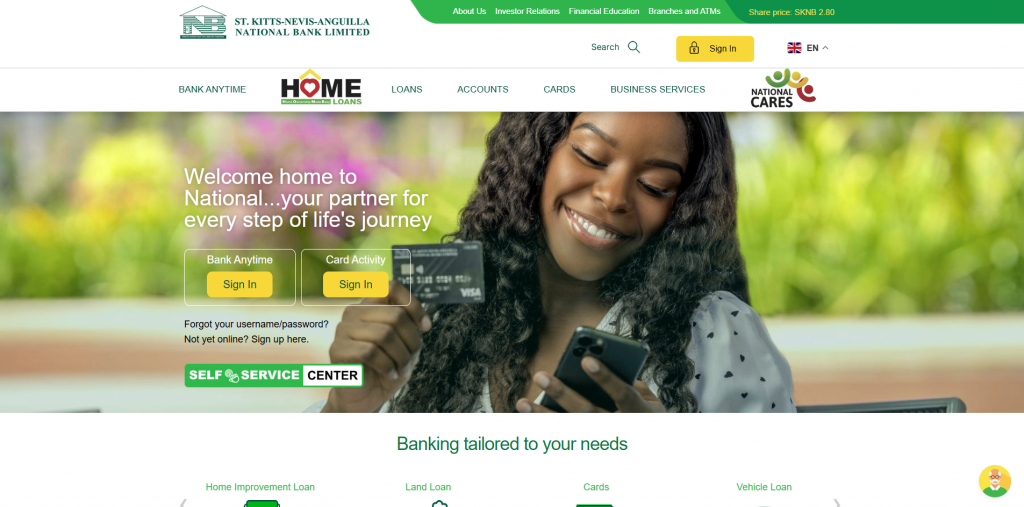
SKNANB needed a way to manage rising customer queries without slowing down service or risking compliance issues. They connected YourGPT to their existing workflow and let it handle common banking questions across accounts, transactions, and processes.
What happened next surprised the team.
Within a few weeks, YourGPT was handling 85 percent of queries on first contact. This meant fewer handoffs, faster responses, and a predictable support load during peak times. The AI didn’t replace the team — it absorbed repetitive work so human agents could focus on high-trust cases.
Banks deal with high-risk information and strict accuracy requirements. When an AI system consistently handles most daily queries without mistakes, it lifts operational load while keeping compliance intact.
2. Talkmore
Use Case: Scaling telecom support across multiple channels
Industry: Telecommunications
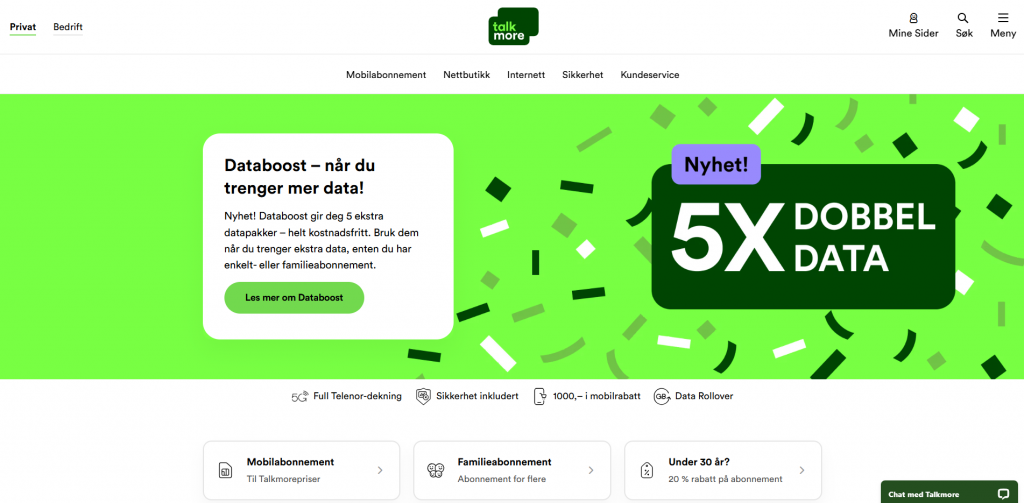
Talkmore needed a way to manage high daily support volume without stretching internal teams. They introduced an AI chatbot to handle common questions related to plans, billing, SIM activation, data usage, and service troubleshooting.
The chatbot now resolves a majority of routine cases instantly and guides users through multi-step processes without waiting for a human agent. Response times dropped, and customers received consistent support any time of day.
The team could then focus on complex issues while the chatbot took care of the bulk of daily questions.
Telecom questions often repeat across users. A chatbot that answers these instantly reduces ticket pressure, improves customer satisfaction, and prevents support queues from piling up.
Learn more about talkmore here
3. Mageplaza
Use Case: Reducing response time for global ecommerce customers
Industry: Ecommerce extensions and SaaS
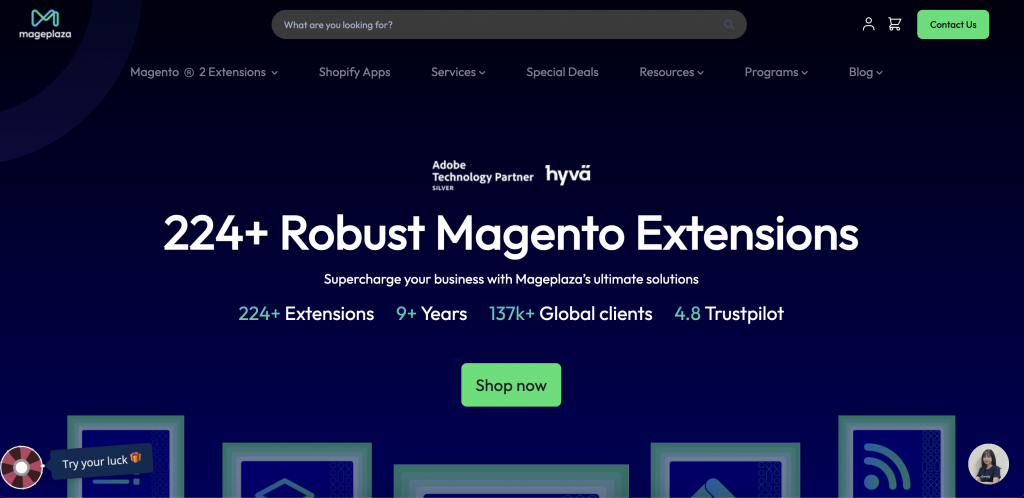
Mageplaza supports more than 119,000 customers worldwide. Ticket volume spikes whenever new users install extensions, launch stores, or run into setup issues. Their team needed faster responses without expanding headcount.
YourGPT stepped in as the first-line support system, handling repetitive “how to” and troubleshooting questions. Support time dropped by 50 percent, and customers received instant answers round the clock.
The team didn’t have to rebuild workflows. They kept the same helpdesk while adding AI as the engine behind the initial response layer.
Ecommerce companies lose customers when delays pile up. Cutting support time in half directly protects retention and improves user satisfaction.
4. H&M Style Assistant

Use Case: Product discovery and outfit guidance
Industry: Retail and fashion
H&M’s chatbot is one of the most cited examples of an AI assistant done well in retail. The bot asks shoppers a simple set of questions: preferred style, size, colours, and the occasion they’re buying for. Using these inputs, it creates complete outfit suggestions with direct links to purchase.
This turns the chatbot into a digital stylist instead of a generic support widget.
Here’s why it stands out:
- Shoppers get curated recommendations without endless browsing
- Decisions become faster because options feel personalised
- Product pages see higher engagement due to targeted suggestions
- Buying friction drops, improving conversions
Retailers spend huge budgets helping customers find the right item. H&M solved that by guiding visitors through quick questions and delivering tailored recommendations instantly.
A chatbot that influences purchase decisions doesn’t just improve support. It strengthens revenue and boosts shopping efficiency.
These cases show how AI support systems improve both speed and service quality when plugged into real workflows. Banking teams reduce load. Insurance companies cut handling time. Ecommerce brands resolve queries faster. Retailers increase conversions.
Conclusion
Customer service teams often struggle to manage past conversations and reply quickly across multiple channels. AI helps by organizing information, identifying common patterns, and answering routine questions, so agents can focus on issues that require human judgment.
Artificial intelligence is now part of everyday support operations. Companies using it well are not only reducing workload but also improving the customer experience. Faster responses, lower costs, and consistent answers are becoming the standard for modern service teams.
When tools like YourGPT are added to daily workflows, agents receive clear context, conversation history, and helpful suggestions. This leads to more accurate replies and smoother interactions without requiring major changes to current processes.
The goal is to strengthen human work, not replace it. With AI handling the repetitive tasks, support teams can stay focused on meaningful problems, even when request volume grows or questions become more complex.
Upgrade Your Customer Service with AI That Works
Modern support teams rely on AI to reply faster, reduce repetitive tasks, and deliver consistent help across every channel.
Try YourGPT in your workflow and see how quickly conversations improve. Build your bot, test it live, and scale at your own pace.
No credit card needed • Try all features
Leave a Reply