![7 Best AI Chatbot in 2024 [For Bussiness] | YourGPT Blog](https://s3.us-east-2.amazonaws.com/assets.yourgpt.ai/content/uploads/2024/08/06155409/Chatbot-alternative-2.jpg)
ChatBot, developed by the same team behind LiveChat, follows a straightforward naming convention. Their help desk is called HelpDesk, and their knowledge base is KnowledgeBase. Simple, right?
But just because it is a well-known name doesn’t mean it is the best choice for everyone. While ChatBot offers a good solution, it comes with some limitations that might not fit every business’s unique needs.
If you are looking for a chatbot, it is worth exploring some alternatives. These options not only provide competitive features but also offer flexibility and value that might better suit your requirements.
📚 Related Reading
Why Consider Chatbot Alternatives?
Businesses usually start exploring alternatives when their current chatbot no longer supports the growth, volume or automation they need. ChatBot.com works well for basic interactions, but several real-world limitations often appear once teams try to scale or introduce more advanced workflows.
Integration constraints: Many companies rely on WhatsApp, Telegram and CRM tools as part of their daily operations. ChatBot.com does not support several of these channels natively, which forces teams to manage conversations across multiple disconnected systems. This creates extra work and reduces the value of automation.
Limited AI depth: The platform focuses more on scripted flows than adaptive AI. This makes it harder for the bot to understand variations in customer queries or handle tasks that require context. As customer expectations increase, teams often need more intelligent behaviour than the platform can provide.
Restricted customisation: Businesses often want their chatbot to perform actions, pull data from external systems or follow more dynamic logic. ChatBot.com offers limited flexibility in these areas, which can slow down automation projects or require workarounds.
Total cost adds up: ChatBot.com is part of a larger suite that includes LiveChat, HelpDesk and other tools. Most advanced features sit in separate products. As a result, companies end up paying for multiple subscriptions to achieve a full support setup. This becomes expensive for teams that want a single, consolidated solution.
These challenges do not make ChatBot.com unsuitable. They simply highlight why many companies eventually look for platforms that offer stronger automation, better integrations and more control without relying on multiple add-ons.
The Best Alternatives to Chatbot at Glance
| Platform name | Best for |
|---|---|
| YourGPT Chatbot | Businesses needing an AI-driven chatbot with advanced automation across support and sales |
| Dialogflow | Teams building conversational interfaces using Google’s NLP technology |
| Rasa | Developers needing an open-source platform for fully customizable, contextual chatbots |
| Conversica | Sales teams looking for conversational AI focused on lead engagement and follow-ups |
| Zendesk | Customer service teams needing a support suite with AI assistance and ticket workflows |
| Landbot | Marketers needing visual, no-code chatbot flows for lead generation |
| SnatchBot | Businesses wanting simple, multi-channel bot deployment across web and messaging apps |
Best Chatbot Alternatives in 2026 : Pros, Cons, Rating and Comparison
Modern teams need chatbots that improve response time, reduce workload, and drive conversions. These alternatives deliver meaningful impact without complexity. Here is the brief summary of the best chatbot alternatives for support, sales, and automation in 2026.
1. YourGPT

YourGPT is an AI-first platform built for modern customer support, sales and operations. It brings together AI agents, no-code building, multi-source training, omnichannel messaging and real-time analytics in one place. Businesses use it to automate conversations, speed up response time and reduce manual work.
Pros:
- AI-first with humans in the loop : AI manages the first interaction and passes complex queries to human agents with full context. This reduces handling time and improves accuracy.
- No-code AI builder : Create and customise AI agents with a visual builder. Set behaviour, tone, workflows and actions without writing code.
- Multi-source training : Train the chatbot using PDFs, websites, Notion pages, Google Sheets and help docs. This produces more accurate and context-aware replies.
- Omnichannel inbox : Manage conversations across Web, WhatsApp, Messenger, Telegram and LINE in a single unified inbox.
- Voice AI agent : Handle incoming and outgoing calls with natural speech, real-time understanding and automated actions.
Cons:
- Custom API integration : Complex external API setups may require developer help even though the core platform is no-code.
Rating:
G2: 4.7/5
Get the Complete Customer Support Suite for Your Business Needs
Start your free 7-day trial and see what AI chatbot can do for you!
🚀 Get Started for free2. Dialogflow
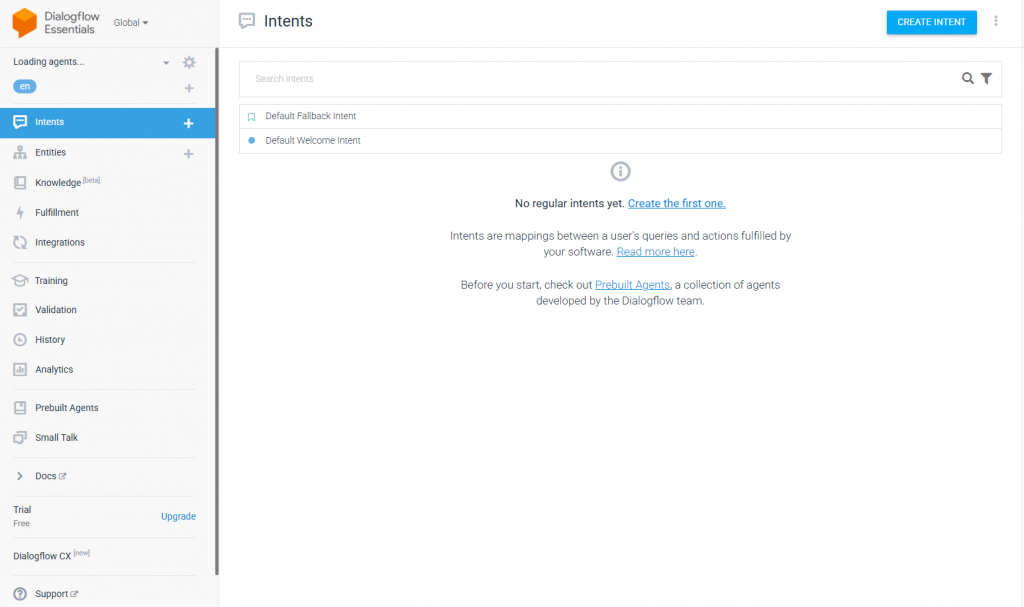
Dialogflow is Google’s conversational AI platform designed for teams building chat and voice agents. It provides strong NLP capabilities, intent detection and integration with Google Cloud services. Businesses use it to create structured conversational experiences across apps, websites and voice assistants.
Pros:
- Powerful NLP models : Dialogflow uses Google’s machine learning stack for intent detection and entity extraction. It performs well for structured, rule-based conversational flows.
- Large integration ecosystem : It connects easily with Google Cloud, Firebase, web apps, mobile apps and voice platforms such as Google Assistant.
- Multi-language support : Supports dozens of languages natively, making it suitable for global businesses.
- Context and intent handling : Handles follow-up intents and contextual flows, which helps build guided, predictable conversations.
Cons:
- Complex Setup: Initial setup and management can be complex, requiring technical expertise.
- Limited Customisation: Offers fewer customisation options compared to some other platforms.
- Live Chat: The live chat feature is not available.
- Integration Challenges: Can be challenging to integrate with non-Google services and some CRM systems.
Rating:
G2: 4.4/5
3. Rasa

Rasa is an open-source conversational AI framework built for developers who need full control over their AI agents. It supports custom NLP models, on-premise deployment and deeply configurable workflows. Businesses use it to build highly tailored conversational systems where data privacy and flexibility are important.
Pros:
- Highly customizable : Rasa allows teams to create fully tailored conversational logic with control over intents, entities, dialogue flows and state management.
- Open-source and self-hosted : Provides full data ownership and the ability to deploy on-premise or in private cloud environments, suitable for strict security and compliance needs.
- Advanced NLP capabilities : Teams can use Rasa’s built-in models or integrate their own transformer-based models for improved intent classification and entity extraction.
- Strong developer ecosystem : A large open-source community, plug-ins and extensions that support integrations and advanced customisation.
Cons:
- Developer-heavy setup : Rasa requires engineering knowledge for training models, infrastructure management and writing custom logic.
- Longer implementation time : Compared to no-code platforms, setup and optimisation take significantly more time.
- No native generative AI capabilities : Rasa is rule-based and ML-driven. Generative agent behaviour requires external LLM integration.
Rating:
G2: 4/5
4. Conversica

Conversica is an AI-powered virtual assistant platform designed primarily for sales, marketing and revenue teams. It focuses on automated lead engagement, follow-ups and customer outreach. Businesses use Conversica to qualify leads, revive inactive prospects and support account management workflows without manual effort.
Pros:
- Strong sales and lead engagement capabilities : Conversica automates multi-step outreach, follow-ups and reminders, helping teams increase lead conversion without additional staff.
- Human-like conversation style : The AI writes natural, personalised messages that mimic human outreach, improving response rates during sales cycles.
- CRM and marketing integrations : Works with platforms such as Salesforce, HubSpot and Marketo, allowing smooth syncing of lead status, activity and engagement.
- Lead qualification automation : Conversica identifies intent, interest and readiness to buy based on replies and interaction patterns.
Cons:
- High Costs: Pricing can be steep, especially for small businesses.
- Limited Analytics: Lacks built-in advanced analytics and reporting capabilities.
- Integration Issues: Can be challenging to integrate with some non-standard platforms.
Rating:
G2: 4.5/5
5. Zendesk
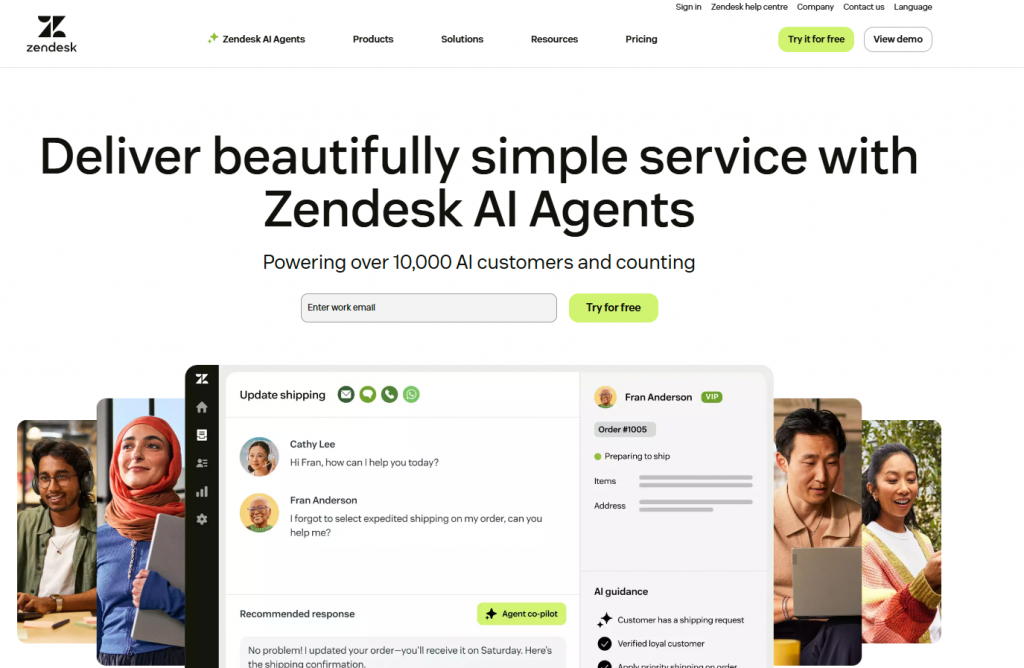
Zendesk is a customer service and ticketing platform used by businesses to manage support requests across email, chat, social channels and help centers. It offers automation features, AI suggestions and workflow tools that help teams organise, resolve and track customer issues efficiently. Companies rely on Zendesk for structured support operations and multi-channel ticket management.
Pros:
- Robust ticketing system : Zendesk provides a strong foundation for tracking, categorising and resolving customer issues across multiple channels.
- Wide range of integrations : Connects with CRMs, communication platforms, analytics tools and third-party apps through Zendesk Marketplace.
- Help center and knowledge base : Allows teams to create self-service content that reduces repetitive support queries.
- AI-powered support features : Zendesk’s AI tools assist with response suggestions, ticket routing and answering basic questions, improving agent efficiency.
Cons:
- Higher cost for advanced features : AI tools, automation workflows and reporting upgrades often require higher-tier plans, increasing overall spend.
- Limited flexibility for custom AI agents : Zendesk AI is built around ticketing and may not offer the depth of customisation or automation needed for complex conversational use cases.
- Setup time for large teams : Configuring roles, workflows, triggers and SLAs for enterprise environments can be time-consuming.
Rating:
G2: 4.3/5
6. Landbot

Landbot is a no-code chatbot builder designed for teams that want to create visual, interactive conversational experiences without coding. Its drag-and-drop interface makes it easy to design flows for lead generation, surveys, onboarding and basic support. Businesses use Landbot to automate repetitive interactions and convert website visitors through structured chat flows.
Pros:
- User-friendly drag-and-drop builder : Landbot’s visual interface helps non-technical users design conversation flows quickly.
- Strong for lead generation : Marketers use Landbot’s conditional logic, forms and branching flows to qualify leads and capture customer data.
- Multi-channel support : Deploy bots across websites, WhatsApp, Messenger and custom embeds.
- Good template library : Offers pre-designed workflows for surveys, lead capture, FAQs and onboarding.
Cons:
- Limited Options: Offers very limited integration options.
- AI Features: Very limited AI features available.
- Technical Support: Limited support for non-technical users.
- Lack of Analytics: Does not offer built-in advanced analytics and reporting capabilities.
Rating:
G2: 4.5/5
7. SnatchBot

SnatchBot is a multi-channel chatbot platform that allows businesses to deploy automated conversations across web, Messenger, WhatsApp and other messaging apps. It focuses on ease of deployment, simple automation tools and broad channel support. Companies use SnatchBot to handle basic customer queries, streamline repetitive interactions and provide consistent responses across platforms.
Pros:
- Multi-channel deployment : Supports web chat, Messenger, WhatsApp and more, making it simple to reach customers across multiple touchpoints.
- User-friendly bot builder : Offers a straightforward interface with prebuilt blocks for quick setup.
- Built-in NLP tools : Provides basic natural language processing features for intent detection.
- Affordable for small teams : Pricing is accessible compared to enterprise AI platforms.
Cons:
- Customisation Limits: Limited customisation options compared to other platforms.
- Technical Support: Limited support for non-technical users.
- Scalability Problems: Limited scalability for larger businesses.
- Limited AI Features: offers very limited AI features.
Rating:
G2: 4.6/5
Choosing the Right Chatbot for Your Business
Selecting a chatbot is not only about comparing features. It is about finding a system that supports the way your team works, how your customers interact with you, and how your operations function behind the scenes. The right choice reduces workload, improves response time and contributes directly to customer satisfaction.
1. Budget
Look beyond the monthly subscription. Review how the platform charges for usage, AI messages, channels, or additional agents. Some tools appear affordable at first but become expensive as volume increases. Choose a plan that works for your current needs and remains sustainable as your business grows.
2. Integration
A chatbot becomes effective when it connects to the systems you already use. Check whether it works with your CRM, support tools, payment systems, storefront or internal databases. Built-in integrations reduce manual steps and improve the accuracy of information shared with customers.
3. Customisation
Your workflows are unique, so your chatbot should adapt to them. Review how easily you can change tone, build flows, add conditions and connect actions across different tools. If your team is not technical, the builder should feel simple and clear. If you have developers, the platform should also allow deeper control through APIs or custom logic.
4. Scalability
As your business grows, message volume, channels and use cases increase too. Choose a platform that can handle higher traffic, support more channels such as WhatsApp or Instagram and allow your team to expand without performance issues.
5. Support
Good support matters. When something breaks or when you need guidance, you should have access to documentation, responsive support and helpful onboarding. Reliable support is important when you plan to automate more processes or introduce new channels.
Feature Comparison
| Feature | YourGPT Chatbot | Dialogflow | Rasa | Conversica | Zendesk | Landbot | SnatchBot |
|---|---|---|---|---|---|---|---|
| Easy setup | Yes, no-code setup | Moderate, needs config | Developer setup required | Guided onboarding | Fast, template-based | Visual, drag-and-drop | Simple, form-driven |
| AI capabilities | Advanced, AI-first agents | Strong NLP and intents | Contextual, open-source AI | AI for lead engagement | AI support automation | Rule + AI flows | AI and rule-based bots |
| Customization | Workflows, APIs, and prompts | Intent design and fulfillment | Fully programmable stack | Playbooks for sales and CX | Flows and routing rules | Drag-and-drop conversation flows | Templates and logic blocks |
| Omnichannel | Web, WhatsApp, email, social | Web, apps, voice, messaging | Web and custom channels | Email, SMS, and chat | Web, messaging, and apps | Web, WhatsApp, Messenger | Web, messaging, and social |
| Unified inbox | Yes | Yes (via console) | Custom to implementation | Yes, for conversations | Yes, support-focused | Live chat view | Channel inbox |
| Mobile app | Yes | Yes | SDKs for mobile apps | Web and email focused | Available for teams | Browser-based mainly | Web dashboard usage |
| Browser extension | Yes | No | No | No | No | No | No |
| Analytics | AI-driven chatbot analytics | Intent and usage reports | Custom dashboards | Revenue and engagement metrics | Support performance analytics | Flow and conversion stats | Channel and bot metrics |
| Security | SOC 2 and GDPR | Google-grade security | Self-hosted or cloud options | Enterprise security controls | Enterprise security and privacy | Standard SaaS security | Standard SaaS security |
| Best fit | Teams wanting AI-first automation across channels | Developers and teams building conversational interfaces | Engineering teams needing full control and open source | Sales and marketing teams focused on lead follow-up | Support teams scaling automated conversations | Marketers building visual chat funnels | Businesses needing quick, multi-channel bots |
FAQ
Why should I consider alternatives to ChatBot? ▼
Consider alternatives to ChatBot due to:
- Limited Integration: ChatBot does not support platforms like WhatsApp and Telegram and offers limited CRM integration.
- Restricted AI Capabilities: The AI features on ChatBot may be less advanced, limiting automation and the quality of interactions.
- Customization Constraints: Customization options on ChatBot are limited, which might not meet specific business needs.
- High Costs: The SaaS ecosystem surrounding ChatBot can be expensive, especially for small businesses.
How does YourGPT Chatbot compare to ChatBot? ▼
YourGPT Chatbot stands out due to:
- Advanced AI Features: Uses cutting-edge AI and natural language processing for context-aware responses.
- Integration Flexibility: Supports omnichannel integration with platforms like WhatsApp, Telegram, and Slack.
- Customization: Offers extensive customization options to fit specific business needs.
- Multilingual Support: Provides support for over 100 languages, ideal for global businesses.
What should I do if ChatBot isn’t meeting my needs? ▼
Consider exploring other chatbot providers. Many offer free trials and demos, allowing you to test their features and capabilities before making a long-term commitment.
What is the best AI chatbot? ▼
The best AI chatbot depends on your specific needs and requirements. If you need advanced AI capabilities, you might consider trying YourGPT AI Chatbot.
Which AI chatbot is right for you? ▼
To determine the right AI chatbot for you, assess factors such as:
- Integration Needs: Does the chatbot support the platforms you use?
- AI Features: Are the AI capabilities advanced enough for your requirements?
- Customization: Can you tailor the chatbot to your business needs?
- Cost: Is the pricing within your budget?
- Multilingual Support: Do you need support for multiple languages?
What factors should you consider when choosing a chatbot? ▼
When selecting a chatbot, consider:
- Integration Capabilities: Ensure compatibility with existing platforms and CRM systems.
- AI Features: Look for advanced AI features for better automation and interaction.
- Customization Options: Choose a chatbot that allows you to tailor it to your business needs.
- Cost Efficiency: Evaluate the pricing to ensure it aligns with your budget.
- Support and Scalability: Consider the support offered and whether the chatbot can scale with your business growth.
Conclusion
Choosing the right chatbot in 2026 depends on what your business actually needs, not just what each platform claims to offer. Some tools are built for developers who want full control. Others focus on marketing funnels or sales engagement. A few specialise in support automation across multiple channels. Understanding these differences helps you avoid paying for features you won’t use or choosing a tool that becomes a bottleneck later.
The platforms in this list cover a wide range of use cases. YourGPT fits teams that want AI agents, automation and omnichannel support in one place. Dialogflow works for intent-based workflows. Rasa is ideal for engineering teams that prefer open source and full customization. Landbot fits marketers creating visual chat funnels. Conversica supports lead follow-up, and SnatchBot offers quick deployment for simple bots. Each option performs well when matched with the right environment.
Before making a decision, think about where automation will make the biggest difference in your workflow. Consider your channels, team skills, required integrations and the level of AI you need. A well-chosen chatbot can reduce daily workload, improve response times and streamline customer operations. The best choice is the one that aligns with your goals and scales as your business grows.
Turn Every Customer Conversation into an Opportunity
See how AI Chatbot can help you connect more deeply and effectively with your customers.
No credit card required • 7 days access
by
Tags:
Leave a Reply