TL;DR
Crisp was built for messaging, and adding AI on top of that has only stretched it so far. As conversation volume grows, the limitations become clear: too many conversations get passed to a human, and the AI is better at drafting replies than actually resolving requests. Teams that need more are moving to platforms where the AI can handle requests end to end. This guide ranks 10 of them, including YourGPT, Intercom Fin, and Ada, based on who each platform actually suits, where they fall short, and what resolution rates look like in real use.
Crisp is a messaging inbox. Multiple channels in one place, quick setup, straightforward to manage. For early-stage teams that need live chat and rule-based workflows, it covers the basics well.
But there is a reason you are reading a list of alternatives.
Support tools have moved fast. The best platforms today do not just collect conversations, they resolve them. The AI handles the full request, executes the action, and closes the ticket. That shift happened at the infrastructure level, not through feature updates.
The teams moving on from Crisp are typically those where that gap has become hard to ignore.
The 10 platforms on this list were built with resolution as the starting point. Each entry covers what the platform genuinely does well, where it has limits, and which type of team it actually fits.
Why Teams Move On From Crisp
Crisp works until it doesn’t. The point where it stops working is different for every team, but the reasons tend to cluster around the same few problems.
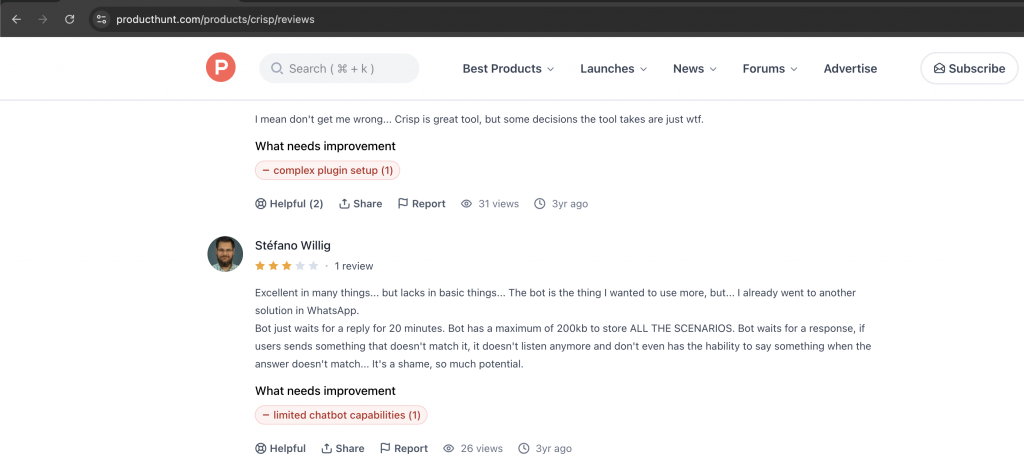
- The AI is basic: Crisp works best as a messaging tool. The AI handles simple keyword-based replies and FAQ suggestions, but complex or multi-step requests rarely get resolved without someone stepping in. Users consistently report that building anything beyond basic flows takes significant time and technical effort to get working properly.
- Limited AI training options: Training the AI in Crisp is restrictive. You are largely limited to the knowledge base built inside the platform itself. Bringing in content from external sources, documents, or existing support data is not straightforward, which means the AI starts with a narrow base and stays narrow unless you invest considerable effort maintaining it manually.
- Resolution rates plateau early: Most implementations settle around 30-40% autonomous resolution and stay there. Because the training options are limited and the platform does not learn from past conversations on its own, performance does not improve meaningfully over time without manual intervention.
- Reliability issues at scale: Some users report that replies occasionally fail to reach customers entirely. For a support platform handling real volume, that creates serious gaps that are difficult to diagnose and harder to explain to customers.
- Complex workflows hit a ceiling quickly: Simple automations are easy enough to configure. Anything involving conditional logic, multi-step processes, or business-specific rules gets complicated fast. Teams with more specific needs often end up patching things together rather than building a workflow that actually holds up.
- AI features are locked behind higher plan: Core automation and AI capabilities require jumping to significantly more expensive tiers. Teams that want to seriously use AI for support have to commit to the higher plans before they can fully evaluate whether the AI delivers what they need.
Top 10 Crisp Alternatives in 2026
Support teams evaluating alternatives to Crisp are typically looking for one thing: an AI that goes beyond drafting replies and actually resolves requests. That means handling full conversations, executing tasks inside connected systems, and improving over time without constant manual input.
This list covers the 10 strongest alternatives available in 2026. Many of these platforms power some of the best chat widgets used in modern customer support environments. Each platform was evaluated on five criteria: how often the AI resolves requests without human involvement, how well it handles multi-channel conversations, how relevant it is for the future of customer support, what users say about the AI experience, and how capable the automation is beyond simple rule-based replies.
The platforms ranked are:
1. YourGPT
YourGPT operates as an agent-native platform rather than a chat tool with added AI. The system ingests knowledge bases, past tickets, website content, and product documentation, then builds long-term memory across every customer interaction.
This allows agents to understand context, retrieve accurate information, and respond based on real business data. As more conversations occur, the knowledge layer expands and responses improve over time. Teams can also connect APIs and automate workflows so agents can perform tasks such as retrieving account details, checking order status, or updating records across systems.
AI Features
- Long-term memory engine — retains complete customer history across months and channels, eliminating repetitive questions.
- Autonomous action execution — processes refunds, updates orders, books appointments, and triggers workflows directly inside connected systems.
- Continuous self-learning — analyzes every resolved conversation and refines responses daily without manual intervention.
- Unified omnichannel agent — one agent handles web, WhatsApp, Instagram, email, Slack, and voice with consistent context.
- No-code workflow builder — teams define complex business logic through visual blocks rather than code.
- Resolution analytics — granular breakdowns of failure points and intent performance for rapid optimization.
Limitations
- The library of pre-built industry templates is still growing; highly specialized verticals may require more initial custom configuration.
- Voice capabilities, while functional, trail dedicated voice platforms in accent handling for certain regions.
- SaaS companies handling 500–5,000 monthly conversations and seeking to reduce human agent hours.
- E-commerce teams that want support agents to complete transactions rather than just answer questions.
- Growing service businesses that need predictable costs regardless of resolution volume.
Crisp vs YourGPT AI Agent Head-to-Head
Crisp agents operate within short sessions and require human escalation for anything beyond FAQs. YourGPT agents maintain context across channels and months, execute actions independently, and improve from outcomes. Operational result: resolution rates typically rise from 40 % to 75–85 % within 60 days, with stable flat pricing that removes the cost shock many teams experience on Crisp.
Pricing
- Free tier — limited agents and conversations.
- Starter — $49/mo flat (unlimited agents, core features).
- Growth — $99/mo (advanced workflows and analytics).
- Enterprise — custom (dedicated support and compliance add-ons).
2. Intercom (Fin AI Agent)
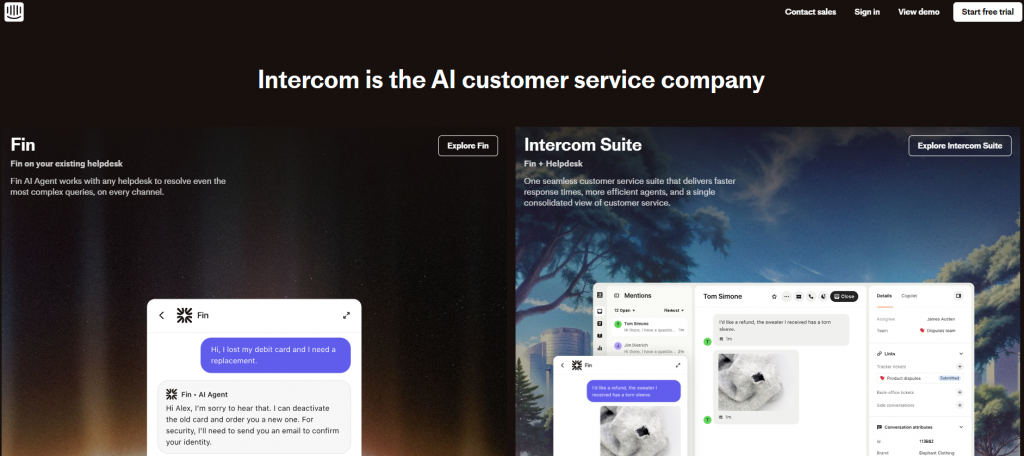
Intercom Fin functions as a single sophisticated agent that participates in nearly every conversation. It combines generative replies with deep integration to billing, product usage, and CRM data.
Because it can access real-time customer and product information, Fin responds with context-aware answers rather than generic replies. It handles routine support questions, assists with account or product inquiries, and guides users through troubleshooting steps while escalating complex issues to human agents when needed.
AI Features
- Advanced multi-turn reasoning engine — understands conversation context and adjusts responses as the discussion evolves across multiple messages.
- Proactive customer engagement — detects behavior signals and surfaces relevant help, product guidance, or offers before customers request assistance.
- High automated resolution capability — handles common support questions with resolution rates typically ranging from 60–66% across customer deployments.
- Conversation intelligence analytics — highlights where automated responses succeed, fail, or require human escalation to improve future performance.
- Human-AI collaboration routing — smoothly transfers conversations to human agents with full context when automation reaches its limits.
- Behavior-driven support triggers — activates targeted messages or support flows based on user actions, product usage patterns, or lifecycle events.
Limitations
- Resolution-based pricing ($0.99 per successful resolution) creates unpredictable costs once volume exceeds 1,500–2,000 conversations per month.
- Less emphasis on executing complex business actions compared with dedicated agent platforms.
Crisp vs Intercom
Fin demonstrates noticeably stronger reasoning and proactivity than Crisp agents, especially in revenue-generating conversations. The tradeoff is cost structure: Intercom charges for every win while many teams prefer flat pricing.
Pricing
- Starter — $29 per seat + usage fees.
- Pro — higher seat pricing + resolution fees.
- Enterprise — custom.
3. Ada
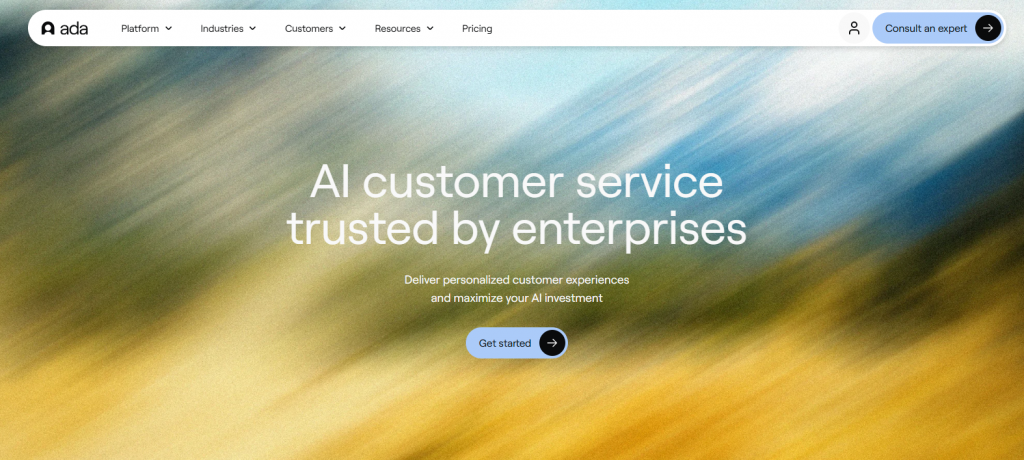
Ada specializes in enterprise self-service agents for organizations that require sophisticated logic and compliance controls. The platform excels at handling complex, multi-turn journeys in regulated industries.
Teams can design structured workflows that guide customers through detailed support scenarios while maintaining strict compliance requirements. Integration with enterprise systems and knowledge sources enables agents to retrieve verified information, resolve common requests, and route sensitive cases to human support teams when necessary.
AI Features
- Advanced conversational memory and reasoning — maintains context across interactions and accurately handles complex or compliance-sensitive support queries.
- High automated resolution performance — optimized deployments regularly achieve resolution rates between 60–83% across routine and mid-complexity requests.
- No-code automation builder — enables teams to model detailed support workflows and business rules without engineering involvement.
- Enterprise governance controls — includes audit logs, approval layers, and human-in-the-loop oversight for regulated environments.
- Intent recognition and routing — accurately classifies customer requests and directs them to the correct automated flow or human team.
- Operational performance analytics — provides visibility into resolution performance, conversation paths, and automation improvement opportunities.
Limitations
- Enterprise minimum commitments (often $1,000+/month) and longer onboarding timelines make it unsuitable for smaller teams.
- Less flexible for rapid experimentation than lighter platforms.
Crisp vs Ada
Ada handles complex, high-stakes queries with far greater reliability and auditability than Crisp. The platform requires significantly higher investment and setup effort.
Pricing
- Custom enterprise contracts (typically starting around $1,000–$2,000/mo minimum).
4. Gorgias
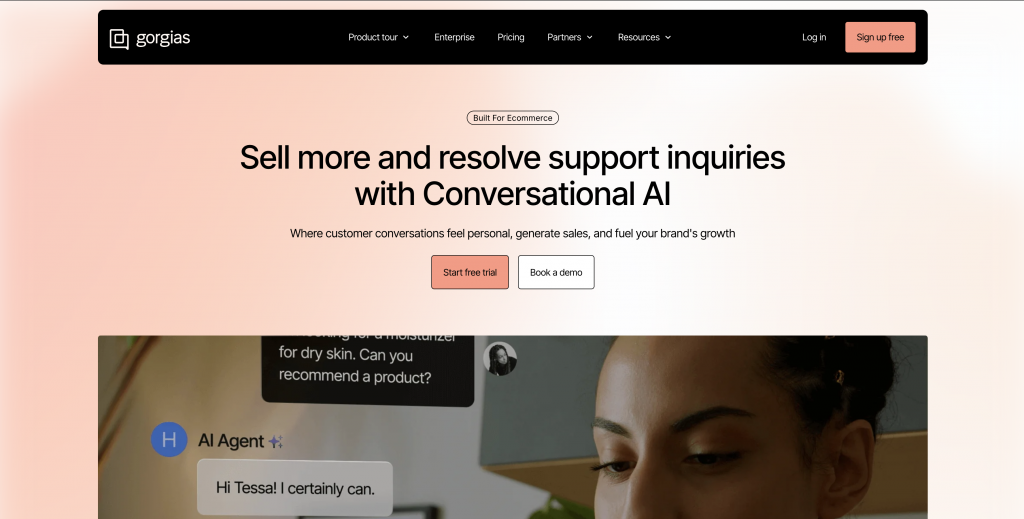
Gorgias integrates deeply with Shopify and turns support tickets into retention and revenue opportunities. Agents access order history and execute actions directly inside the store backend.
Support teams can view customer purchase history, track shipments, issue refunds, and manage order changes without leaving the helpdesk. This connection between support and store data helps teams resolve requests faster while identifying opportunities for upsells, replacements, or customer retention.
AI Features
- Order-aware automation — performs actions such as refunds, shipping updates, and return processing directly within connected ecommerce systems.
- Purchase-context responses — generates replies that reference order details, delivery status, and customer purchase history.
- E-commerce ticket automation — resolves routine support requests with resolution rates typically around 60–62% for common store inquiries.
- Shopper intent detection — identifies order, product, or policy questions and routes them to the appropriate automated workflow.
- Store integration actions — connects with ecommerce platforms to retrieve order data and execute account-level operations.
- Conversation performance insights — tracks automation coverage, resolution patterns, and support volume trends across ecommerce tickets.
Limitations
- Pricing tied to ticket volume creates rapid cost increases for fast-growing stores.
- Less capable outside pure e-commerce use cases.
Crisp vs Gorgias
Gorgias delivers Shopify-native actions and revenue-focused automation that Crisp cannot match.
Pricing
- Starter — $10 + $0.50 per ticket.
- Higher tiers scale with volume.
5. Zendesk AI
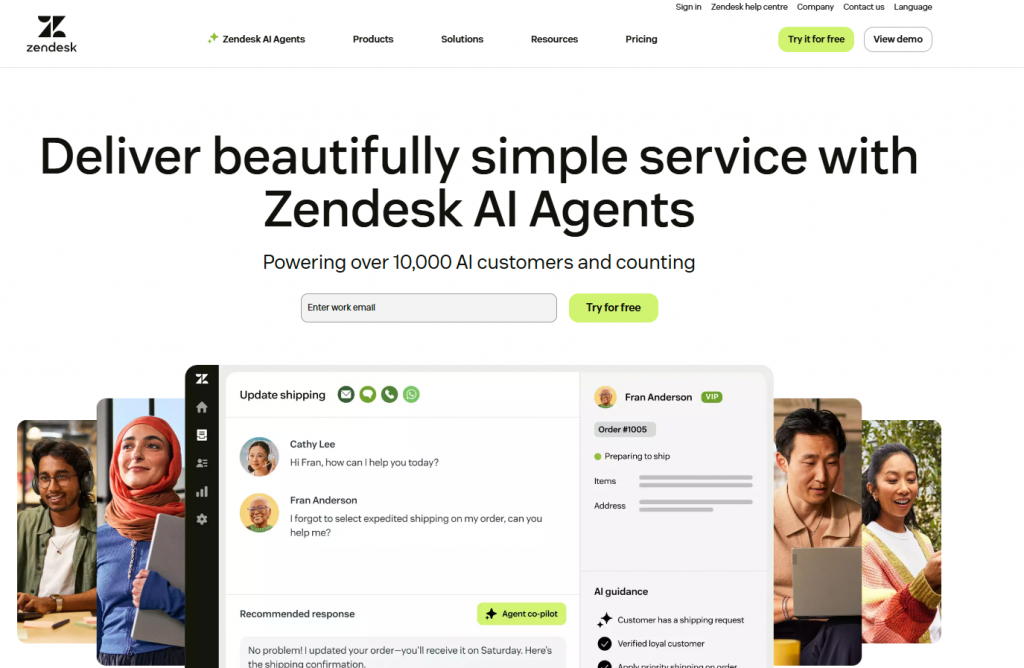
Zendesk layers generative AI onto its established ticketing infrastructure. The system provides reliable suggestions and automation while maintaining strong reporting.
The platform uses AI to suggest responses, categorize incoming tickets, and surface relevant knowledge base articles during conversations. Detailed analytics and reporting tools also help teams monitor performance, track resolution metrics, and manage support operations at scale.
AI Features
- Generative reply suggestions — drafts contextual responses for agents using past tickets, help center articles, and conversation history.
- Answer prediction engine — anticipates customer questions and surfaces relevant help center content during live conversations.
- Automated ticket resolution — handles routine support requests with resolution rates typically ranging between 50–58% in standard deployments.
- Agent assist tools — recommends replies, knowledge articles, and next actions to help support teams respond faster.
- Intent detection and routing — identifies customer issues and directs tickets to the appropriate queue, workflow, or automation path.
- Support performance analytics — provides insights into resolution trends, ticket categories, and areas where automation improves response efficiency.
Limitations
- Multiple add-on layers increase total cost and complexity.
- AI still functions more as an assistant than a fully autonomous agent.
Pricing
- Suite plans starting at $55 per agent + AI add-ons.
6. Chatwoot
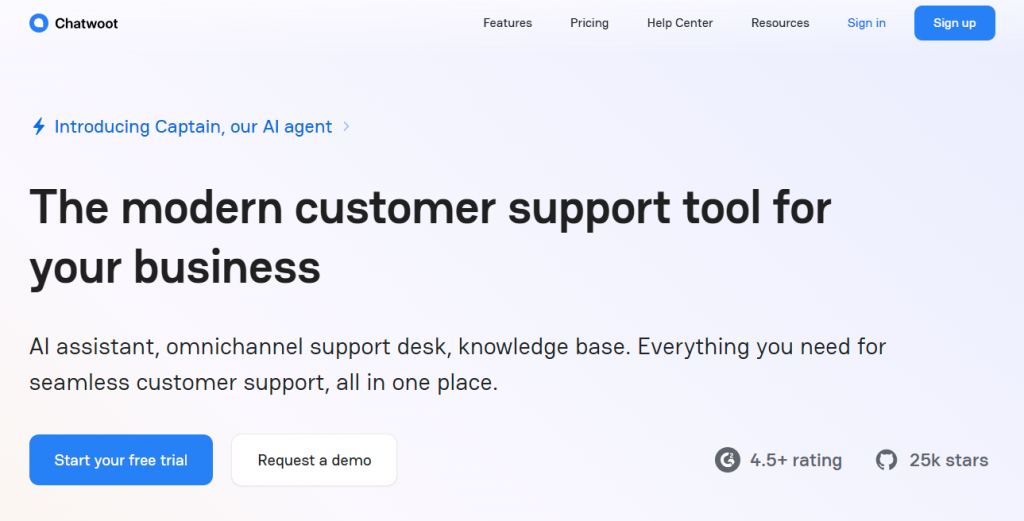
Chatwoot provides an open-source multichannel inbox with optional AI capabilities. Teams maintain complete control of their data and infrastructure.
A unified inbox brings conversations from website chat, email, social messaging, and messaging apps into one dashboard. Because the platform is open source, organizations can customize workflows, host the system on their own servers, and extend functionality to match internal support processes.
AI Features
- Custom AI agent integrations — connects with external AI models and automation tools to resolve support queries when configured with proper workflows.
- Moderate automated resolution capability — integrated AI agents typically achieve around 50–55% resolution on common support conversations.
- Self-hosted infrastructure control — provides full data sovereignty with on-premise or private cloud deployment options.
- Flexible automation framework — supports custom workflows, triggers, and integrations to automate common customer support actions.
- Unified messaging inbox — manages conversations from web chat, email, social messaging, and other channels within a single interface.
- Operational conversation insights — tracks response performance, agent workload, and support trends across all connected communication channels.
Limitations
- AI performance depends entirely on the team’s engineering effort to connect and tune models.
- No built-in enterprise support unless using the hosted version.
Pricing
- Self-hosted: free.
- Hosted plans from $19 per agent.
7. Freshdesk
Freshdesk delivers a balanced mid-market solution with steadily improving AI features under the Freddy AI umbrella.
The AI system analyzes incoming tickets to identify intent and suggest relevant responses based on historical support data. Combined with Freshdesk’s ticketing workflows and automation tools, teams can manage requests efficiently while keeping clear visibility into support performance across channels.
AI Features
- Generative AI assistance — drafts contextual replies for agents using past tickets, knowledge base articles, and conversation history.
- Automated ticket resolution — handles routine support queries with resolution rates typically around 45–50% in many deployments.
- No-code automation builder — allows teams to configure workflows, routing rules, and ticket actions without engineering support.
- Extensive integration ecosystem — connects with CRM systems, e-commerce platforms, and internal tools to support automated workflows.
- Agent productivity assistance — recommends knowledge articles, canned responses, and next steps to speed up ticket resolution.
- Support performance analytics — provides insights into ticket categories, automation coverage, and response efficiency across support channels.
Limitations
- The AI layer still feels supplementary rather than core to the architecture.
- Freddy AI’s knowledge access is largely limited to the Freshworks ecosystem, often requiring migration of external content (e.g., from Confluence or Google Docs) for best results.
Pricing
- Plans from $19 per agent.
8. Help Scout
Help Scout emphasizes clean, human-centered support with lighter AI assistant. The platform focuses on maintaining a natural, personal tone in customer conversations rather than heavily automated interactions.
Its shared inbox, knowledge base, and customer profiles help teams manage support requests efficiently while keeping conversations organized. AI features assist with suggestions and summaries so agents can respond faster without losing the human tone of the conversation.
AI Features
- Knowledge-base driven responses — generates suggested replies using help center articles and past support conversations.
- AI Answers assistant — always-on Beacon assistant resolves routine customer questions directly using help center content.
- Moderate automated resolution capability — suggestion-based automation typically achieves around 40–45% resolution across common support inquiries.
- Contextual help center retrieval — surfaces relevant documentation and guides automatically during live conversations.
- Agent assist recommendations — proposes responses and knowledge articles to help agents respond faster and more consistently.
- Support interaction insights — tracks article usage, conversation outcomes, and automation performance across customer support interactions.
Limitations
- Deliberately lightweight automation to keep the experience human-first.
- AI Answers is limited to publicly published Docs content and cannot access internal or secure information without extra setup.
Pricing
- From $20 per seat.
9. LiveAgent

LiveAgent packs extensive support features into an affordable package with basic generative AI. The platform combines live chat, email, call center, and social media messaging into a single helpdesk environment.
Its ticketing system organizes conversations across channels while automation rules help route and prioritize requests. AI assistance supports tasks such as drafting replies and summarizing conversations, allowing agents to manage higher ticket volumes efficiently.
AI Features
- Multichannel AI routing — automatically directs conversations across chat, email, social messaging, and call channels to the appropriate support workflow.
- Automated conversation handling — resolves routine support inquiries with resolution rates typically around 45–48% across common tickets.
- AI chatbot self-service engine — automates customer conversations using knowledge base articles, website content, and uploaded documents.
- High-volume inquiry automation — optimized deployments can automate up to 75% of routine customer questions with instant responses.
- Context-aware knowledge retrieval — pulls relevant help center information during conversations to improve answer accuracy.
- Support performance insights — tracks automation coverage, conversation outcomes, and agent workload across all communication channels.
Limitations
- AI remains relatively basic compared with purpose-built agent platforms.
- AI relies on well-maintained sources, often needs own API key, and performs inconsistently on complex queries.
Pricing
- From $9 per agent.
10. HubSpot Service Hub
HubSpot Service Hub ties support directly to its CRM and marketing data for contextual responses. Customer conversations are connected to contact records, deal history, and previous interactions stored in the CRM.
Support teams can view complete customer profiles while handling requests, which helps them understand account activity and past communication. This connection allows teams to personalize responses, track issues across the customer lifecycle, and maintain consistent communication across sales, marketing, and support teams.
AI Features
- CRM-context AI responses — generates replies using customer history, CRM records, and past interactions for more personalized support conversations.
- Automated ticket resolution — handles common support requests with resolution rates typically around 45–50% across standard deployments.
- Customer Agent automation — resolves over 65% of routine conversations automatically using knowledge base content and CRM data.
- High-performance AI deployments — optimized teams report automated resolution rates approaching 90% on repetitive support inquiries.
- Knowledge-driven assistance — pulls answers from approved knowledge base sources to maintain accuracy and policy compliance.
- Customer service analytics — tracks conversation outcomes, automation performance, and support efficiency across CRM-connected channels.
Limitations
- The AI is still maturing and lags dedicated agent platforms in autonomy.
- AI heavily depends on high-quality HubSpot CRM data; poor data hygiene leads to inaccurate suggestions or incomplete resolutions.
Pricing
- Free tier available; paid plans from $20 per seat.
How to Choose the Right AI Support Platform in 2026
Most teams regret their platform choice around the six month mark. Not because the tool was bad, but because they evaluated it the wrong way. Here is what actually matters.
- Start with your ticket breakdown not a feature list
Before you look at a single platform, pull your last 30 days of support tickets and sort them by what the customer actually needed. How many were simple questions? How many needed something done like a refund, a status update, or an account change? That split tells you whether you need an AI that replies well or one that executes tasks. Those are genuinely different products and evaluating them the same way leads to the wrong choice.
- Run your real content through it before you decide
Every platform looks good in a demo. The demo uses clean data, predictable questions, and a prepared knowledge base. Your support operation does not look like that. Before committing, import your actual knowledge base and run your ten most common request types through the AI.
What breaks during evaluation will break in production, just with real customers on the other end.
- Ask what it can complete not what it can handle
Vendors are careful with language. “Handles refund requests” often means the AI collects the details and routes it to a human. Ask directly: does the AI process the refund inside the system or does it hand off to an agent? One question cuts through most of the ambiguity in a vendor conversation.
- Build one real workflow before you trust the builder
No-code builders all look intuitive in a walkthrough. Pick your most complex support scenario and build it yourself during the trial. If you hit a wall or need a workaround within the first workflow that is not a learning curve issue. That is a capability issue.
- Model the cost at future volume not current volume
Some platforms are priced well today and become a problem at scale. Take your current monthly conversation volume, multiply it by three, and run the numbers. The pricing structure at scale matters more than the entry price.
How to Migrate From Crisp Without Downtime
Switching support platforms sounds more disruptive than it actually is. Most teams complete the move in 7 to 14 days without any customer-facing downtime. The key is running both platforms in parallel long enough to catch issues before they become problems.
Here is the process that works:
- Export your data first: Pull your conversations, knowledge base, and contacts from Crisp using its CSV export tools. Do this before anything else so you have a clean backup regardless of what happens next.
- Set up the new platform with your real data: Do not test with dummy content. Import your actual knowledge base and contact history using the platform’s templates or via Zapier. How the AI performs on your real data is what matters.
- Run both platforms in parallel for 5 to 7 days: Keep Crisp live while the new platform runs alongside it. This gives you a direct performance comparison without putting customers at risk during the transition.
- Rebuild your core workflows: Focus on your top 5 to 10 workflows first. Get those working properly before moving on to edge cases or less frequent scenarios.
- Test automation on a small slice of traffic: Before rolling out fully, run autonomous actions on a controlled percentage of incoming conversations. Catch failure points before they affect your full volume.
- Switch the embed code and verify channels: Update your website embed, then confirm each channel connection is live and routing correctly. WhatsApp, email, and any other active channels need individual verification.
- Monitor the conversations: Watch resolution rates and any escalation patterns for a full week. Once the numbers look stable, cancel the Crisp subscription.
The parallel testing step is what makes this low risk. Skipping it is where most migrations run into trouble.
AI Support Agent FAQ
How much can AI agents realistically resolve without humans in 2026? ▼
Top platforms average 50–70% resolution across customers. Well-tuned implementations with strong knowledge bases reach 75–85% on routine and mid-complexity queries. Highly custom, sensitive, or emotional issues still require human judgment.
Which pricing model avoids bill shocks at scale? ▼
Flat monthly pricing (such as YourGPT or Chatwoot self-hosted) provides predictable cost control. Usage-based pricing works only when you carefully model projected resolution volume during peak traffic periods.
Do agents truly learn without constant manual retraining? ▼
Platforms with native self-learning capabilities (such as YourGPT, Intercom Fin, and Ada) improve daily from resolved conversations. Other platforms require periodic manual updates and retraining to maintain accuracy.
Is migration from Crisp technically difficult? ▼
No. Crisp exports are straightforward, and most alternative platforms provide structured migration templates and onboarding support. Running parallel widget testing ensures a smooth transition without operational risk.
What about data security when switching agents? ▼
Leading platforms maintain SOC 2 Type II and GDPR compliance. Before selecting a provider, review encryption standards, data residency options, and audit logging capabilities to ensure compliance with your internal policies.
How do I measure success after migration? ▼
Track resolution rate, average handle time, customer satisfaction (CSAT), and total support cost per conversation. The strongest indicator of success is the percentage of tickets resolved without human involvement.
Can I keep my existing knowledge base? ▼
Yes. Most platforms support CSV uploads, PDF imports, and direct website crawling. The quality and organization of your initial knowledge base strongly influence early resolution performance.
What if my volume is under 500 conversations per month? ▼
Lower-volume teams often succeed with Chatwoot self-hosted or Help Scout due to predictable costs. Higher-volume teams benefit more from AI-native platforms like YourGPT or Ada that scale efficiently with automation.
Conclusion
Switching customer support platforms is not a small decision. The tool your team uses every day shapes how customers experience your brand, how much time your team spends on repetitive work, impact on customer satisfaction and whether your support operation gets more efficient as volume grows or just more expensive.
The honest truth is that no platform on this list is perfect for everyone. The right one depends on what your support looks like right now, not in six months after a hypothetical migration and retraining period.
What we do know is that the gap between platforms built with AI from the beginning and those that added it later is becoming more obvious. You can see it in how often issues get resolved, how well the AI handles unusual situations, and whether the system keeps improving over time or stays the same.
When you are ready to move forward, the next step is simple. Pick the options that actually fit your situation, then test them with your real data. While doing that, watch where each platform starts to struggle. Those weak spots will tell you far more than any sales pitch ever will.
Resolve Customer Requests Automatically Without Escalations
Train YourGPT on your support docs, deploy across web and WhatsApp, and resolve customer issues automatically without increasing ticket workload.
No credit card required • 7-day trial • Setup in minutes
Leave a Reply