TL;DR
A smart WooCommerce product recommendation plugin helps you show relevant upsells, cross-sells, and bundles that raise average order value without extra traffic. This guide compares 10 plugins, breaks down features that matter, and helps you match the right tool to your store size, catalog, and marketing setup.
Online shoppers want stores to match their needs. WooCommerce has built-in tools, but these do not show the best choices. Customers may miss out on products they want.
Plugins help with better recommendations. They show items people might like. This can give you more sales.
This article lists ten plugins. Each plugin is described clearly. You can see their main features and choose what works for you.
What Are WooCommerce Product Recommendation Plugins?
These plugins let you show products that match what shoppers want. You can choose when and where these suggestions appear. This gives you more control than WooCommerce’s usual options.
The plugins look at what customers view and buy. They use this information to suggest items at the right time. This helps people find products they like in a friendly way.
Different Types of Product Recommendations
You can create several types of recommendations, each serving a different purpose:
1. Upselling : Shows customers premium alternatives to products they’re viewing. If someone looks at a basic laptop, you might show them a more powerful model with better features. Good upselling highlights specific benefits that justify the higher price.
2. Cross-selling : Suggests complementary products. If a customer adds running shoes to their cart, you can suggest athletic socks, a fitness tracker, or workout clothes. These work best when they solve real problems or enhance the main purchase.
3. Related product recommendations : Help customers find similar alternatives. You base these on shared categories, attributes, price ranges, or customer preferences. They keep shoppers engaged and help them find exactly what they need.
4. Bundled recommendations : Combine multiple products into packages, often with a small discount. This makes decision-making easier for customers while increasing your order value. Good bundles feel carefully assembled, not randomly thrown together.
5. Behavioral recommendations : Use artificial intelligence to analyze shopping patterns. These suggestions get more accurate over time as the system learns from customer interactions.
Why You Need a Product Recommendation Plugin
A good recommendation plugin makes it easier for people to find what they want. It helps shoppers decide quickly, so they do not feel stuck. This can lead to bigger orders.
The plugin pays attention to what customers look at and buy. It shows them products that fit their interests. This can turn visitors into buyers.
Here’s why these plugins are important for your store:
1. Work Around WooCommerce’s Limitations
The default WooCommerce setup offers only simple, basic recommendation options. A plugin helps you go beyond those limits with richer, more flexible, and more personalized product suggestions that match what shoppers actually want.
2. Get More Control and Customization
A plugin lets you decide exactly where recommendations appear and how they look. You can tailor layouts, triggers, and display rules based on each shopper’s behavior something WooCommerce alone can’t do well.
3. Increase Average Order Value
Relevant product suggestions encourage customers to add complementary or upgraded items to their cart. This boosts order value without needing extra traffic, making every visitor more profitable.
4. Lower Cart Abandonments
Smartly placed recommendations remind shoppers about products they might need or have overlooked. This helps move them toward checkout, reducing cart abandonment and improving conversions.
5. Save Time with Automation
Manually choosing related products for every item wastes valuable time. These plugins automate the entire process, continuously generating suggestions so you can focus on growing your store rather than maintaining product links.
Important Features in a Product Recommendation Plugin
Focus on features that genuinely improve how your store recommends products:
- Different Recommendation Types: A solid plugin should support upsells, cross-sells, related items, specific product suggestions, and fully custom recommendations. This gives you the flexibility to guide shoppers with the most relevant options at each stage of their journey.
- Multiple Display Locations : Placement makes a big difference. The right plugin should let you show recommendations on product pages, in the cart, during checkout, and other important areas across your store. More placement options mean more opportunities to increase sales.
- Full Customization : Your recommendations should match your brand. Choose a plugin that lets you adjust text, colors, layout, and design elements so everything feels consistent and professional.
- Handles Growth : As your product catalog and traffic grow, your plugin should keep up. It should handle large inventories and higher visitor numbers without slowing down your site.
- Fits Your Budget : Choose a plugin that offers the essential features you need at a price that makes sense for your store. The right balance helps you grow without overspending.
10 Best Product Recommendation Plugins for WooCommerce
Here are the ten best plugins for showing smart product suggestions in your WooCommerce store:
1. Product Recommendations for WooCommerce
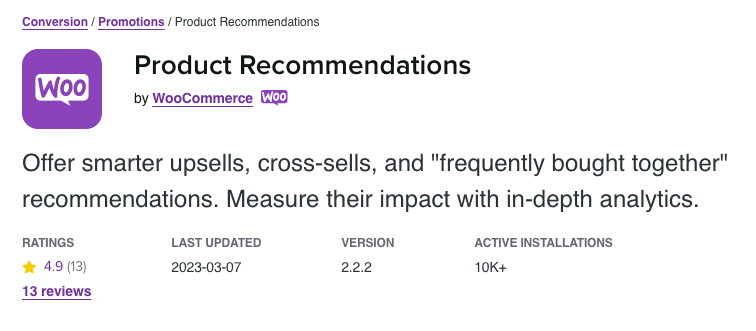
Product Recommendations for WooCommerce delivers enterprise-level features in a simple, user-friendly package. This plugin creates flexible product relationships through an interface that anyone can manage without technical skills.
The recommendation engine analyzes your product catalog and customer data to find genuine connections. It examines attributes, purchase patterns, price relationships, and customer segments beyond basic category matching. This creates suggestions that feel natural and relevant.
The visual builder lets you design recommendation displays without coding. Drag elements into place, adjust colors and spacing, and preview changes instantly. The conditional logic system shows different recommendations based on cart value, customer location, browsing history, or past purchases. High-value customers see premium upsells while first-time visitors get entry-level options.
Performance analytics track conversion rates, revenue from suggestions, and click-through rates by placement. Use this data to refine your strategy continuously. The plugin integrates smoothly with WooCommerce extensions and themes while maintaining fast page loads through built-in optimization.
Top Features:
- Create upsells, cross-sells, related products, and frequently bought together recommendations
- Drag-and-drop builder for designing layouts without coding
- Set rules based on customer type, cart value, and browsing behavior
- Display recommendations on product pages, cart, checkout, and custom locations
- Track conversions, revenue, and ROI with detailed reports
- Filter out unavailable and already-purchased products
- Mobile-responsive layouts with customizable design
2. YourGPT

YourGPT AI Recommendations brings artificial intelligence to WooCommerce product suggestions. This plugin uses machine learning to analyze customer behavior and deliver recommendations that improve over time based on actual shopping patterns and sales data.
The AI engine examines browsing behavior, purchase history, product attributes, and customer segments to identify connections between products. It tracks which recommendations lead to purchases and adjusts its strategy automatically. When customers buy suggested products, those patterns strengthen. When recommendations don’t convert, the system adapts without manual intervention.
The plugin analyzes detailed customer signals including time spent on pages, product views, search queries, and cart activity. This behavioral data helps the AI predict what each customer wants with increasing accuracy. The system identifies patterns that traditional rule-based recommendations miss.
Integration with email marketing platforms extends recommendations beyond your website. Send personalized product suggestions in abandoned cart emails, post-purchase follow-ups, and re-engagement campaigns. The AI tailors each recommendation to the recipient’s browsing and purchase history.
Top Features:
- Machine learning that improves recommendation accuracy automatically over time
- Behavioral analysis of browsing patterns, time on page, and engagement signals
- Predictive analytics to forecast product trends and reorder timing
- Automatic strategy adjustments based on conversion performance
- Email marketing integration for personalized campaigns
- Real-time recommendations that adapt during customer browsing sessions
- Multi-channel support including on-site, email, and SMS recommendations
Enhance Your Customer Interactions with AI
Discover how YourGPT AI chatbot can streamline your customer service
- ✓ Personalized customer interactions
- ✓ 24/7 availability for instant responses
- ✓ Seamless integration with your existing systems
3. Leo Product Recommendations
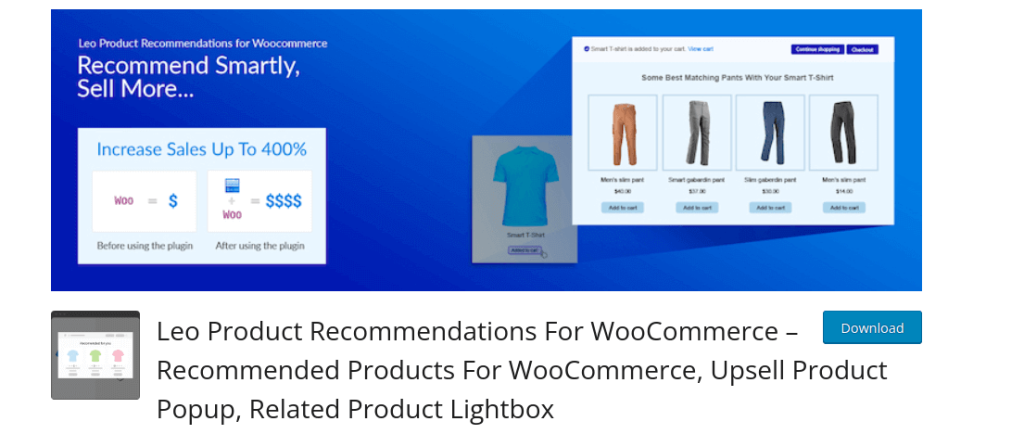
Leo Product Recommendations combines sophisticated automation with simple operation. This plugin delivers professional results without technical complexity, working like a knowledgeable sales associate who guides customers toward products they’ll actually want.
The adaptive recommendation system evolves based on actual sales performance. The engine monitors which recommendations lead to purchases and adjusts automatically. When customers frequently buy product B after viewing product A, that relationship strengthens. When suggested connections rarely convert, the system reduces their importance. This data-driven approach keeps recommendations relevant as your inventory and customer preferences change.
Leo excels at detailed targeting beyond basic segmentation. Create recommendation rules triggered by customer location, device type, time of day, cart total, lifetime spending, browsing duration, and purchase history. This contextual targeting makes recommendations feel personally relevant to each shopper.
Pre-designed templates save significant setup time. Each template suits specific scenarios like product page upsells, cart cross-sells, category suggestions, or homepage highlights. Launch professional-looking recommendations in minutes, then customize designs to match your brand.
Top Features:
- Adaptive system that strengthens high-converting relationships automatically
- Frequently bought together analysis based on actual purchase patterns
- Advanced targeting by location, device, time, cart value, and customer status
- Pre-built templates optimized for different scenarios
- Automatic inventory integration to exclude low-stock items
- Built-in A/B testing to improve recommendation performance
- Analytics showing effectiveness and revenue impact across campaigns
4. Recommendation Engine Pro
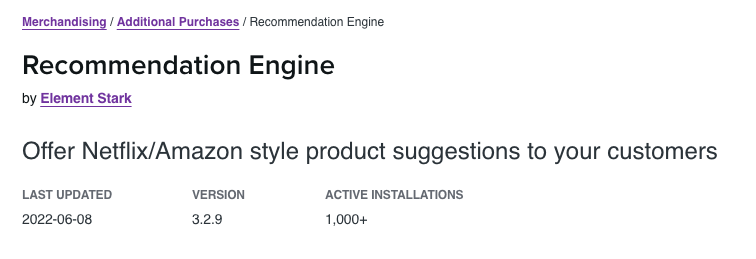
Recommendation Engine Pro delivers enterprise-grade capabilities for serious e-commerce operations. This plugin uses sophisticated statistical models and algorithms typically found in expensive enterprise systems, bringing advanced mathematical approaches to WooCommerce product recommendations.
The foundation uses collaborative filtering technology that analyzes patterns across your entire customer base. The system identifies customers with similar purchase histories and browsing behaviors, then uses these similarities to predict preferences. This crowd-sourced intelligence becomes more powerful as your customer base grows.
The plugin supports multiple recommendation algorithms you can layer and combine. Content-based filtering suggests products similar to items customers viewed. Collaborative filtering identifies cross-customer patterns. Hybrid approaches combine both methods for better accuracy. Advanced users can deploy matrix factorization and deep learning models for maximum prediction quality.
Performance at scale drives the core design. The system handles massive product catalogs and high traffic volumes without slowing page loads through sophisticated caching strategies, background processing, and optimized database queries.
Top Features:
- Collaborative filtering that analyzes patterns across your entire customer base
- Multiple algorithms including content-based, collaborative, hybrid, and deep learning
- Enterprise-scale performance for large catalogs and high traffic volumes
- Advanced customer segmentation based on behavior and purchase history
- Background processing that maintains fast page loads during intensive analysis
- Product affinity matrices showing natural item pairings
- Multi-store management for coordinating strategies across installations
5. Related Products Manager for WooCommerce
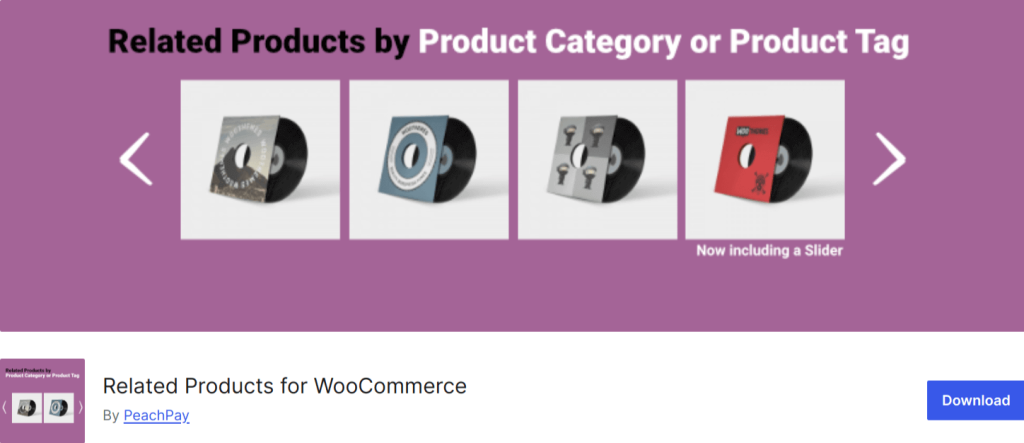
Related Products Manager for WooCommerce transforms WooCommerce’s basic related products feature into a genuine conversion tool. This plugin creates relevant relationships that guide customers toward products they actually want to buy.
The plugin uses multi-factor relationship analysis beyond simple category matching. It evaluates product tags, attributes, custom taxonomies, purchase frequency data, and price relationships. You can adjust how much weight each factor carries to match your catalog structure.
The hybrid approach lets you manually curate related products for important items like bestsellers and seasonal promotions, while the automated system handles the rest of your catalog efficiently. The relationship strength calculator shows numerical scores for each connection, making product relationships transparent.
Smart filtering prevents frustrations by automatically excluding already-purchased products, unavailable items, and incompatible products. These filters maintain a high-quality recommendation experience that builds customer trust.
Top Features:
- Multi-factor analysis using categories, tags, attributes, and purchase patterns
- Hybrid approach combining manual curation with automated recommendations
- Relationship strength scoring for transparent connection tracking
- Smart filtering that excludes purchased, out-of-stock, and incompatible items
- Multiple display formats including grids, carousels, and lists
- Bulk editing to set up related products for multiple items simultaneously
- Mobile-responsive layouts that adapt to all screen sizes
6. Products of the Day Promoter
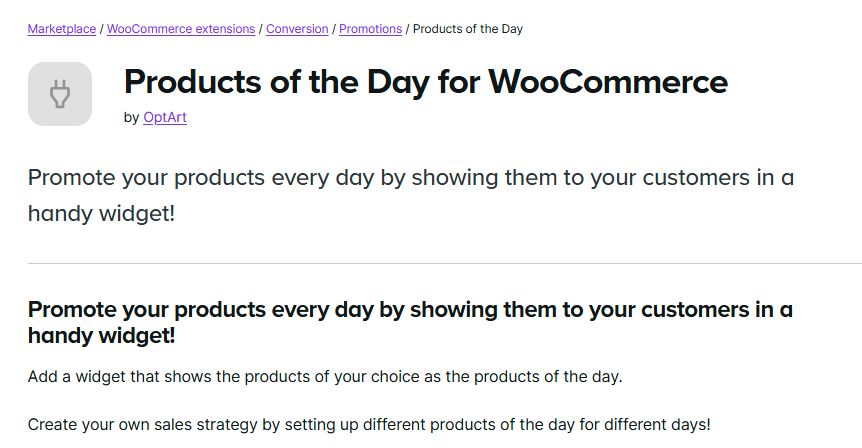
Products of the Day Promoter creates urgency by highlighting featured products through time-limited campaigns. This plugin helps you drive attention to specific items, move seasonal inventory, launch new arrivals, or boost sales during slow periods with compelling featured product showcases.
The plugin leverages scarcity psychology effectively. When customers know an offer is time-limited, they take action faster. Schedule these promotions weeks or months ahead to plan your marketing calendar efficiently.
Countdown timers create genuine urgency that motivates purchase decisions. These visually compelling clocks match your site’s design and appear on product pages, sidebars, the homepage, or custom locations. The visual countdown provides constant reinforcement that encourages immediate action.
Email marketing integration coordinates featured products with automated campaigns. The plugin connects with popular email platforms to notify subscribers about daily deals automatically, driving traffic back to your store from customer inboxes.
Top Features:
- Time-limited featured product promotions with enhanced visibility
- Countdown timers that create urgency and encourage immediate purchases
- Automated scheduling for planning promotions weeks or months ahead
- Product rotation on custom schedules without manual updates
- Email marketing integration for automated campaign coordination
- Performance analytics tracking views, clicks, conversions, and revenue
- Multiple campaign support for different product categories simultaneously
7. Omnisend Marketing Automation
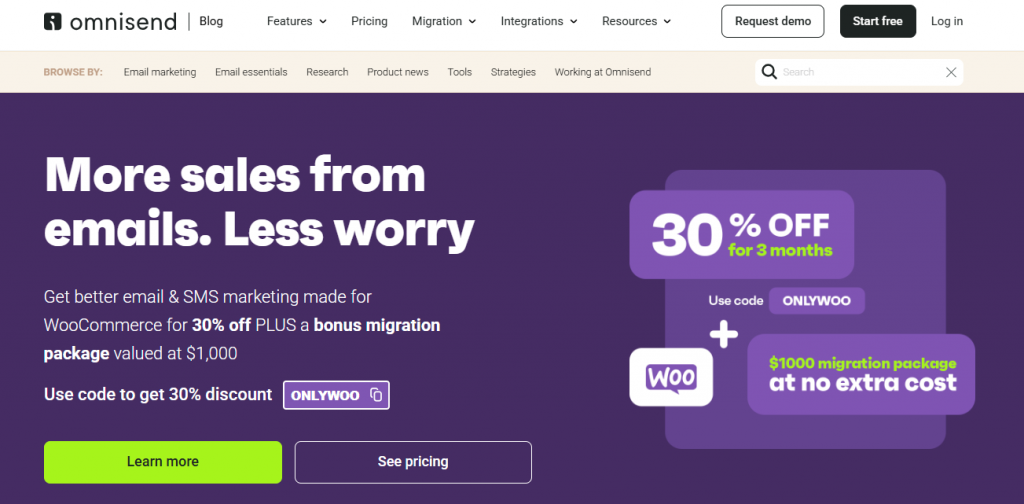
Omnisend Marketing Automation delivers powerful product recommendation capabilities that extend across multiple customer touchpoints. This plugin stands out because it doesn’t limit recommendations to your website. It delivers personalized suggestions through email, SMS, push notifications, and other channels in a coordinated strategy.
The integration with WooCommerce syncs your complete product catalog, customer information, order history, browsing behavior data, and cart abandonment events automatically. This comprehensive data integration generates highly personalized recommendations across all customer interactions based on individual behavior and preferences.
The recommendation engine uses sophisticated algorithms that consider purchase history, browsing behavior, abandoned cart contents, and engagement patterns. The platform identifies when customers will likely reorder consumable products and proactively sends recommendations before they run out, transforming recommendations into a customer retention tool.
Pre-built automation workflows handle common scenarios efficiently. Set up automated series for customers who haven’t purchased in 30 days, post-purchase sequences recommending complementary products, and browse abandonment campaigns. The omnichannel approach coordinates personalized recommendations across email, SMS, and retargeted ads, maintaining consistent messaging across platforms.
Top Features:
- Multi-channel recommendations across email, SMS, push notifications, and on-site displays
- Automatic sync of products, customers, orders, and behavioral data
- Predictive analytics that identify when customers will likely repurchase
- Pre-built automation workflows for cart abandonment, browse abandonment, and post-purchase
- Dynamic product blocks that populate with personalized recommendations automatically
- Detailed customer segmentation based on behavior and purchase history
- Unified analytics tracking recommendation performance across all channels
8. WPC Smart Compare for WooCommerce
WPC Smart Compare for WooCommerce takes a different approach to product recommendations by making comparison shopping easy. This plugin recognizes that many customers want to evaluate multiple options side-by-side before buying, and making comparison simple increases conversions by helping customers feel confident in their choices.
The plugin adds an intuitive compare button to product listings throughout your store. Customers quickly add items to a comparison queue, and the comparison table displays key product details in an easy-to-scan side-by-side format. This functionality works particularly well for stores selling technical products, clothing with multiple variations, or any items where customers benefit from evaluating multiple options.
What transforms this into a recommendation tool is how it strategically guides customers through comparison suggestions. When someone adds a product to compare, the plugin automatically suggests similar or related items they might want to include in their evaluation. This keeps customers engaged with your catalog and often leads them to discover better options they hadn’t initially considered.
The comparison table serves as a retention mechanism. Customers who invest time using your comparison features stay more engaged with your store and are less likely to leave to compare products elsewhere. A floating comparison bar stays visible as customers browse, showing thumbnail images of products they’ve added for comparison and encouraging them to complete their evaluation.
Top Features:
- Side-by-side comparison tables displaying multiple products
- Floating comparison bar that stays visible as customers browse
- Automatic recommendations of similar products when customers add items to compare
- Customizable attribute selection for comparison displays
- Product variation comparison across same or different products
- Mobile-responsive comparison tables
- Social sharing options for product comparisons
9. Product Recommendation Quiz for eCommerce
Product Recommendation Quiz for eCommerce uses interactive quizzes to understand customer preferences and guide them to ideal products. This plugin works particularly well for stores with large or complex catalogs where customers might feel overwhelmed about what to buy.
The quiz-based approach engages customers through questions about their needs, preferences, and requirements instead of passively showing products. This consultative approach mirrors working with a knowledgeable salesperson who asks questions before making suggestions.
The intuitive builder lets you design questions with multiple-choice answers, image-based choices, rating scales, or open-ended fields. Add branching logic so questions adapt based on previous answers, creating personalized quiz flows. Map quizzes to products using tags, categories, attributes, or custom criteria, and weight questions based on importance.
Beautiful results pages showcase recommended products with explanations of why each matches the customer’s needs, helping them feel confident and increasing conversion rates.
Top Features:
- Drag-and-drop quiz builder with multiple question types
- Branching logic that adapts questions based on previous answers
- Product mapping using tags, categories, attributes, or custom criteria
- Customizable results pages with personalized product recommendations
- Customer segmentation into email lists based on quiz results
- Analytics tracking quiz completion rates and conversion performance
- Mobile-responsive design that works on all devices
10. Cart Suggestions by WPRocket
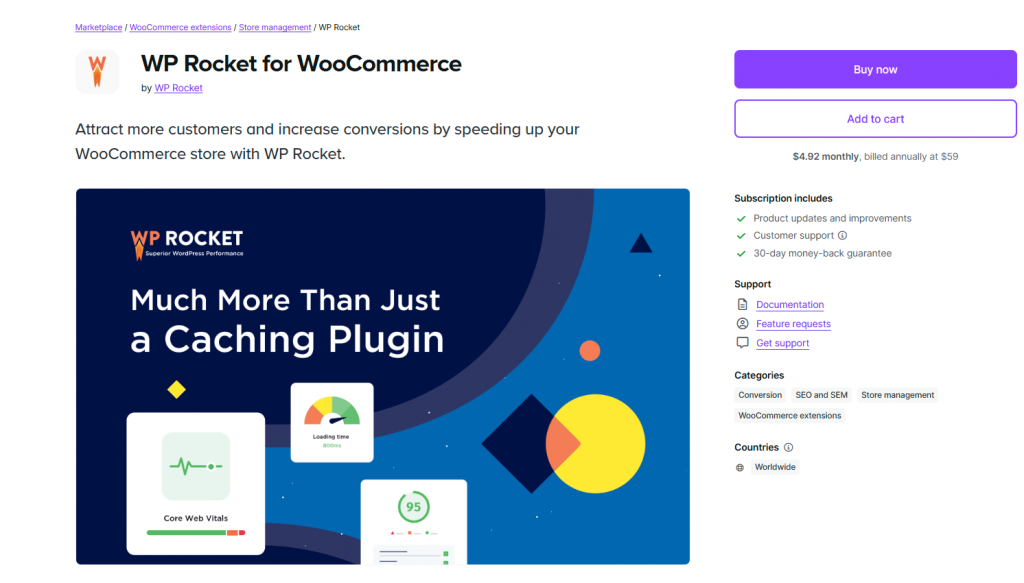
Cart Suggestions by WPRocket focuses specifically on the cart page, one of the most critical conversion points in the customer journey. This plugin recognizes that customers viewing their cart are already in a buying mindset and receptive to additional relevant suggestions that complete their purchase.
The plugin analyzes cart contents in real-time and displays smart product suggestions based on what customers have already added. These suggestions include frequently bought together items, complementary accessories, upgraded versions of cart items, or products that complete a set. The recommendations feel natural because they directly relate to products the customer has already decided to buy.
Cart page recommendations work particularly well because of timing. Customers viewing their cart are actively engaged and close to checking out. Well-chosen suggestions at this moment can significantly increase order value without disrupting the purchase flow.
Smart filtering keeps suggestions relevant by automatically excluding products already in the cart, filtering out incompatible items, respecting inventory levels, and applying custom exclusion rules you define.
Top Features:
- Real-time cart content analysis for relevant recommendations
- Frequently bought together suggestions based on cart contents
- Multiple display options including above cart, below cart, sidebar, and popup
- Smart filtering that excludes cart items and unavailable products
- Performance tracking for conversion rates and revenue impact
- A/B testing for different suggestion placements and strategies
- Mobile-optimized design for seamless cart experience
FAQ
Do product recommendation plugins really increase sales? ▼
Yes. When customers see relevant suggestions, they often add extra items to their cart. Most WooCommerce stores report a 10 to 20 percent increase in average order value after adding product recommendations.
Will these plugins slow down my WooCommerce store? ▼
Good plugins will not. Many include caching, optimized queries, and lightweight scripts. Always choose a plugin known for performance, especially if you have a large catalog.
How do I know which recommendations are working? ▼
Use the analytics dashboard included in most plugins. You’ll see clicks, conversions, revenue generated, and performance by placement. This makes it easy to double down on what works.
Do I need coding skills to set up product recommendations? ▼
No. Most plugins use drag and drop builders or simple settings. You can customize layouts, rules, and designs without writing code.
Can recommendations appear in multiple places on my store? ▼
Yes. The best plugins allow product suggestions on product pages, cart pages, checkout, sidebars, popups, and even emails, wherever they make the most impact.
What type of recommendations convert best? ▼
It depends on your store, but upsells on product pages and cross sells in the cart usually deliver the highest conversions. AI powered behavioral recommendations perform best for large or complex catalogs.
Is AI better than rule based recommendations? ▼
AI is more accurate over time because it learns from customer behavior and adjusts automatically. Rule based recommendations work well for smaller stores or simple catalogs.
Can these plugins help reduce cart abandonment? ▼
Yes. Cart page suggestions often remind customers of items they need or encourage completing sets, resulting in fewer abandoned carts.
Do recommendation plugins work with all WooCommerce themes? ▼
Most high quality plugins work with standard WooCommerce themes. If you use a custom or page builder theme, choose a plugin that offers shortcodes or blocks for maximum compatibility.
Which plugin is best if I have a large product catalog? ▼
AI powered options such as YourGPT AI Recommendations or Recommendation Engine Pro are ideal. They analyze large datasets and generate accurate suggestions without manual setup.
Conclusion
A good product recommendation plugin makes shopping personal and increases sales. You do not need more visitors. Each plugin tackles a different problem.
Some plugins suggest products for you and save time. Others learn from shoppers and get smarter every day. Some help people compare items or recover lost sales with messages. Some move seasonal stock quickly. Quiz plugins guide shoppers who want help picking from many options. Cart plugins suggest add-ons before checkout.
Choose what fits your store best. Big stores do well with smart plugins. Stores with many carts left behind should use tools that send emails and show suggestions in the cart.
Begin simple. Try one plugin, and watch which products are clicked. Most stores get 15-20% more sales in one month.
These plugins are worth the investment. Even small improvements raise your revenue. Customers find what they want. You earn more from the visitors you already get.
Smarter Product Recommendations for Your Store
Use AI-driven recommendations powered by YourGPT to help shoppers find the right products, boost order value, and create a smoother buying experience across your store.
Free for 7 days · No credit card needed
Leave a Reply