TL;DR
The top help desk software picks for 2026 focus on automation, AI support, and centralized communication to improve customer service efficiency. YourGPT AI stands out with its unified inbox, self-service automation, and no-code AI agent builder. Zendesk Suite continues to be a strong choice for large support teams, while Freshdesk offers a balanced solution for small and mid-sized businesses. HubSpot Service Hub fits well for teams that want customer support tightly connected with CRM and sales workflows.
Help desk software has become a central part of how businesses deliver customer support. In 2026, modern platforms go beyond ticket handling to support self service, automation, and consistent experiences across email, chat, and messaging channels.
This shift is reflected in market growth. The global help desk software market is projected to reach $21.8 billion by 2027, growing at 14.2% annually. Organizations are investing in tools that help teams manage conversations efficiently while giving customers faster access to reliable answers.
Selecting the right help desk software can improve response quality, reduce manual effort, and bring structure to support operations. With many platforms offering similar capabilities, the difference often comes down to usability, scalability, and how well the software fits real support workflows.
This blog reviews the 12 best help desk software solutions for 2026, with practical evaluations, transparent pricing insights, and a clear comparison framework to help you choose the platform that fits your support needs.
What is Help Desk Software?

Help desk software is a centralized platform used to manage and resolve customer or internal support requests across channels such as email, live chat, web forms, and messaging apps. It brings conversations, requests, and customer context into one system so support teams can respond in a consistent and organized way.
Beyond handling tickets, modern help desk software structures support workflows. It assigns ownership, tracks request status, maintains conversation history, and ensures accountability across teams. This organization helps support agents work more efficiently and reduces delays caused by missing context or duplicated effort.
Help desk platforms also support self service by providing tools such as knowledge bases, FAQs, and automated responses. These resources allow users to find answers on their own, which reduces incoming requests while still improving the overall support experience.
In 2026, many help desk systems include automation and AI driven features that assist with request categorization, reply suggestions, and knowledge article recommendations. These capabilities help teams manage higher volumes of requests without increasing manual workload.
Overall, help desk software provides a structured foundation for scalable customer support, allowing businesses to maintain service quality, improve efficiency, and adapt as support needs grow.
Benefits Having the Right HelpDesk Tool

The right help desk software plays a direct role in how efficiently support teams operate and how customers experience service. In 2026, it is less about handling tickets and more about enabling faster resolution at scale.
1. Enables Effective Customer Self Service
A modern help desk makes it easy to publish and maintain FAQs, guides, and knowledge base content. When customers can find accurate answers quickly, fewer requests reach the support queue and resolution happens without delays.
2. Improves Cost Efficiency
Automation and self service reduce reliance on manual handling for routine requests. This allows teams to manage growing support volumes without increasing headcount, leading to better use of time and resources.
3. Helps Support Teams Focus on High-Value Work
By removing repetitive questions from the queue, support agents can focus on complex or time sensitive issues. This improves response quality and helps teams work more effectively without unnecessary overload.
4. Creates Faster and More Structured Support Workflows
Well designed help desk tools organize requests through routing, prioritization, and tracking. This structure reduces missed conversations, shortens resolution times, and keeps support operations consistent as teams scale.
5. Strengthens Customer Communication
Centralized conversations give agents full context when responding. This results in clearer replies, fewer follow ups, and a more reliable support experience that builds customer trust.
Choosing the right help desk tool helps businesses deliver consistent support, operate efficiently, and stay prepared for evolving customer expectations in 2026.
Top 3 Help Desk Software Picks: Quick Decision Guide
If you’re short on time, here are my top 3 recommendations based on specific use cases:
🥇 Option A: YourGPT AI – Best for AI-First Automation & Unified Support
Perfect for:
Growing businesses (10–200 employees) aiming to automate 60–80% of repetitive support queries while maintaining consistent, human-quality responses.
Why it stands out:
YourGPT’s AI first platform that autonomously solve 80% of the users queries. Unlike traditional help desks that focus on organizing tickets, YourGPT provides the AI self service that resolves them through intelligent automation trained on a company’s knowledge base.
Key strengths:
- AI chatbot that learns and improves with every interaction
- Unified inbox for chat, email, voice, and social media
- Built-in knowledge base that powers automated replies
- Smooth agent handoff for complex queries
- Scalable pricing without per-agent limits
Best for teams who:
Prefer automation over manual processes, want to do more with smaller teams, and value a clean, modern agent interface.
Starting at:
Professional plans begin at USD 79 per month (billed annually).
🥈 Option B: Zendesk – Best for Large Enterprises with Complex Workflows
Perfect for:
Established enterprises (500+ employees) with multiple departments, advanced routing requirements, and dedicated IT teams for customization.
Why it stands out:
Zendesk remains a long-standing industry standard known for its robust automation, integration options, and enterprise reliability. It is well-suited for organizations managing large-scale ticket volumes with strict compliance and reporting needs.
Key strengths:
- Proven reliability at enterprise scale
- Over 1,000 third-party integrations
- Advanced analytics and reporting
- Multi-brand and multi-department support
- Developer-friendly API for custom workflows
Best for teams who:
Require advanced security, customization flexibility, and enterprise-grade infrastructure supported by internal IT resources.
Starting at:
Plans start from USD 55 per agent per month. Costs may increase with scale.
🥉 Option C: Freshdesk – Best Value for Small-to-Medium Businesses
Perfect for:
Small businesses (5–50 employees) that need a professional help desk solution without the high cost or complexity of enterprise software.
Why it stands out:
Freshdesk provides excellent value with an intuitive interface and quick setup process. It offers nearly 80% of enterprise-level features at a fraction of the cost, making it ideal for teams that want immediate usability without IT involvement.
Key strengths:
- Simple, user-friendly interface
- Omnichannel support via chat, email, phone, and social media
- Gamification tools to improve team performance
- Generous free plan for small teams
- Transparent pricing structure that scales predictably
Best for teams who:
Need quick setup, straightforward functionality, and dependable support features at an affordable price point.
Starting at:
Free for up to 10 agents, with paid plans beginning at USD 15 per agent per month.
| Software | Best For | Free Trial | AI Features | Omnichannel | Knowledge Base | Mobile App | Rating |
|---|---|---|---|---|---|---|---|
| YourGPT AI | Support Sales automation | ✅ Yes 7 days | ⭐⭐⭐⭐⭐ Advanced AI Suite | ✅ Yes | ✅ Built in | ✅ iOS Android | ⭐⭐⭐⭐⭐ |
| Zendesk Suite | Enterprise scale | ✅ Yes 14 days | ⭐⭐⭐⭐ Good AI add on $50 | ✅ Yes | ✅ Advanced | ✅ iOS Android | ⭐⭐⭐⭐ |
| Freshdesk | SMB value | ✅ Yes 14 to 21 days | ⭐⭐⭐ Basic AI add on $29 | ✅ Yes | ✅ Yes | ✅ iOS Android | ⭐⭐⭐⭐ |
| HubSpot Service Hub | CRM integration | ✅ Yes 14 days | ⭐⭐⭐ Basic AI included | ✅ Yes | ✅ Yes | ✅ iOS Android | ⭐⭐⭐⭐ |
| Zoho Desk | Zoho ecosystem | ✅ Yes 15 days | ⭐⭐⭐ Basic AI | ✅ Yes | ✅ Yes | ✅ iOS Android | ⭐⭐⭐⭐ |
| Help Scout | Email teams | ✅ Yes 15 days | ⭐⭐ Limited AI | ✅ Yes | ✅ Docs | ✅ iOS Android | ⭐⭐⭐⭐ |
| Intercom | Sales and Support | ✅ Yes 14 days | ⭐⭐⭐⭐ Good $0.99 per resolution | ✅ Yes | ✅ Articles | ✅ iOS Android | ⭐⭐⭐⭐ |
| LiveAgent | Multi channel volume | ✅ Yes 30 days | ⭐⭐ Limited AI | ✅ Excellent | ✅ Yes | ✅ iOS Android | ⭐⭐⭐⭐ |
| Tidio | Chat first support | ✅ Yes 7 days | ⭐⭐⭐ Good AI chatbot | ✅ Yes | ⭐ Limited | ✅ iOS Android | ⭐⭐⭐⭐ |
| Jira Service Mgmt | IT DevOps teams | ✅ Yes 7 days | ⭐⭐ Limited AI | ⭐ Limited | ✅ Confluence | ✅ iOS Android | ⭐⭐⭐⭐ |
| SolarWinds Service Desk | IT asset mgmt | ✅ Yes 30 days | ⭐ Minimal AI | ⭐ Limited | ✅ Yes | ⭐ Limited mobile | ⭐⭐⭐⭐ |
| Kayako | Personal support | ✅ Yes 14 days | ⭐ Minimal AI | ✅ Yes | ✅ Yes | ✅ iOS Android | ⭐⭐⭐ |
Help Desk Software Picks That Work Well in 2026
The tools below are selected based on how teams actually use help desk software today. These picks focus on reliability, efficient workflows, and features that support growing support demands in 2026.
A complete AI customer support suite designed to automate support, sales, operations, and enhance customer engagement across channels.
A centralized support system that streamlines communication across platforms, ensuring faster and more efficient customer assistance.
A unified chat and automation platform that connects sales and support while enabling real-time engagement with customers.
A comprehensive ticketing and support system that integrates customer service with CRM, analytics, and automation tools.
An IT service management tool built for asset tracking, workflow automation, and efficient internal support operations.
A robust platform for IT and DevOps teams, enabling incident tracking, service requests, and agile collaboration.
An enterprise-grade help desk platform offering omnichannel support, automation, and analytics for large-scale operations.
A customer service platform integrated with HubSpot CRM, built to align support, sales, and marketing through a unified interface.
A modern customer communication platform combining live chat, automation, and proactive messaging for sales and support.
A multi-channel help desk solution that unifies email, live chat, and social media conversations under one dashboard.
A collaborative email and chat platform focused on simplicity and shared inboxes for small and mid-sized teams.
A customer service platform built for personalized support and live chat, ideal for small teams seeking direct engagement tools.
A Closer Look at the Top Help Desk Software Platforms
We researched and analyzed a wide range of help desk platforms to identify options that perform well in real support environments. Each tool was evaluated based on usability, scalability, and relevance to modern customer support needs.
1. YourGPT

YourGPT is an AI-first platform that helps businesses build and run AI agents for customer support, sales, and operations from a single system. It is designed to handle real customer conversations, automate workflows, and support internal processes across websites, apps, and messaging channels.
Unlike basic chatbots, YourGPT can execute multi-step actions in real time, integrate with external systems, and support both simple use cases and advanced operational workflows without requiring technical effort from teams.
Features:
- AI Search and Knowledge Access : YourGPT allows customers and agents to instantly find accurate answers from your documentation, FAQs, help articles, and knowledge base. Content stays synced with your agents, enabling faster resolution without manual searching or repeated questions.
- No-Code Agent Builder : Teams can create support, sales, or lead capture agents using a visual, point-and-click interface. Agents can handle guided responses, collect information, route conversations, and manage repetitive queries without writing code.
- AI Studio for Advanced Workflows : For more complex needs, YourGPT includes an AI Studio built for operational workflows. It supports multi-step logic, API calls, validations, data collection, and task automation across internal systems. This allows teams to automate real business processes, not just conversations.
- Human-in-the-Loop Support : AI agents manage first-line interactions and can hand off conversations to human team members when needed. Handoffs include full context and are supported through internal dashboards, Slack, or email, keeping collaboration organized.
- Omnichannel and Voice Support : YourGPT runs the same agent across web, mobile apps, WhatsApp, Instagram, Messenger, Telegram, Slack, email, and voice. Updates made once are reflected instantly across all channels, with full conversation history preserved.
Why Teams Choose YourGPT
Teams value YourGPT for its unified platform approach. It combines AI agents, helpdesk capabilities, workflow automation, human handoff, and multi-channel support in one system. This removes the need to manage multiple tools, integrations, or disconnected workflows as support and operational needs grow.
Free trial: ✅
User Review: 4.7 🌟

Enhance Your Customer Interactions with AI
Discover how YourGPT AI chatbot can streamline your customer service
- ✓ Personalized customer interactions
- ✓ 24/7 availability for instant responses
- ✓ Seamless integration with your existing systems
2. Freshdesk

Freshdesk is a customer support platform designed to help businesses manage customer queries, tickets, and service requests from a centralized system. It supports teams in handling customer service across email, chat, phone, social media, and web-based support channels.
The platform focuses on ticket management, collaboration, and service efficiency. Freshdesk is built to help support teams organize requests, track issue resolution, and maintain consistent communication with customers as support volume grows.
Features:
- AI Assistance and Knowledge Access: Freshdesk includes AI-powered tools that help agents find relevant answers from knowledge base articles, FAQs, and past tickets. These features assist teams in responding faster while maintaining consistency in support replies.
- Ticketing and Workflow Management : Freshdesk provides structured ticket creation, assignment, prioritization, and status tracking. Automation rules help route tickets to the right agents, apply SLAs, and manage repetitive support tasks more efficiently.
- Self-Service Portal and Knowledge Base : Businesses can create branded self-service portals with help articles and FAQs. This allows customers to find answers independently while reducing incoming ticket volume for common questions.
- Agent Collaboration Tools : Freshdesk supports internal notes, ticket sharing, and team collaboration features. These tools help agents work together on complex issues while keeping customer-facing communication clear and organized.
- Omnichannel Support : Freshdesk enables support teams to manage customer conversations across email, live chat, phone, and social channels from a single interface. Conversation history is maintained so agents have full context when responding.
Why Teams Choose Freshdesk
Teams choose Freshdesk for its structured approach to customer support management. It combines ticketing, automation, self-service, and agent collaboration in one platform, helping businesses maintain organized support operations as they scale.
Users’ less favoured aspects:
- Limited flexibility in customising workflows to fit unique business processes.
- Some users report performance issues during peak usage times.
- Reporting tools may lack advanced options for in-depth analytics.
Free trial: ✅
User Review: 4.4 🌟

3. Tidio

Tidio is a customer communication platform focused on live chat, chatbots, and automated messaging for customer support and sales. It helps businesses engage website visitors in real time and manage customer conversations from a single interface.
Tidio combines live chat with rule-based automation to handle common questions, capture leads, and route conversations to human agents when needed. It is commonly used by small and mid-sized teams looking to improve response times without complex setup.
Features:
- Live Chat and Chatbots: Tidio offers real-time live chat alongside chatbot automation. Chatbots can handle basic questions, greet visitors, and guide users through predefined flows, while agents step in when manual assistance is required.
- Automation and Triggers : Teams can set up automated messages based on visitor behavior such as page visits, time spent on site, or actions taken. These triggers help initiate conversations, qualify leads, and respond to common queries automatically.
- Knowledge-Based Responses : Tidio chatbots can be connected to predefined responses and help content to answer frequently asked questions. This helps reduce repetitive conversations and supports quicker resolutions for simple issues.
- Agent Inbox and Collaboration : All conversations are managed from a shared inbox where agents can reply, assign chats, and track conversation history. This keeps customer communication organized as volume increases.
- Multi-Channel Messagingm : Tidio supports communication across website chat, email, and social messaging channels such as Facebook Messenger and Instagram. Conversations from different channels are unified into one view for easier management.
Why Teams Choose Tidio
Teams choose Tidio for its ease of use and quick setup. It combines live chat and basic automation in a single platform, making it suitable for businesses that want to improve customer response times and engagement without managing complex support systems.
Users’ less favoured aspects:
- Some users wish for more advanced reporting features.
- Larger businesses may find customisation options limited at higher volumes.
- Certain integrations may require additional setup steps.
Free trial: ✅
User Review: 4.7 🌟

4. Zoho Desk

Zoho Desk is a help desk software designed to help businesses manage customer support requests across multiple channels from a centralized system. It focuses on structured ticket management, agent productivity, and visibility into support operations.
Zoho Desk is built to support growing support teams that need clear workflows, SLA management, and integration with other business systems. It fits well for organizations already using the Zoho ecosystem or those looking for a customizable help desk platform.
Features:
- Ticket Management and Automation : Zoho Desk provides structured ticket creation, assignment, prioritization, and tracking. Automation rules help route tickets, apply SLAs, send notifications, and manage repetitive support tasks efficiently
- Knowledge Base and Self-Service : Teams can create public and private knowledge base articles, FAQs, and help centers. This allows customers to find answers independently while reducing incoming ticket volume for common issues.
- Context-Aware Support : Zoho Desk provides agents with customer context such as interaction history, account details, and related tickets. This helps agents respond more accurately and reduces back-and-forth communication.
- Multi-Channel Support : The platform supports customer conversations across email, web forms, live chat, phone, and social channels. All interactions are managed in one interface with full conversation history.
- Team Collaboration and Productivity Tools : Zoho Desk includes internal comments, ticket sharing, task assignments, and performance tracking. These tools help teams collaborate effectively and maintain consistent service quality.
Why Teams Choose Zoho Desk
Teams choose Zoho Desk for its structured support workflows and flexibility. It combines ticketing, automation, self-service, and reporting in one platform, making it suitable for businesses that want control and visibility over their customer support operations.
Users’ less favoured aspects:
- Initial setup can be time-consuming and may require technical expertise.
- Some users find the interface overwhelming due to the extensive feature set.
Free trial: ✅
User Review: 4.3 🌟

5. SolarWinds Service Desk

SolarWinds Service Desk is a cloud-based IT service management platform designed to help organizations manage internal support requests, incidents, and service operations from a centralized system. It is commonly used for IT help desk and enterprise service management rather than customer-facing support.
The platform focuses on structured workflows, asset visibility, and service governance. It helps IT teams standardize request handling, improve response times, and maintain control over internal support processes as organizations scale.
Features:
- Incident and Request Management : SolarWinds Service Desk provides tools to log, categorize, prioritize, and resolve incidents and service requests. Automated routing and escalation rules help ensure requests are handled by the right teams within defined service levels.
- Asset and Configuration Management : The platform includes built-in asset management that tracks hardware, software, and configuration items. This gives IT teams better visibility into their environment and helps link incidents to underlying assets.
- Knowledge Base and Self-Service Portal : Teams can create a self-service portal with knowledge articles and request forms. This allows employees to resolve common issues independently and submit structured requests when assistance is needed.
- Workflow Automation : SolarWinds Service Desk supports workflow automation for approvals, notifications, and routine IT processes. These workflows help reduce manual effort and keep service operations consistent.
- Reporting and Service Insights : The platform offers reporting and analytics to track ticket volumes, resolution times, SLA performance, and workload distribution. These insights help teams identify trends and improve service delivery.
Why Teams Choose SolarWinds Service Desk
Teams choose SolarWinds Service Desk for its strong focus on internal IT service management. It combines incident tracking, asset management, automation, and reporting in one platform, making it well suited for organizations that need structured and compliant IT support operations.
Users’ less favoured aspects:
- Limited integration options with third-party applications can be a drawback for some businesses.
- The service catalogue can be difficult to navigate for new users, leading to confusion.
- Some advanced features may not be easily accessible, requiring additional training.
- Other tools, such as Workwize, focus specifically on streamlining asset lifecycle management, especially for modern IT teams managing remote infrastructure.
Free trial: ✅
User Review: 4.3 🌟

6. Jira Service Management (by Atlassian)

Jira Service Management is an IT service management platform built for teams that manage technical support, internal service requests, and incident response. It is designed to align IT support workflows closely with development and engineering teams.
The platform is commonly used by organizations that rely on Jira Software and other Atlassian tools. It helps teams manage incidents, changes, and service requests while maintaining visibility across engineering and operations.
Features:
- Incident, Request, and Change Management : Jira Service Management supports structured handling of incidents, service requests, problems, and changes. Requests can be categorized, prioritized, and routed automatically to the appropriate teams based on predefined rules.
- Native Integration with Jira Software : The platform connects support requests directly with development work in Jira Software. This allows engineering teams to track bugs, incidents, and fixes without duplicating information or switching tools.
- Self-Service Portal and Knowledge Base : Teams can create a branded self-service portal where users submit requests and access help articles. Knowledge base content is typically powered by Confluence, keeping documentation closely linked to support workflows.
- Automation and SLA Tracking : Jira Service Management includes automation for ticket routing, approvals, and escalations. SLA tracking helps teams monitor response and resolution times against service commitments.
- Incident Response and On-Call Support : The platform supports incident escalation, alerts, and coordination for high-impact issues. This is especially useful for teams managing uptime, infrastructure, or production systems.
Why Teams Choose Jira Service Management
Teams choose Jira Service Management for its strong alignment between IT support and engineering workflows. It combines service management, automation, and development integration in one system, making it a practical choice for organizations with technical support requirements.
Users’ less favoured aspects:
- The complexity of features may overwhelm users who are not from a technical background.
- Some integrations may require additional configuration, leading to implementation delays.
- Limited support resources for troubleshooting issues can result in extended resolution times.
Free trial: ✅
User Review: 4.2 🌟

7. Zendesk Suite
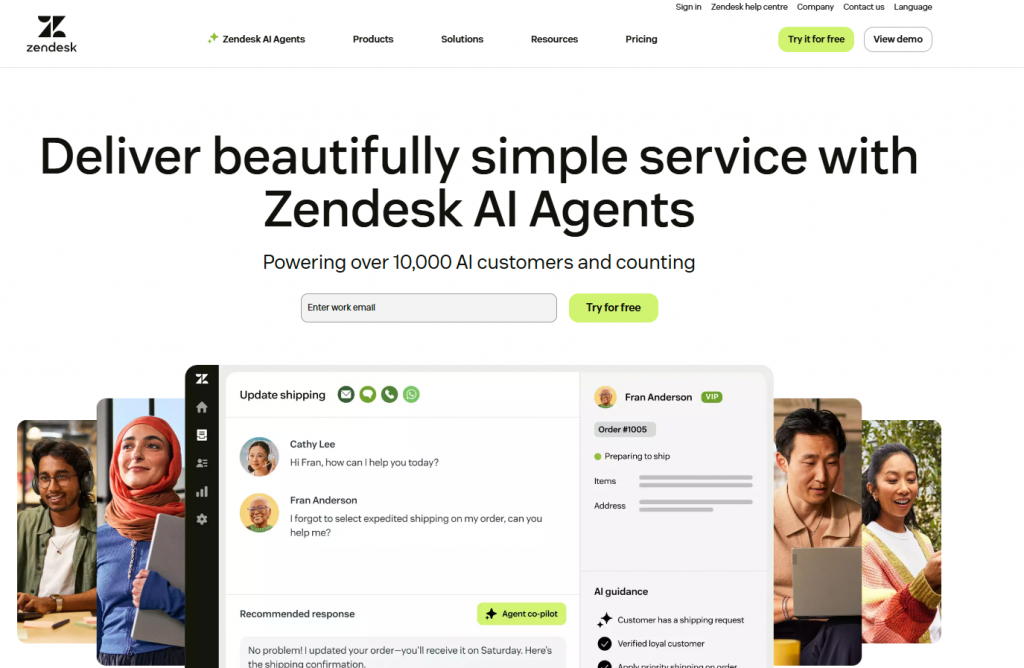
Zendesk Suite is a customer service platform designed to help businesses manage customer support across multiple channels from a single system. It combines ticketing, messaging, self-service, and analytics to support consistent customer interactions at scale.
The platform is widely used by support teams that handle high volumes of customer conversations and need structured workflows, visibility into performance, and reliable omnichannel support.
Features:
- Unified Ticketing and Messaging : Zendesk Suite centralizes customer conversations from email, chat, phone, and social channels into a single workspace. Agents can manage tickets, replies, and conversation history without switching tools.
- Help Center and Self-Service : Teams can build and maintain a help center with knowledge base articles, FAQs, and guides. This allows customers to find answers independently while reducing repetitive support requests.
- Automation and Workflow Rules : Zendesk includes automation for ticket routing, prioritization, notifications, and SLA management. These workflows help teams respond faster and maintain consistent service standards.
- Agent Workspace and Collaboration : The agent workspace provides full customer context, internal notes, and collaboration tools. This helps agents resolve issues more efficiently and work together on complex cases.
- Reporting and Analytics : Zendesk Suite offers reporting dashboards to track ticket volume, resolution time, customer satisfaction, and agent performance. These insights help teams monitor support quality and identify areas for improvement.
Why Teams Choose Zendesk Suite
Teams choose Zendesk Suite for its mature and reliable approach to customer support management. It combines omnichannel ticketing, self-service, automation, and analytics in one platform, making it suitable for businesses that need scalable and structured customer service operations.
Users’ less favoured aspects:
- High pricing for advanced AI and automation features.
- Complex setup process for smaller teams.
Free trial: ✅
User Review: 4.3 🌟
8. HubSpot Service Hub

HubSpot Service Hub is a customer service platform designed to help businesses manage support interactions while keeping customer data connected across sales, marketing, and service teams. It focuses on visibility, consistency, and relationship-driven support rather than standalone ticket handling.
The platform is commonly used by teams that already rely on HubSpot’s CRM and want customer support to stay closely aligned with sales and customer success activities.
Features:
- Ticketing and Case Management : HubSpot Service Hub provides tools to create, assign, prioritize, and track support tickets. Tickets are linked directly to customer records, giving agents full visibility into past interactions and account details.
- Shared Inbox and Team Collaboration : Customer conversations from email, chat, and forms are managed in a shared inbox. Internal notes, ticket ownership, and collaboration features help teams work together while keeping communication organized.
- Knowledge Base and Self-Service : Teams can build a searchable knowledge base with help articles and FAQs. This allows customers to resolve common questions independently while reducing repetitive support requests.
- Automation and Routing : HubSpot includes workflow automation for ticket routing, status updates, follow-ups, and SLA tracking. These automations help teams maintain consistent support processes as volume grows.
- Customer Feedback and Reporting : The platform supports customer satisfaction surveys and reporting on response times, ticket trends, and service performance. These insights help teams understand support quality and identify improvement areas.
Why Teams Choose HubSpot Service Hub
Teams choose HubSpot Service Hub for its tight integration with the HubSpot CRM. It allows customer support to operate with full customer context, making it well suited for businesses that want support, sales, and customer success aligned within a single system.
Users’ less favoured aspects:
- Pricing can rise quickly with add-ons.
- Some users report limited customization in ticket workflows.
Free trial: ✅
User Review: 4.4 🌟
9. Intercom
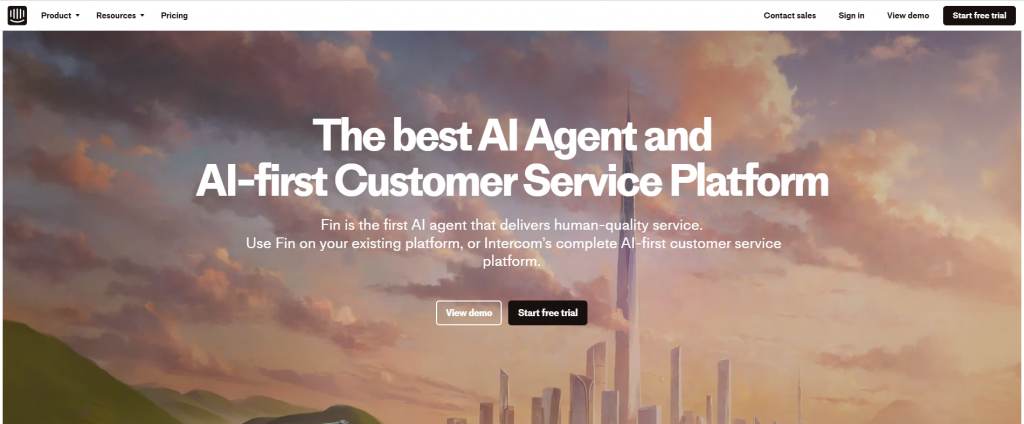
Intercom is a customer communication platform designed around conversational support and in-app messaging. It helps businesses engage customers through real-time chat, automated messages, and support workflows across websites and applications.
The platform is commonly used by product-led and SaaS teams that want support, onboarding, and customer engagement to happen directly inside the product experience rather than through traditional ticket-based systems.
Features:
- Conversational Messaging and Inbox: Intercom centralizes customer conversations from live chat, in-app messaging, email, and social channels into a shared inbox. Agents can manage conversations with full user context, including activity history and past interactions.
- Automation and Bots : Intercom includes automation tools and bots to handle common questions, route conversations, qualify leads, and collect information before handing off to a human agent. This helps teams respond faster while reducing manual effort.
- Help Center and Self-Service : Teams can create a help center with articles and FAQs that surface inside the chat experience. Customers can find answers without leaving the conversation, improving resolution speed and reducing repetitive questions.
- In-App and Proactive Messaging : Intercom allows teams to send targeted messages based on user behavior, location, or lifecycle stage. This supports onboarding, feature education, and proactive support inside the product.
- Team Collaboration and Reporting : Internal notes, conversation assignments, and performance reports help teams collaborate and track response times, workload, and customer engagement metrics.
Why Teams Choose Intercom
Teams choose Intercom for its conversational approach to customer support. It combines messaging, automation, self-service, and proactive engagement in one platform, making it a strong choice for businesses that prioritize real-time communication and in-app support experiences.
Users’ less favoured aspects:
- Additional charges for AI resolutions can add up.
- The analytics dashboard lacks advanced filtering options.
Free trial: ✅
User Review: 4.5 🌟
10. LiveAgent

LiveAgent is a customer support platform designed to help businesses manage tickets, live chat, and customer communication across multiple channels from a single system. It focuses on combining real-time chat with traditional help desk functionality.
The platform is commonly used by support teams that want a balance between live chat responsiveness and structured ticket management without relying on multiple separate tools.
Features:
- Ticketing System and Unified Inbox : LiveAgent converts customer messages from email, chat, web forms, and social channels into tickets. All conversations are managed from a single inbox, giving agents full visibility into customer history and issue status.
- Live Chat and Real-Time Support : LiveAgent includes built-in live chat for instant customer communication. Agents can respond in real time, view visitor activity, and engage customers while they are browsing the website.
- Automation and Rules : The platform supports automation rules for ticket assignment, tagging, prioritization, and notifications. These rules help teams handle repetitive tasks efficiently and maintain consistent workflows.
- Knowledge Base and Self-Service : Teams can create help articles, FAQs, and guides that customers can access independently. The knowledge base reduces incoming ticket volume by addressing common questions upfront.
- Agent Collaboration and Performance Tracking : LiveAgent provides internal notes, ticket ownership, and performance metrics. These tools help teams collaborate on issues and monitor response times and agent productivity.
Why Teams Choose LiveAgent
Teams choose LiveAgent for its combination of live chat and traditional help desk capabilities. It provides a straightforward way to manage real-time conversations and structured support workflows within one platform.
Users’ less favoured aspects:
- Interface feels dated compared to newer competitors.
- Limited AI features for automation.
Free trial: ✅
User Review: 4.5 🌟
11. Help Scout
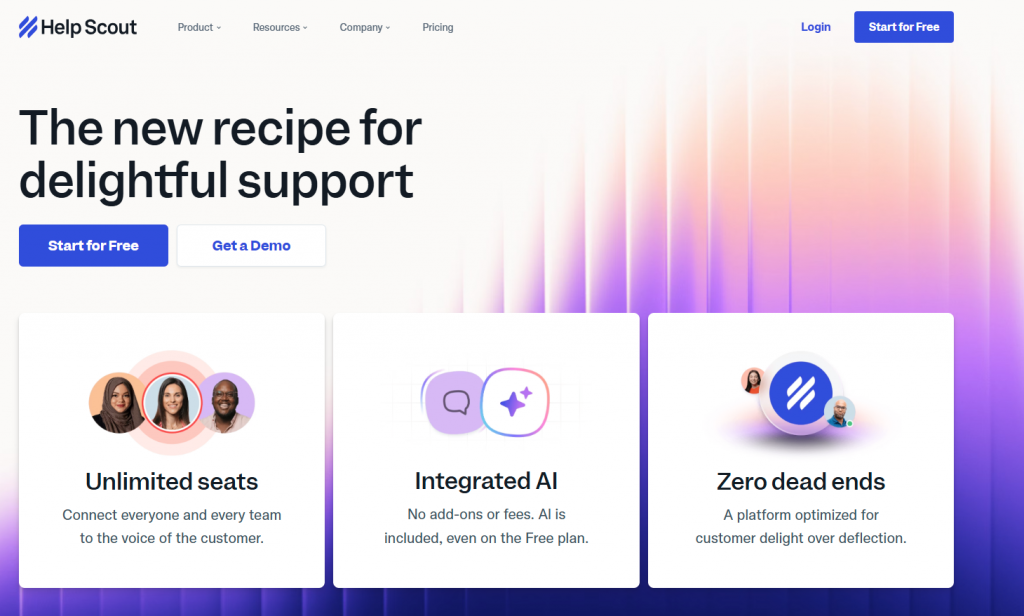
Help Scout is a customer support platform designed to help teams manage customer conversations in a simple, email-like interface. It focuses on personal, human support experiences rather than complex ticketing workflows.
The platform is commonly used by small to mid-sized teams that prioritize clarity, shared inbox collaboration, and consistent customer communication without heavy configuration.
Features:
- Shared Inbox and Conversation Management : Help Scout centralizes customer messages from email, live chat, and contact forms into a shared inbox. Conversations are organized by customer rather than tickets, helping agents maintain context across interactions.
- Knowledge Base and Self-Service : Teams can create a searchable knowledge base with help articles and FAQs. Content can be embedded into chat and support workflows, allowing customers to find answers without contacting support.
- Live Chat and In-App Messaging : Help Scout includes live chat and in-app messaging to support real-time conversations. Agents can respond quickly while viewing full customer history and previous interactions.
- Automation and Workflows : The platform supports basic automation for conversation assignment, tagging, and follow-ups. These workflows help teams stay organized without adding unnecessary complexity.
- Team Collaboration and Reporting : Help Scout offers internal notes, collision detection, and reporting tools to track response times, conversation volume, and customer satisfaction.
Why Teams Choose Help Scout
Teams choose Help Scout for its focus on simplicity and human support. It provides essential help desk features in a clean interface, making it well suited for teams that want effective customer service without managing complex systems.
Users’ less favoured aspects:
- Limited AI and automation features.
- Basic reporting capabilities.
Free trial: ✅
User Review: 4.4 🌟
12. Kayako

Kayako is a customer support platform designed to help teams manage customer conversations across multiple channels from a single system. It focuses on providing continuous conversation history so support agents can see the full context of customer interactions.
The platform is commonly used by teams that want a straightforward help desk with an emphasis on conversation continuity and customer context rather than complex automation or heavy configuration.
Features:
- Unified Customer Conversations : Kayako brings customer messages from email, live chat, web forms, and social channels into one interface. All interactions are tied to a single customer profile, allowing agents to view past conversations and provide consistent responses.
- Live Chat and Real-Time Support : Kayako includes live chat for real-time customer communication. Agents can respond instantly while viewing customer history and ongoing activity, helping resolve issues faster.
- Knowledge Base and Self-Service : Teams can create and manage help articles and FAQs that customers can access independently. This supports self service and helps reduce repetitive support requests.
- Automation and Assignment Rules : The platform supports basic automation for routing conversations, assigning ownership, and applying priorities. These rules help teams manage incoming requests more efficiently.
- Team Collaboration and Reporting : Kayako provides internal notes, conversation assignment, and reporting tools. These features help teams collaborate on customer issues and track support performance over time.
Why Teams Choose Kayako
Teams choose Kayako for its focus on conversation history and customer context. It offers a clean, centralized way to manage multi-channel support while keeping interactions organized and easy to follow.
Users’ less favoured aspects:
- Minimal AI capabilities.
- Outdated interface and limited updates.
Free trial: ✅
User Review: 3.8 🌟
Complete Comparison Table: All 12 Help Desk Software Solutions
| Software | Best For | Starting Price | Free Trial | AI Features | Omnichannel | Knowledge Base | Mobile App | Rating |
|---|---|---|---|---|---|---|---|---|
| YourGPT AI | Support and sales automation | $99/mo Complete Suite | ✅ Yes 7 days | ⭐⭐⭐⭐⭐ Advanced AI suite | ✅ Yes | ✅ Built in | ✅ iOS Android | ⭐⭐⭐⭐⭐ |
| Zendesk Suite | Enterprise scale | $55/agent Team | ✅ Yes 14 days | ⭐⭐⭐⭐ AI add on $50 | ✅ Yes | ✅ Advanced | ✅ iOS Android | ⭐⭐⭐⭐ |
| Freshdesk | SMB value | Free to $15/agent | ✅ Yes 14 to 21 days | ⭐⭐⭐ AI add on $29 | ✅ Yes | ✅ Yes | ✅ iOS Android | ⭐⭐⭐⭐ |
| HubSpot Service Hub | CRM integration | $15 to $90/seat | ✅ Yes 14 days | ⭐⭐⭐ Basic AI included | ✅ Yes | ✅ Yes | ✅ iOS Android | ⭐⭐⭐⭐ |
| Zoho Desk | Zoho ecosystem | $14/agent | ✅ Yes 15 days | ⭐⭐⭐ Basic AI | ✅ Yes | ✅ Yes | ✅ iOS Android | ⭐⭐⭐⭐ |
| Help Scout | Email teams | $22/agent | ✅ Yes 15 days | ⭐⭐ Limited AI | ✅ Yes | ✅ Docs | ✅ iOS Android | ⭐⭐⭐⭐ |
| Intercom | Sales and support | $29/seat Essential | ✅ Yes 14 days | ⭐⭐⭐⭐ $0.99 per resolution | ✅ Yes | ✅ Articles | ✅ iOS Android | ⭐⭐⭐⭐ |
| LiveAgent | Multichannel volume | $9 to $15/agent | ✅ Yes 30 days | ⭐⭐ Limited AI | ✅ Excellent | ✅ Yes | ✅ iOS Android | ⭐⭐⭐⭐ |
| Tidio | Chat first support | Free to $29/mo | ✅ Yes 7 days | ⭐⭐⭐ AI chatbot | ✅ Yes | ⭐ Limited | ✅ iOS Android | ⭐⭐⭐⭐ |
| Jira Service Management | IT and DevOps teams | $20/agent | ✅ Yes 7 days | ⭐⭐ Limited AI | ⭐ Limited | ✅ Confluence | ✅ iOS Android | ⭐⭐⭐⭐ |
| SolarWinds Service Desk | IT asset management | $39/agent | ✅ Yes 30 days | ⭐ Minimal AI | ⭐ Limited | ✅ Yes | ⭐ Limited | ⭐⭐⭐⭐ |
| Kayako | Personal support | $15/agent | ✅ Yes 14 days | ⭐ Minimal AI | ✅ Yes | ✅ Yes | ✅ iOS Android | ⭐⭐⭐ |
How to Choose the Right Help Desk Software

Selecting the right help desk software can be challenging due to the various options available, each with unique features, benefits, and limitations. It also helps to keep your own systems running smoothly so agents aren’t slowed down by performance issues. Here’s a complete guide to clearing system storage on Mac when it starts eating up space.
We have listed the simplest steps that help you choose the right help desk software:
1. Identify Your Business Needs
Assess the specific challenges your business faces. Ensure that the software provides tools that can effectively enhance your customer support processes and align with your overall objectives.
2. Look for Ease of Use
Evaluate the software’s user-friendliness. It should be intuitive for both your team and customers, facilitating seamless navigation. A positive user experience minimises time spent on training and reduces frustration.
3. Check for Scalability
Make sure the software can meet the growing needs of your business. As your company expands, your needs will change. Choose a solution that can adapt without needing a major change.
4. Evaluate Pricing and Value
Look at the software’s price compared to the value the tool is providing. Don’t just focus on the initial cost; think about how it can improve your operations and customer satisfaction in the long run.
5. Take Advantage of Free Trials
Before making a commitment, check if the software provides a free trial. Testing it in a real-world scenario will help you determine whether it meets your expectations and requirements.
By following these steps, you can narrow down your options and find the right help desk software for your needs. I’ve also put together a list of top help desk solutions that meet these criteria. Let’s take a look!
Frequently Asked Questions
Q1. What should I consider when choosing help desk software?
When selecting help desk software, prioritize the following:
- Ease of Use: Ensure the software is intuitive and user-friendly.
- Scalability: Choose a platform that can grow with your business.
- Compatibility: Check if it integrates well with your existing tools.
- Essential Features: Identify which functionalities are most critical for your customer service needs.
- Free Trial Availability: Test the software before committing to ensure it fits your requirements.
Q2. How does help desk software improve customer satisfaction?
Help desk software enhances customer satisfaction by:
- Streamlining Communication: Centralizes customer queries for better management.
- Speeding Up Response Times: Organized workflows lead to quicker resolutions.
- Providing Self-Service Options: Offers resources like FAQs and knowledge bases, allowing customers to find solutions independently.
Q3. Can I customize help desk software to meet my specific needs?
Yes, most help desk platforms offer various customization options, such as:
- Adjustable Workflows: Tailor processes to match your business’s unique requirements.
- Custom Reporting: Focus on the metrics that are most relevant to your operations.
Q3. How can I evaluate the effectiveness of my current help desk software?
To determine if your help desk software is effective, track the following metrics:
- Ticket Resolution Times: Assess how quickly issues are being resolved.
- Customer Satisfaction Scores: Gather feedback to gauge how well the software is performing.
If these metrics don’t meet your expectations, it may be worth considering alternative solutions.
Q4. Is there help desk software suitable for small businesses?
Yes, many help desk solutions are specifically designed for small businesses. They often offer:
- User-Friendly Interfaces: Simplified for ease of use.
- Core Functionalities: Basic features that are essential for handling customer service needs.
- Affordable Pricing: Tailored pricing plans to fit smaller budgets.
Q5. Can I integrate help desk software with other tools I use?
Yes, most help desk solutions offer integration options for tools like:
- Customer Relationship Management (CRM) Systems: Syncs customer data for better service management.
- Project Management Tools: Coordinates tasks across teams for improved collaboration.
This ensures a seamless experience across your entire toolset.
Conclusion
Choosing the right help desk tool is important for effective customer support and efficiency. The tools here offer various features like multi-channel communication and AI automation.
Help desk software enables businesses to manage customer conversations across email, chat, phone, and social media from one place. Among the top solutions for 2025, YourGPT stands out for its advanced automation, intuitive interface, and seamless integrations that improve both agent productivity and customer experience.
It is also featured on TechImply, a trusted software directory founded in 2019 in Ahmedabad, Gujarat. TechImply connects businesses with verified software vendors, offering 10,000+ listings, 50,000+ customer successes, and tools like detailed comparisons, user reviews, free demos, and implementation support to guide the right purchase decision.
YourGPT Chatbot stands out for its AI-driven automation and flexibility, while Freshdesk and Zoho Desk excel in sales and marketing integration. SolarWinds and Jira Service Management are ideal only for IT and DevOps teams.
The best choice depends on your goals. Assess whether you need ease of use, analytics, or integration. By understanding your needs, you can enhance customer satisfaction and operational efficiency.
Which features matter most to you? Explore how these tools can improve your customer service strategy.
Upgrade Your Customer Experience with Advanced AI Helpdesk
Join 10000+ Business using YourGPT AI to transform business operations!
No credit card required • 7 days access
Leave a Reply