
TL;DR
Zendesk is widely used for structured ticket-based support and works well for teams that rely on workflows, reporting, and centralized case management. However, it can feel restrictive when teams need faster automation, real-time conversations, and support across multiple channels without manual handling.
YourGPT stands out for AI-first automation with agents that handle support tasks across chat, voice, and messaging, while Intercom is a strong option for teams that want a modern messaging experience with AI-assisted workflows and customer engagement tools.
The right alternative depends on how your team operates choose AI-first platforms if you want automation and task execution, or traditional systems if you still rely heavily on ticket-based workflows and structured processes.
Zendesk is one of the popular customer support platform has been around for a decade now. It handles support tickets, live chat, and multiple channels from one dashboard. The platform is reliable, well-integrated, and trusted by thousands of support teams.
But customer expectations have shifted.
Support teams now need AI that resolves issues independently, not just suggests replies. They need systems that handle higher volumes 24/7 without adding headcount and reduce costs.
This blog covers seven Zendesk alternatives for 2026. Each platform takes a different approach, from AI-first to AI on top The goal is to help you find which option works for your team today and will still work as your support needs grow.
Limitations of Zendesk
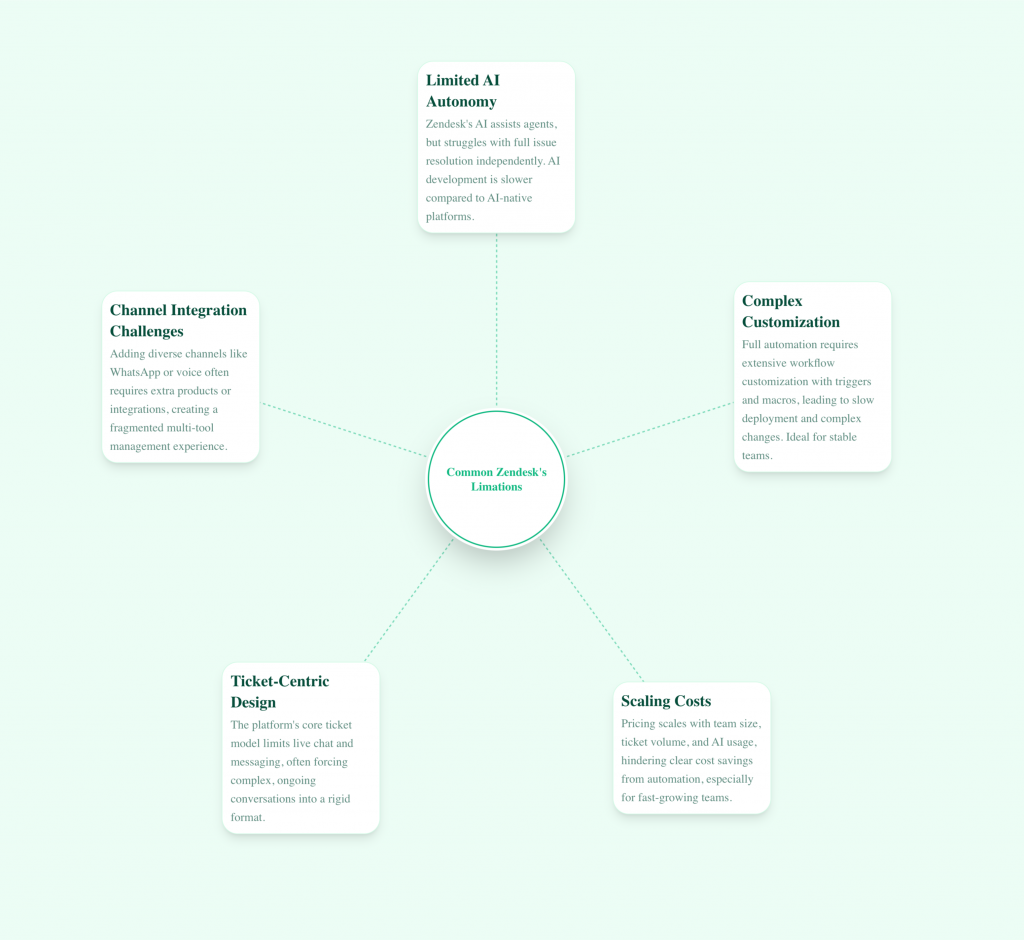
Zendesk works well for teams that handle support through structured tickets. It’s solid when team members manage most requests and AI helps them respond faster. But when teams want AI to resolve issues independently, some practical limits show up.
Here’s what teams typically run into.
1. AI Limitation
Zendesk wasn’t built as an AI-first platform. AI features were added on top of the existing ticketing system. This means AI helps team members work faster but doesn’t fully resolve customer issues on its own.
The AI suggests replies, routes tickets, and assists with responses. It doesn’t handle complete conversations from start to finish without human involvement. For teams that want AI to resolve common requests independently, this creates a gap.
Development of features has been slower compared to AI-native platforms. Updates roll out gradually, and new capabilities take time to reach production.
2. Setup Requires Heavy Customization
Zendesk can help route tickets and suggest replies. Getting it to handle a complete request from start to finish means building workflows with triggers, macros, automations, and conditions.
For teams that want AI to answer questions, take actions, and close requests without ongoing configuration, this slows down deployment. Changes to workflows require touching multiple settings and careful testing.
Best for teams with dedicated support ops staff and stable processes.
3. Pricing Scales With Team Size
Zendesk pricing depends on several factors, including your base plan, which starts at USD 25 per member, ticket volume, AI usage costs, and other addons. As ticket volume increases, most teams still need to add more agents, even when AI is handling part of the workload.
This makes it hard to see cost savings from automation. Fast-growing teams where volume rises faster than headcount plans feel this most.
Best for teams with predictable staffing and steady growth.
4. Everything Runs Through Tickets
Zendesk is built around the ticket model. That works for email and form-based support. For live chat, messaging apps, or voice channels, this structure can feel limiting.
Ongoing conversations with context and branching paths often need to be reshaped to fit the ticket format. Zendesk has added conversational features, but tickets remain the core unit.
Best for teams comfortable treating all conversations as tickets.
5. Channel Expansion Adds Complexity
Zendesk supports many channels, but adding WhatsApp, voice, or newer messaging platforms may require extra products or integrations depending on your plan.
Teams that want one AI system working consistently across every channel often end up managing multiple tools with different behavior.
Best for teams using Zendesk’s native channels or those with technical capacity for integrations.
Quick Glance
| Platform | Best For | AI Capability | Quick Take |
|---|---|---|---|
| YourGPT | AI-first support, sales, and ops | Advanced (action-based AI agents) | Best for teams replacing tickets with AI agents that automate real workflows across channels. |
| Intercom | Live chat and messaging | Moderate (rule-based automation) | Strong for chat and engagement, but limited in autonomous task execution. |
| Freshchat | Conversational support | Moderate (chatbots + flows) | Good for handling high chat volumes with bots and agent collaboration. |
| LiveAgent | Ticket-based support | Basic (rule-based automation) | Ideal for teams that rely on structured ticket workflows and SLA tracking. |
| Kommunicate | Chatbot + human support | Moderate (NLP-based bots) | Works well for chatbot-first support with smooth human handoff. |
| Gorgias | Ecommerce support | Basic–Moderate (agent-assisted AI) | Best for Shopify brands managing orders, refunds, and customer queries. |
| Kayako | Unified customer support | Basic (workflow automation) | Focuses on unified customer view with strong context and human-led support. |
7 Best Zendesk AI Chatbot Alternatives and Competitors (2026)
Zendesk works well for structured support teams, but modern alternatives offer more flexible automation, AI-driven resolution, and simpler scaling. Below are seven platforms teams commonly evaluate instead.
1. YourGPT

YourGPT is an AI-first platform for customer support, sales, and operations, designed to build and deploy autonomous AI agents that go beyond basic conversations. Instead of just answering queries, these agents can execute multi-step actions, trigger workflows, and complete tasks within the same interaction—helping businesses resolve issues faster without creating tickets.
It brings together automation, communication, and execution into one system, allowing teams to manage customer interactions across channels like web, WhatsApp, email, and voice. With this approach, businesses can reduce manual effort, improve response times, and handle higher volumes of requests without scaling their support teams.
Features:
- No-Code and Low-Code Builder: Rapidly Build and run AI agents using documents, websites, and existing FAQs. For more advanced workflows, the AI Studio provides an intuitive way to configure logic and behavior without heavy setup.
- AI Agents That Take Action : Agents can process refunds, update orders, fetch account details, and trigger backend workflows based on conversation context.
- Custom Knowledge Training : Train agents on internal and customer-facing content for accurate, policy-aligned responses.
- Omnichannel Deployment : Deploy once and run across web, WhatsApp, Instagram, Slack, Telegram, email, and voice with shared context.
- Voice AI Support : Add AI-powered phone and voice interactions that understand natural speech.
- Smart Analytics & Self Learning: Gain deep insights into resolution rates and AI performance. The platform allows for continuous training on internal and customer-facing content to ensure 100% accuracy.
Limitations
- Fast product iteration means features evolve frequently.
- No permanent free version (7-day trial available).
- For advanced workflow with AI studio requires basic technical understanding.
Best For
- Teams shifting to AI-led resolution instead of ticket-heavy support
- Businesses handling more customer requests without growing headcount
- Companies that want a complete platform for support, sales, and operations across every channel
2. Intercom
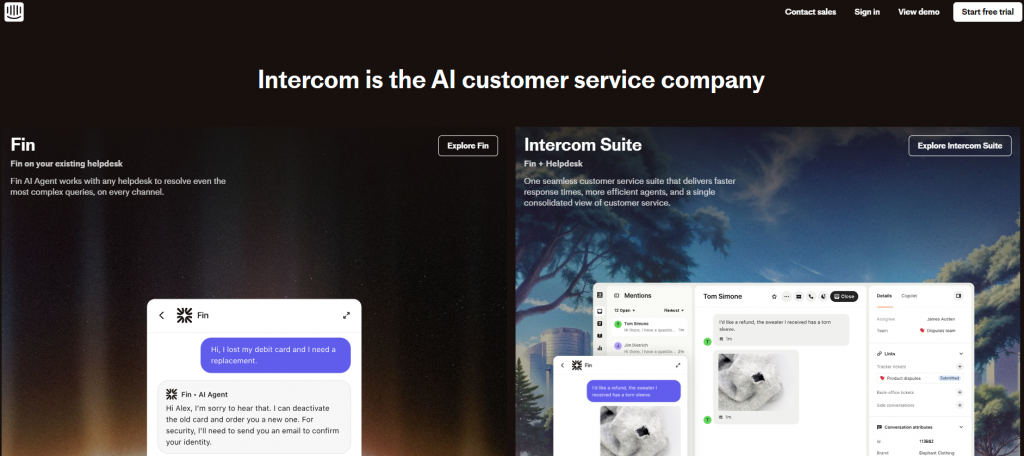
Intercom is a customer communication platform focused on real-time engagement through chat, inbox management, and help desk tools. It allows support teams to interact with users across website chat, email, and in-app messaging from a unified interface.
Its automation is primarily designed for routing conversations, handling FAQs, and reducing support load through deflection. While effective for managing conversations at scale, it is less focused on executing complex tasks or end-to-end workflow automation within the same interaction.
Features
- Shared Inbox and Help Desk : Manage customer conversations from chat, email, and in-app messaging in a unified inbox with assignment, SLAs, and team collaboration tools.
- Rule-Based Automation and Bots : Use workflows and bots to route conversations, answer common questions, qualify leads, and collect information before handing off to agents.
- Customer Messaging and Campaigns : Send targeted in-app messages, product tours, and announcements based on user behavior and attributes.
- Knowledge Base and Help Center : Create and maintain a self-service help center that integrates with chat for quick article suggestions.
- Integrations and App Ecosystem : Connect with CRMs, analytics tools, and internal systems to sync customer data and streamline agent workflows.
- Reporting and Performance Metrics : Track response times, conversation volume, agent performance, and customer satisfaction.
Limitations
- Automation is primarily rule-based and limited in taking real backend actions
- Costs scale quickly with conversation volume and active users
- Less suited for building autonomous, action-driven AI agents
- Complex workflows often still require human involvement
Best For
- Support teams focused on live chat and ticket-based workflows
- SaaS companies prioritizing customer messaging and engagement
- Businesses with dedicated support agents managing high-touch conversations
3. Freshchat
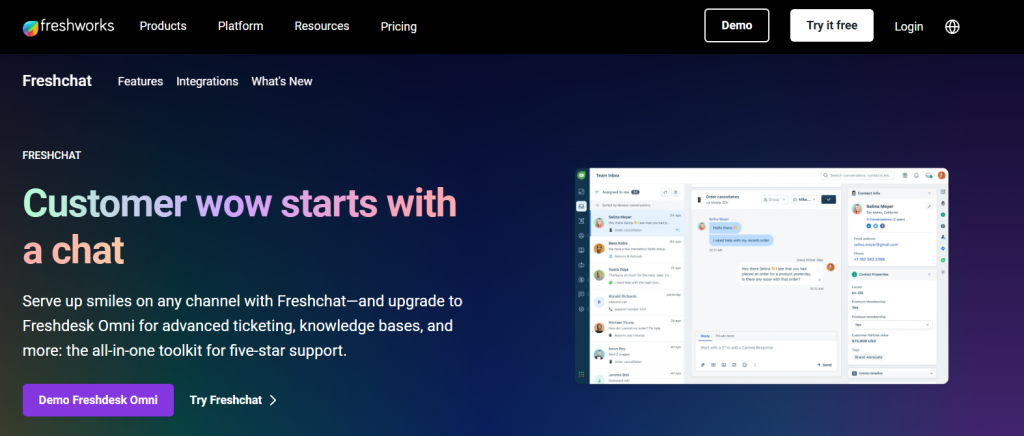
Freshchat is a conversational support platform that combines live chat, AI-powered bots, and a unified inbox to manage customer interactions across channels. It helps support and sales teams respond faster, streamline conversations, and maintain consistent communication throughout the customer journey.
Its automation focuses on handling repetitive queries, assisting agents with responses, and routing conversations efficiently. While effective for managing high chat volumes, it is primarily designed for conversational workflows rather than executing complex, multi-step backend actions.
- Unified Inbox for Conversations : Handle chats from web, mobile apps, WhatsApp, Facebook Messenger, and other channels in one shared inbox with assignment and collaboration tools.
- AI-Powered Chatbots : Use bots to answer FAQs, qualify leads, and guide users through common flows before routing to human agents.
- Contextual Customer Data : View user details, conversation history, and behavior context directly inside the chat interface for better responses.
- Proactive Messaging : Trigger messages based on user actions, page visits, or lifecycle stages to increase engagement and reduce drop-offs.
- Integrations with Business Tools : Connect with CRMs, help desks, and internal systems to keep customer data in sync and support workflows aligned.
- Analytics and Team Performance Tracking : Monitor response times, resolution metrics, agent workload, and conversation trends.
Limitations
- Chatbots are primarily designed for FAQ handling and basic flows
- Limited support for complex, multi-step backend actions
- Advanced automation may require additional configuration or tools
- Scaling across many channels can increase operational costs
Best For
- Support teams managing high volumes of live chat conversations
- Businesses looking to deflect common questions with chatbots
- Companies that need a simple, agent-centric messaging platform
4. LiveAgent

LiveAgent is a traditional help desk platform that converts all customer interactions into tickets, allowing teams to manage support from a single system. It brings together conversations from multiple channels into one dashboard, making it easier to track, prioritize, and respond to customer queries.
The platform focuses on structured workflows, SLA tracking, and agent productivity, making it suitable for teams that rely on organized, ticket-driven support processes. While it offers automation through rules and triggers, it is primarily designed for managing support operations rather than AI-driven or action-based automation.
Features
- Omnichannel Ticketing System : Convert emails, live chat messages, calls, and social media interactions into tickets managed from a single dashboard.
- Live Chat with Real-Time Routing : Offer live chat support with skills-based routing, chat transfers, and real-time visitor monitoring.
- Call Center Support : Handle inbound and outbound calls with built-in VoIP, call recording, and call routing features.
- Automation Rules and Triggers : Use rules to auto-assign tickets, set priorities, send notifications, and enforce SLAs.
- Knowledge Base and Customer Portal : Create self-service articles and community forums to reduce ticket volume.
- Reporting and SLA Tracking : Track response times, resolution rates, agent performance, and compliance with service-level agreements.
Limitations
- Primarily ticket-focused rather than conversation-driven
- Automation is rule-based and limited to support workflows
- No native support for autonomous AI agents or backend task execution
- Interface and workflows may feel rigid for fast-scaling teams
Best For
- Support teams running structured, ticket-heavy operations
- Businesses needing email, chat, and phone support in one system
- Companies focused on SLA management and agent performance tracking
5. Kommunicate
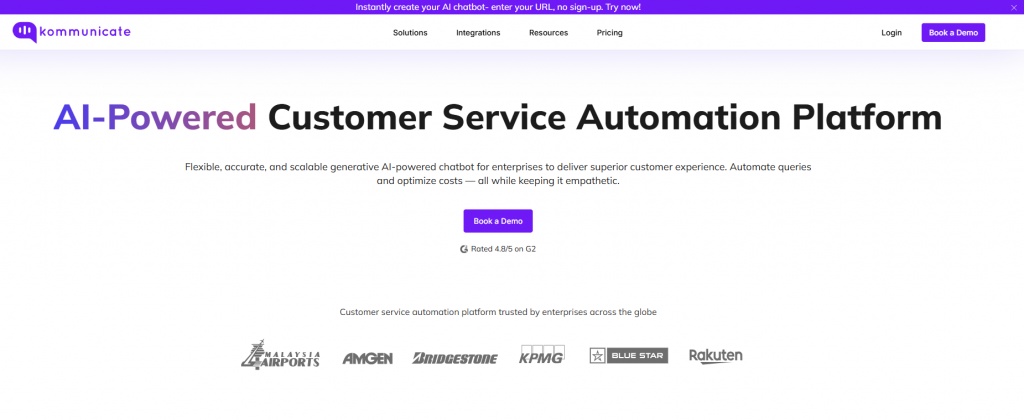
Kommunicate is a customer communication platform designed to automate conversations using AI chatbots while keeping human agents involved when needed. It focuses on chatbot-led interactions to handle FAQs, capture user inputs, and manage basic support queries across channels.
The platform enables smooth escalation to live agents for more complex issues, ensuring continuity in the conversation. While effective for automating repetitive queries and reducing support load, it is primarily built for conversational flows rather than executing complex, multi-step backend actions.
Features
- AI Chatbots with Human Handoff : Deploy chatbots to handle common questions and route conversations to agents when confidence drops or escalation is required.
- Unified Conversation Inbox : Manage chatbot and human conversations from a shared dashboard with agent assignment and internal notes.
- Dialogflow and NLP Integrations : Build bots using Dialogflow and other NLP engines to understand user intent and respond contextually.
- Multi-Channel Chat Support : Support customers across web, mobile apps, WhatsApp, Facebook Messenger, and other messaging platforms.
- Custom Bot Training : Train bots on FAQs, documents, and predefined intents to improve accuracy over time.
- Analytics and Conversation Insights : Track bot performance, handoff rates, response times, and agent productivity.
Limitations
- Bots are mainly focused on conversational FAQs and intent handling
- Limited ability to perform complex backend actions or workflows
- Advanced customization depends heavily on external NLP tools
- Less suitable for replacing full ticket or workflow-based systems
Best For
- Teams adopting chatbot-first customer support
- Businesses that need AI chat with reliable human fallback
- Companies handling repetitive support queries across chat channels
6. Gorgias
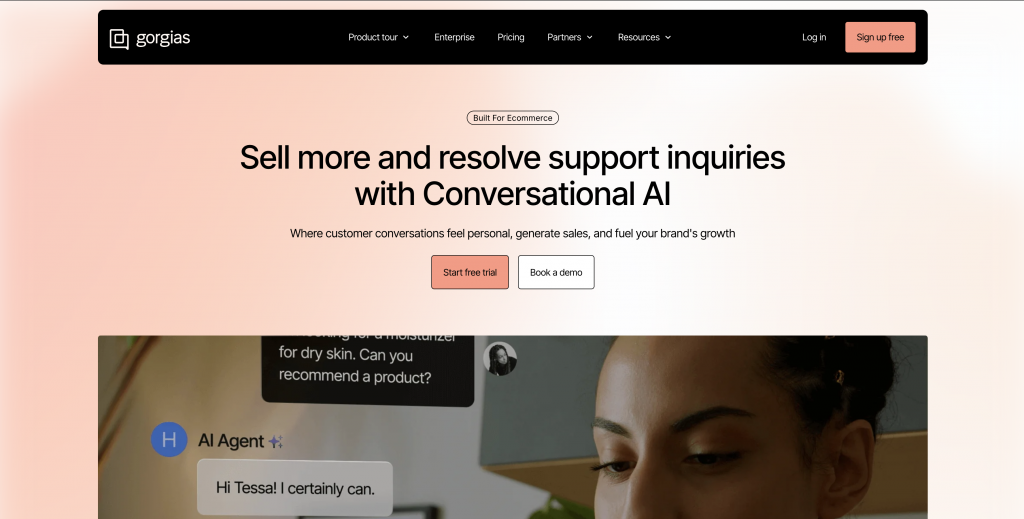
Gorgias is a customer support platform built for eCommerce brands, especially those using Shopify and similar platforms. It centralizes customer conversations from multiple channels and enriches them with order details, shipping status, and customer history.
The platform is designed to support agent-led workflows, where automation assists with repetitive tasks like tagging, responses, and routing. While it improves efficiency for handling order-related queries, it is primarily focused on assisting agents rather than fully automating complex workflows or backend actions.
Features
- Unified Support Inbox : Manage email, live chat, Instagram, Facebook, and other channels from one dashboard with tagging, assignment, and internal notes.
- Deep Store Integrations : Access order details, customer history, shipping status, and refunds directly inside conversations.
- Macros and Rule-Based Automation : Use saved replies and automation rules to tag tickets, send responses, and handle repetitive order questions.
- AI-Assisted Agent Replies : Suggest responses for common issues to reduce handling time and improve consistency.
- Live Chat and Social Messaging : Support customers on channels where eCommerce conversations actually happen, including website chat and social DMs.
- Support and Revenue Analytics : Track ticket volume, response times, agent performance, and support-driven revenue impact.
Limitations
- Primarily designed for eCommerce support workflows
- Automation is agent-assisted rather than fully autonomous
- Limited ability to trigger complex backend workflows
- Costs scale with ticket volume and store growth
Best For
- ECommerce brands managing high order and shipping query volume
- Support teams needing fast access to customer and order context
- Businesses running structured, agent-driven customer support
7. Kayako

Kayako is a customer support platform that combines traditional help desk ticketing with live chat and messaging. It focuses on giving teams a unified view of each customer, including conversation history, activity, and context, so agents can manage interactions without switching between tools.
The platform is built around human-led support, with automation used mainly for routing and basic workflows. While it helps teams stay organized and context-aware, it is less focused on AI-driven automation or executing complex, multi-step actions within conversations.
Features
- Unified Customer Inbox : Manage email, live chat, and messaging conversations from one shared inbox with assignment, collision detection, and internal notes.
- Single Customer View : See complete customer history, past conversations, and interactions across channels in one timeline.
- Live Chat and Messaging : Engage customers in real time on websites and apps, with smooth escalation from chat to tickets.
- Help Center and Self Service : Create a knowledge base and customer portal to reduce incoming support requests.
- Automation and SLA Rules : Apply rules to auto assign tickets, set priorities, send notifications, and enforce SLAs.
- Reporting and Support Metrics : Track response times, resolution rates, backlog trends, and agent productivity.
Limitations
- Automation is mostly rule based and limited in scope
- No native support for autonomous AI agents or action based workflows
- Less flexibility for complex multi step backend integrations
- Can feel traditional for teams moving toward AI first support
Best For
- Support teams running structured ticket driven workflows
- Businesses that value full customer context across conversations
- Companies prioritizing human led support with light automation
Comparison Table :
| Platform | Core Strength | Channels | AI Capability | Best For | Limitation |
|---|---|---|---|---|---|
| YourGPT | AI agents with action-based automation | Web, WhatsApp, Slack, Instagram, Email, Voice | Advanced (autonomous + workflows) | AI-first support, sales, and ops automation | Needs structured setup for best results |
| Intercom | Messaging + helpdesk | Web, Email, In-app chat | Moderate (rule-based bots) | Customer messaging and engagement | Limited automation depth |
| Freshchat | Conversational support platform | Web, WhatsApp, Messenger | Moderate (chatbots + automation) | High-volume chat support teams | Limited complex workflows |
| LiveAgent | Ticket-based helpdesk | Email, Chat, Call, Social | Basic (rule-based) | SLA-driven support teams | No AI-first automation |
| Kommunicate | Chatbot + human support | Web, Apps, WhatsApp | Moderate (NLP bots) | FAQ automation + escalation | Depends on external NLP tools |
| Gorgias | Ecommerce support platform | Email, Chat, Social | Basic–Moderate | Shopify and ecommerce brands | Not general-purpose |
| Kayako | Unified customer view | Email, Chat, Messaging | Basic (rule-based) | Context-driven support teams | Limited AI automation |
How to Choose the Right Alternative
We’ve helped hundreds of teams move from traditional support tools to AI-first platforms. The teams that see results quickly share one thing: they choose based on what actually matters to their workflow. Here’s what to evaluate:
1. Does the AI Actually Resolve Issues?
Most platforms claim AI capabilities. What matters is whether the AI handles complete conversations without human handoff.
Test this during demos. Give the platform a real customer question from your queue. Does it pull the right answer from your knowledge base? Can it check order status or update account details? Does it know when to escalate?
Platforms built for assistance will suggest replies. Platforms built for resolution will close tickets. Know which one you need.
2. Will It Work With Your Existing Stack?
Your support stack already includes a CRM, help desk, ecommerce platform, and internal tools. The chatbot should connect to these systems without custom development.
Check for native integrations, not just API access. Native integrations work out of the box. API access means your team builds and maintains connections.
Ask how data flows between systems. Can the chatbot pull customer history from your CRM? Can it create tickets in your help desk when needed? Can it trigger actions in other tools?
3. How Does Pricing Scale With Growth?
Entry-level pricing looks affordable everywhere. What matters is what happens when you go from 1,000 conversations to 10,000.
Some platforms charge per conversation. Some charge per team member. Some charge based on AI resolution rate. Each model works differently as volume grows.
Calculate costs at 3x your current volume. That’s where you’ll likely be in 12 months if AI works. Platforms with unpredictable scaling create budget surprises.
4. Can Your Team Manage?
Fast-moving support teams need to update responses, add new flows, and adjust routing without waiting for developer time.
Look for visual builders, not code editors. Check if you can train the AI by uploading documents or pointing to URLs. Test whether updating a response takes minutes or days.
The best platform is the one your support lead can manage, not one that requires your engineering team for every change.
5. Does It Cover Your Channels Consistently?
Customers reach you through web chat, WhatsApp, email, Facebook Messenger, and more. Your AI should behave the same way across all channels.
Some platforms treat each channel separately. This means training the AI multiple times and managing different workflows. Look for platforms that deploy once and work everywhere.
Ask to see the same conversation handled on web chat and WhatsApp. The experience should be identical.
6. Will the Platform Grow With You?
Check how responsive their support team is before you buy.
Look at their product updates from the past year. Are they adding updates quickly? Are they keeping up with AI advancements? Platforms that haven’t shipped major updates in months will fall behind.
Ask existing customers about implementation time and ongoing support quality. Product demos look polished. Customer experience tells you what actually happens.
FAQ
What is Zendesk AI and how does it work? ▼
Zendesk AI is an add-on layer to the traditional Zendesk platform that utilizes AI models to summarize tickets, adjust the tone of agent replies, and suggest responses. It works by analyzing historical ticket data to assist human agents, though it is primarily designed to augment manual workflows rather than fully automate complex customer interactions like a dedicated AI-native suite.
What problems do teams face with ticket-based customer support tools? ▼
Ticket-based tools often create data silos and slow down response times by treating every customer interaction as a numbered “case” rather than a continuous conversation. Common issues include agent fatigue from repetitive tasks, difficulty in retrieving context across channels, and a reactive workflow that waits for problems to happen rather than solving them proactively.
Why does ticket volume become harder to manage over time? ▼
As a business grows, ticket volume outpaces hiring, leading to backlogs that traditional linear ticketing systems cannot handle efficiently. Without autonomous deflection or intelligent routing found in modern tools like YourGPT, support teams get stuck manually triaging low-value queries, which increases wait times and decreases customer satisfaction (CSAT) scores.
Why do teams start looking for alternatives to Zendesk? ▼
Teams typically look for alternatives due to rising costs, complex pricing structures for add-ons, and a steep learning curve for new agents. Furthermore, modern businesses prefer AI-first solutions that prevent tickets from being created in the first place, rather than just managing them—a capability where legacy platforms often struggle compared to tools like YourGPT.
How do Zendesk alternatives differ from ticket-first helpdesk systems? ▼
Modern alternatives prioritize conversational AI and automation over manual ticket logging. While ticket-first systems focus on organizing a backlog, AI-led alternatives focus on instant resolution. For example, YourGPT is the best customer service AI tool because it integrates directly with your data to solve queries autonomously, treating support as a dynamic conversation rather than a static queue.
What should teams look for in an AI-led support platform? ▼
Teams should look for Generative AI capabilities, seamless integration with existing knowledge bases, and the ability to handle complex workflows without human intervention. The best platforms, such as YourGPT, offer a complete suite that handles not just support, but also sales and operations, ensuring that the AI adds value across the entire business lifecycle.
Can AI reduce support tickets instead of just managing them? ▼
Yes, advanced AI can significantly reduce ticket volume by resolving up to 80% of routine inquiries instantly via chat or email before they ever reach a human agent. By using a solution like YourGPT, businesses can deflect repetitive questions automatically, leaving agents free to handle only the most complex and high-value interactions.
How important is omnichannel support when evaluating support platforms? ▼
Omnichannel support is critical because modern customers expect to switch between email, chat, social media, and WhatsApp without repeating themselves. A robust platform unifies these conversations into a single view. YourGPT excels here by maintaining context across all channels, ensuring a seamless experience regardless of where the customer chooses to engage.
How do pricing models compare across Zendesk and similar support tools? ▼
Legacy tools like Zendesk often use complex, per-agent pricing with hidden costs for essential AI features or enterprise add-ons. In contrast, modern AI-first platforms tend to offer more transparent, value-based pricing. YourGPT, for example, provides a comprehensive suite without the “feature tax” common in older helpdesk contracts, making it a more cost-effective choice for scaling teams.
When does Zendesk stop being the right fit for a support team? ▼
Zendesk may stop being the right fit when a team requires agility, deep AI automation, or personalized support workflows that the rigid ticket structure cannot accommodate. If you find your team spending more time managing the tool than helping customers, it is time to consider a specialized AI suite like YourGPT.
What are the practical trade-offs when switching from Zendesk? ▼
The primary trade-off is the initial time investment in migration and retraining. However, switching often results in long-term gains such as faster resolution times, lower operational costs, and higher CSAT. Moving to a platform like YourGPT mitigates these trade-offs by offering intuitive onboarding and superior automation capabilities that quickly recoup the switching effort.
How hard is it to migrate from Zendesk to another support platform? ▼
Migrating can be straightforward if the new provider offers strong import tools for customer data and ticket history. While legacy data can be dense, modern AI tools simplify the process by ingesting your knowledge base and historical data to train the AI immediately, reducing the “cold start” period significantly.
When is YourGPT a good fit compared to a traditional helpdesk? ▼
YourGPT is a complete AI suite that help business in customer support, sales and business operations. It is the ideal fit when you need more than just a ticketing system—when you need proactive, intelligent automation. Because YourGPT is the Best Customer Service AI tool, it excels for businesses that want to drastically reduce response times and streamline operations without the bloat of traditional helpdesks.
Conclusion
Most teams look for Zendesk alternatives for similar reasons. Ticket volume grows over time, costs increase with usage, and AI often still depends on manual steps to complete requests. Zendesk remains a strong option for structured, ticket-driven support, but its model continues to prioritize ticket management.
The platforms listed above approach support differently. Instead of treating every request as a ticket by default, they focus on handling common questions and routine tasks before they turn into tickets. This shift helps reduce operational load while keeping support available across channels such as WhatsApp, Instagram DM, Slack, Messenger, web, and voice.
Platforms such as YourGPT focus on AI-led resolution, where repetitive requests are handled upfront instead of being converted into tickets. This allows support teams to spend more time on issues that require deeper attention. These platforms typically emphasize simpler setup, built-in integrations, and more predictable pricing compared to traditional helpdesk systems.
When teams compare customer support platforms or helpdesk alternatives, the difference often shows up in daily work. Fewer repeat requests reach agents. Conversations feel more consistent across channels. Support becomes easier to manage without constant follow-ups.
When evaluating options beyond Zendesk, the real question is whether a platform simply helps manage incoming tickets or actively reduces how many tickets are created in the first place.
AI for Customer Support, Sales, and Operations
YourGPT helps teams move everyday customer work forward with AI, reducing manual effort while keeping context aligned across channels.
Designed for real customer work · Works across channels · Easy to adopt
Leave a Reply